
I dedicated one weekend to entering the same few prompts into every free AI image tool I could discover, and logging where each one began to cost money. Not a three-image trial; but, like, the free tier that stays free on a Tuesday afternoon without a credit card required.
Many of the articles reviewing these tools will focus on image quality, and bypass the detail that most likely determined the tool each used: how much do you actually get before watermarks, public galleries or the paywall kicks in? This is what I tracked. I signed up where necessary, generated to my limit, and examined every resulting file to confirm the absence of sneaky watermarks.
Two major events that occurred in the first half 2026 have not yet been accounted for in existing roundups. The freestanding DALL-E models were discontinued by OpenAI in May, so what people called “DALL-E” is now called GPT Image 1.5 within the context of ChatGPT. Additionally, Microsoft removed DALL-E 3 from the Bing Image Creator, and is now replacing it with its own model. Guides listing Bing Image Creator as utilizing DALL-E 3 haven’t been updated in 2026.
Here is everything that held up under testing.
The free tiers at a glance
This is what each tool handed me on its free plan in June 2026. Numbers move, which is why the date at the top matters. Treat anything older than a couple of months with suspicion.
| Tool | What you get free | Account? | Watermark | Best for |
|---|---|---|---|---|
| Google Gemini (Nano Banana) | ~20 images/day | Yes (Google) | Yes | All-round quality |
| ChatGPT (GPT Image 1.5) | ~2-3 images/day | Yes (OpenAI) | Invisible only | Following exact instructions |
| Bing Image Creator | 15 fast + slow queue | Yes (Microsoft) | Invisible only | Free DALL-E-style volume |
| Adobe Firefly | ~25 credits/month | Yes (Adobe) | None | Commercial-safe work |
| Ideogram | ~10 prompts/day | Yes | None (images public) | Text inside images |
| Leonardo.AI | 150 tokens/day | Yes | None (images public) | Volume + model choice |
| Recraft | Daily credits | Yes | None (images public) | Logos, icons, vectors |
| Canva (Magic Media) | ~50 images (one-time) | Yes | None | Drop straight into a design |
| Perchance | Unlimited | No | None | Zero-commitment generating |
| Craiyon | Unlimited | No | Small mark (check) | Quick brainstorming |
“Invisible only” means the downloaded image looks clean to the eye but carries content-credential metadata that flags it as AI made. “Images public” means free generations land in a gallery other users can browse, which matters for client work.
How I tested
I built four prompts around jobs people actually hire these tools for, then ran every one of them through each tool on the same day. Same wording, same expectations, no cherry-picking the model that happened to nail it.
The four prompts:
Social graphic with text: A bold Instagram post background in deep teal and coral, soft film grain, modern, the words 'WEEKEND SALE' centered in a clean sans-serif font.
Photoreal portrait: Candid portrait of a woman in her thirties laughing, natural window light, 50mm lens, shallow depth of field, visible skin texture and a few freckles.
Blog header: Wide flat-lay illustration of a tidy home-office desk, pastel palette, a small plant, laptop and coffee, clean vector style, plenty of empty space on the left for a title.
Logo concept: Minimal logo mark for a coffee brand called 'North Bean', a simple mountain and coffee bean combined, two colors, flat, on a white background.
Text rendering and clean compositions separate the good tools from the rest, so the sale graphic and the logo did most of the sorting. After each run I downloaded the file, opened it, and inspected it for a visible watermark and for embedded credentials.
1. Google Gemini (Nano Banana)
Gemini is the one I kept coming back to. Google folds its image model, nicknamed Nano Banana, straight into the regular Gemini chat, so you describe what you want in plain language and refine it in the same thread. The February 2026 update (Nano Banana 2, technically the Gemini 3.1 Flash Image model) sharpened its text rendering to the point where my “WEEKEND SALE” graphic came back spelled correctly on the first try, which almost no tool managed a year ago.
Free users get the fast Flash model. The higher-end Nano Banana Pro model exists, but Google reserves most of its capacity for paid tiers, so expect the occasional “regenerate with Pro” prompt that nudges you toward a subscription.
Free limit: Roughly 20 images per day in the Gemini app
Account: Yes, a free Google account
Watermark: No visible mark, but every image carries an invisible SynthID watermark Google embeds in all its AI output
Best for: A single reliable tool that handles text, portraits and illustrations without much fuss
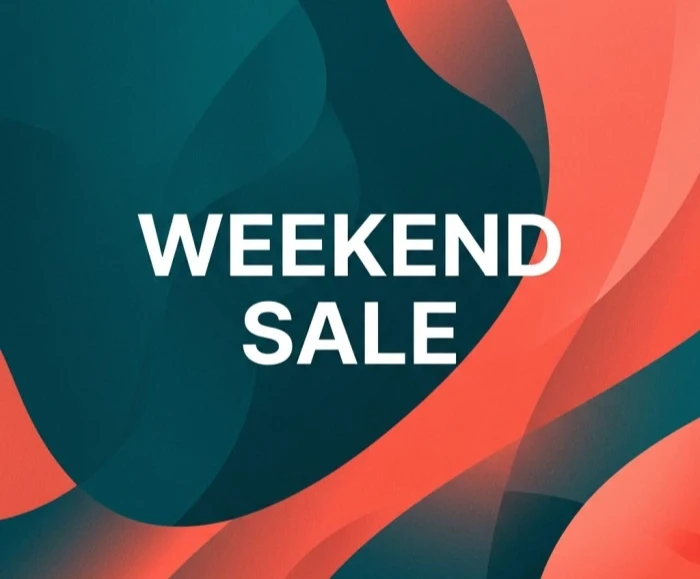
Image created by Nano Banana
What I liked
- The Feb 2026 model spells text correctly. "WEEKEND SALE" came back clean on the first try.
- Roughly 20 images a day, enough for actual project work.
- You refine inside the chat by talking, instead of rewriting prompts from scratch.
What slowed me down
- The higher-quality Pro model is mostly reserved for paid tiers, so free runs use the faster Flash model.
- Every image carries an invisible SynthID watermark that detection tools can read.
2. ChatGPT (GPT Image 1.5)
ChatGPT understands a messy, conversational prompt better than anything else I tested. I described the desk illustration in a half-finished sentence and it filled the gaps sensibly, then let me say “move the plant to the right” and actually did it. Since OpenAI retired DALL-E in May, image generation here runs on GPT Image 1.5, which is faster and sticks to instructions more tightly than the old model.
The catch is the limit. Free accounts get only two or three images in a rolling 24-hour window, and the timer resets 24 hours after your first generation rather than at midnight. I burned through my quota before I finished the four test prompts. In some countries the free tier now shows ads as well.
Free limit: About 2 to 3 images per day, rolling 24-hour reset
Account: Yes, a free OpenAI account
Watermark: No visible mark; images carry C2PA content credentials in the metadata
Best for: Getting one well-composed image from a vague description
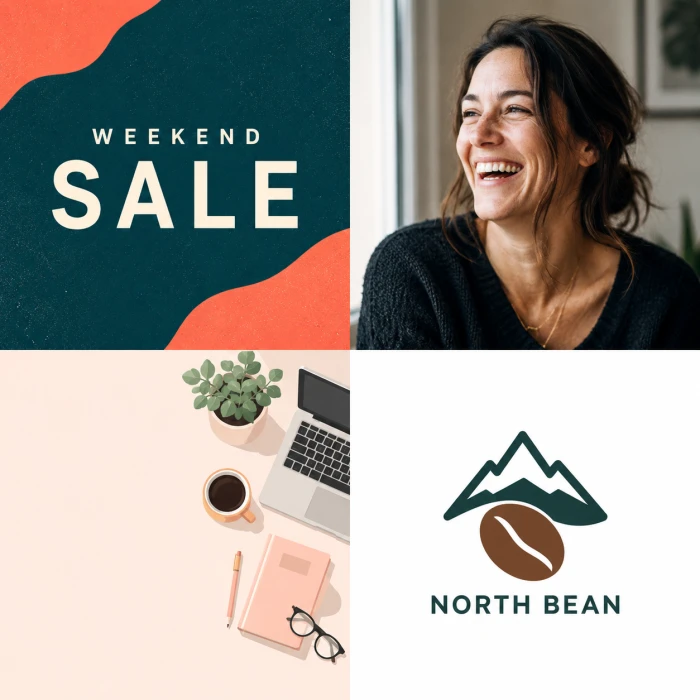
Images created by ChatGPT
What I liked
- Reads vague, half-finished prompts better than any other tool I tried.
- Follows single edit instructions accurately ("move the plant to the right").
- The one image it gives is usually well composed.
What slowed me down
- Only about 2 to 3 images a day on the free plan. I ran out mid-test.
- The limit resets 24 hours after your first image, not at midnight, so the timing is fiddly.
- The free tier now shows ads in some countries.
3. Microsoft Bing Image Creator
Bing has long been the back door to free DALL-E-quality images, and for volume it still beats ChatGPT by a wide margin. You sign in with a Microsoft account and get 15 fast generations, called boosts, that refill over time. Run out and you drop into a slower queue that keeps working, so the practical free ceiling is much higher than the boost number suggests.
The model situation is in flux as of June 2026, which is the part most articles miss. Microsoft is retiring DALL-E 3 from the tool and rolling in its own model, MAI-Image-1, alongside other options. The page itself shows a notice that a replacement is on the way. Quality has wobbled during past model swaps, so judge the current output yourself rather than trusting last year's reviews.
Free limit: 15 fast boosts that replenish, then an unlimited slower queue
Account: Yes, a free Microsoft account
Watermark: No visible mark; invisible C2PA content credentials are attached. Images stay in “My Creations” for about 90 days
Best for: Generating a lot of images for free without babysitting a strict daily cap
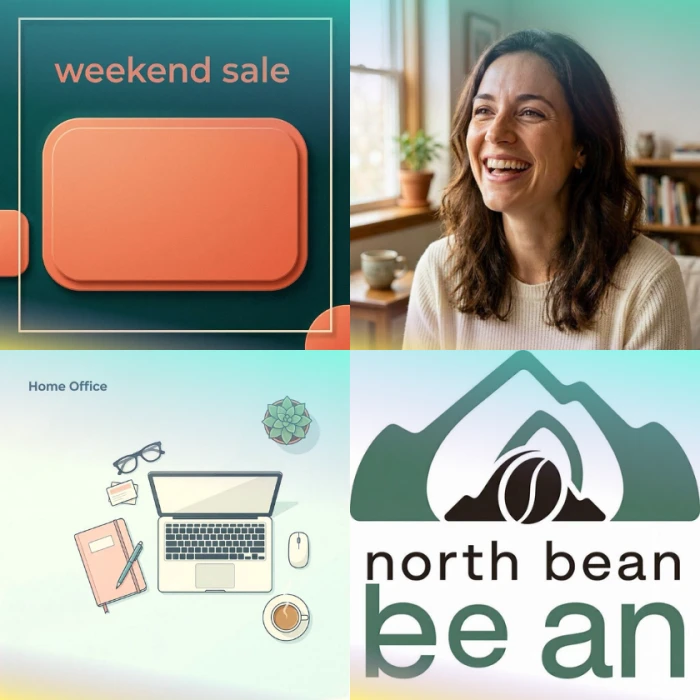
Images created by Microsoft Bing
What I liked
- The highest free volume here. 15 fast boosts, then a slower queue that keeps going.
- Four images per prompt to pick from.
- No visible watermark on downloads.
What slowed me down
- Mid model change (DALL-E 3 retiring, MAI-Image-1 arriving), so current quality is a moving target.
- Once the boosts run out, the slow queue can mean a genuine wait.
- Images sit in "My Creations" for only about 90 days.
4. Adobe Firefly
Firefly is the tool I reach for when an image has to survive a legal review. Adobe trained its first model only on licensed Adobe Stock images and public-domain content where copyright had expired, and it offers indemnification to paying customers. For anyone putting AI images on a product page or in an ad, that provenance matters more than a slightly prettier render.
The free plan runs on generative credits. You get a monthly allocation (around 25 credits) that renews each month, with each image generation spending a few of them. That is the correction worth flagging: the credits are monthly and recurring, not a one-time starter pack that vanishes once spent. Quality on the newer Firefly image models is strong, and the output is clean with no watermark.
Free limit: About 25 generative credits per month, renewing monthly; a standard image costs a few credits
Account: Yes, a free Adobe account
Watermark: None
Best for: Commercial work where you need to defend where the image came from
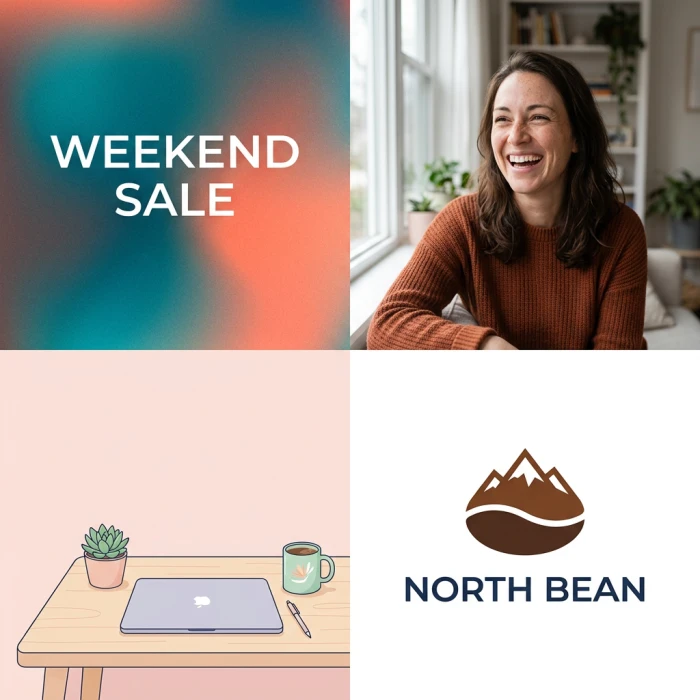
Images created by Adobe Firefly
What I liked
- Trained on licensed and public-domain images, the cleanest provenance for commercial work.
- Clean output with no watermark.
- Credits refresh every month.
What slowed me down
- Around 25 credits a month, which runs out faster than the unlimited tools.
- A single generation spends several credits, so experimenting drains it quickly.
5. Ideogram
If your image needs readable words in it, Ideogram is the specialist. Posters, signage, mock packaging, anything with a slogan: it renders type more accurately than the general-purpose tools, and it was the only one that nailed both the “WEEKEND SALE” graphic and the “North Bean” logo wordmark cleanly in the same session.
The free tier gives you around 10 slow credits a day, and each credit produces a prompt with up to four image variations, so the real output is closer to 40 images daily. One thing to know before you use anything for a client: free generations are public and visible in Ideogram's gallery. Private images require a paid plan, and commercial rights generally do too.
Free limit: Around 10 prompts per day on the slow queue, each returning up to four images
Account: Yes
Watermark: No visible mark, but free images are public in the gallery
Best for: Logos, posters and any image with text that must be spelled right
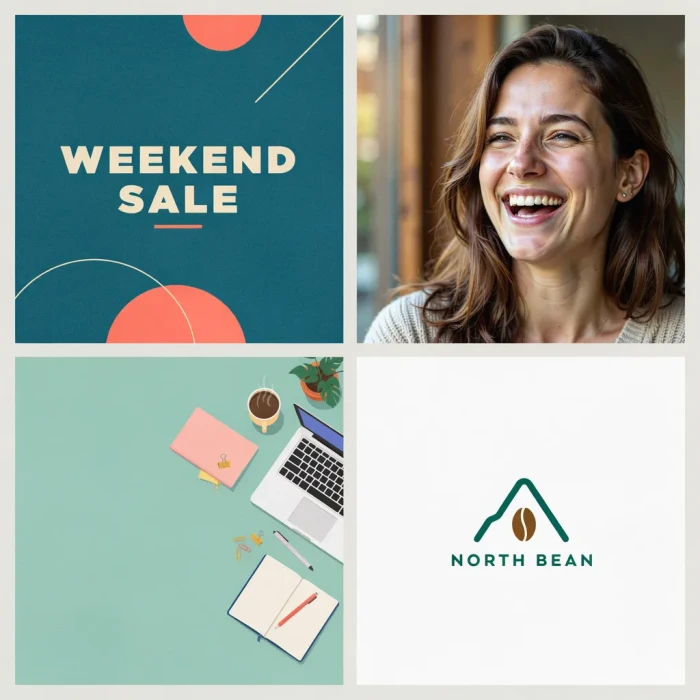
Images created by Ideogram
What I liked
- The best text-in-image rendering of anything I tested.
- About 10 prompts a day, each returning up to four images.
- Strong on posters and logo wordmarks.
What slowed me down
- Free generations are public in the gallery.
- Private images and commercial rights need a paid plan.
6. Leonardo.AI
Leonardo started as a tool for game artists, and that shows in how much control it hands you. You pick from several models, fine-tune styles, and work in a real-time canvas. For a free plan it is generous: 150 tokens refresh daily, and since a single image costs somewhere between one and five tokens, you can pull dozens of images out of it before the balance hits zero.
The trade-off mirrors Ideogram's. Free generations are public, and serious commercial use points you toward a paid plan. Text rendering on its own models is weaker than Ideogram's, though the sheer model variety means you can usually find one that suits the look you are after.
Free limit: 150 tokens per day; an image costs 1 to 5 tokens
Account: Yes
Watermark: No visible mark, but free images are public
Best for: Generating volume with fine control over model and style
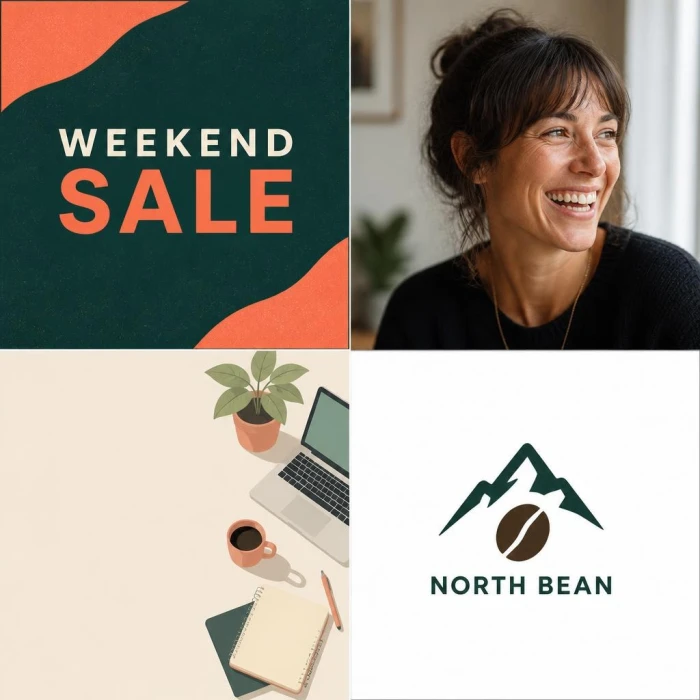
Images created by Leonardo
What I liked
- 150 tokens a day stretch to dozens of images.
- Several models plus fine control over style.
- A real-time canvas for sketching and generating at once.
What slowed me down
- Free images are public.
- Text rendering on its own models trails Ideogram.
- Commercial use points you to a paid plan.
7. Recraft
Recraft is the one I open for brand assets. It generates true vector output, icons and consistent style sets, which makes it genuinely useful for logos and UI work rather than only flat raster pictures. My North Bean logo came out as something I could actually scale and recolor, not a blurry square I would have to trace by hand.
The free plan gives you a daily batch of credits that refresh each day. Recraft has offered around 50 a day, though the exact figure has shifted more than once, so check your balance in the app. As with Leonardo and Ideogram, free generations are public, and you will want a paid plan for private, commercial output.
Free limit: A daily allotment of credits (Recraft has offered roughly 50 a day; verify the current number)
Account: Yes
Watermark: No visible mark, but free images are public
Best for: Vector logos, icons and a consistent brand style set
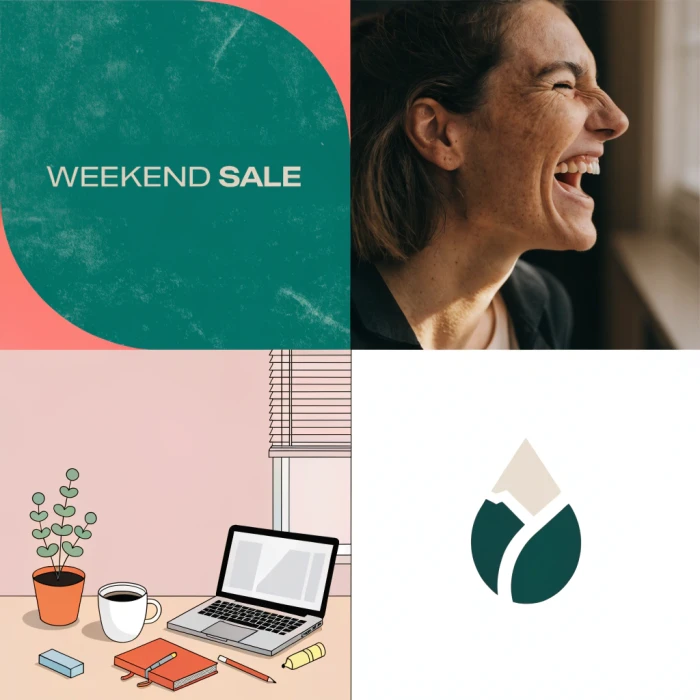
Images created by Recraft
What I liked
- True vector output you can scale and recolor.
- The best logo and icon results among the general tools here.
- Consistent style sets across a batch.
What slowed me down
- Free images are public.
- The daily credit count has shifted more than once, so check your balance.
- Private, commercial output needs a paid plan.
8. Canva (Magic Media)
Canva's appeal is not the image model on its own, it is what happens after. You generate something with Magic Media and it is already sitting inside the Canva editor, ready to drop into a template, resize for three platforms and export. For social posts and quick marketing graphics that workflow saves more time than a marginally better render would.
The free image generations are limited, though. Canva treats them as a small one-time allowance (commonly around 50 images) rather than a pot that refills every month, and the credits are shared across its other AI tools. Once they are gone on the free plan, you are looking at Canva Pro. The upside: AI images come out without a watermark, and Canva's content license covers most ordinary use.
Free limit: Around 50 image generations, treated as a one-time allowance on the free plan
Account: Yes
Watermark: None on AI images
Best for: Going from prompt to finished, sized social graphic without leaving one tab
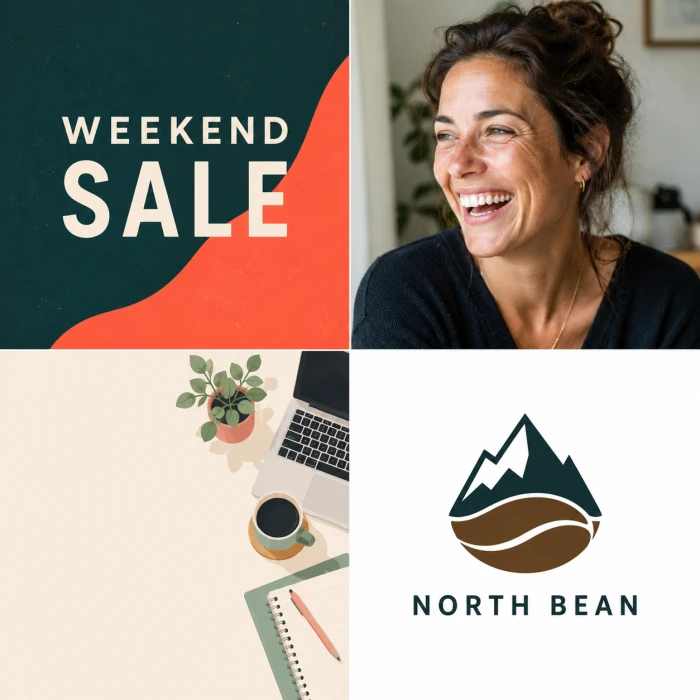
Image created by Canva
What I liked
- The image drops straight into the Canva editor, ready to resize and export.
- No watermark on AI images.
- The shortest path from prompt to a finished social graphic.
What slowed me down
- Free image generations are a small one-time allowance (around 50), not a monthly refill.
- Those credits are shared with Canva's other AI tools.
- Once they run out, you are looking at Canva Pro.
9. Perchance
Perchance is the tool I recommend to anyone who refuses to make another account. It runs Stable Diffusion models in your browser, asks for no email, no card and no login, and it does not cap how many images you generate. Downloads come out clean with no watermark. For a free, no-strings tool that genuinely keeps going, nothing else I tested matches it.
Quality sits a notch below Gemini or ChatGPT, and the interface is plain. For brainstorming, character art, moodboards and casual experiments, it is the most frictionless option on this list. Commercial rights are murky, so I would not push Perchance output into paid client work without checking the current terms.
Free limit: Unlimited
Account: No, none at all
Watermark: None
Best for: Endless casual generation with zero sign-up
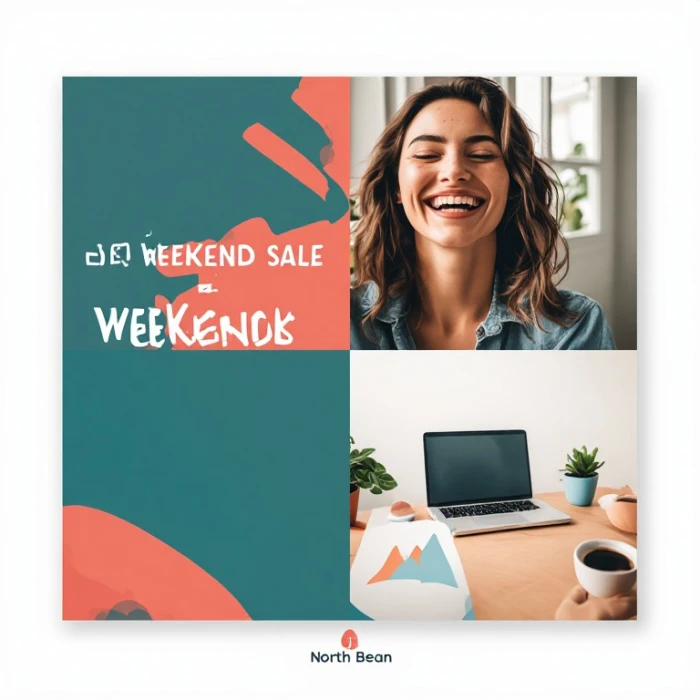
Image created by Perchance
What I liked
- Genuinely unlimited.
- Needs no account or login of any kind.
- No watermark, and it runs in the browser.
What slowed me down
- Quality sits a notch below Gemini and ChatGPT.
- The interface is plain.
- Commercial rights are unclear, so I would not use it for paid client work without checking.
10. Craiyon
Craiyon, the tool that started life as DALL-E mini and went viral for cursed meme images, is still around and still unlimited with no account. It returns nine images per prompt, which makes it handy for quickly scanning a lot of rough directions at once. The resolution is low and the polish is far behind the leaders, so I treat it as a sketch tool rather than a finishing one.
One detail to verify yourself: Craiyon has historically stamped free images with a small watermark, but recent reports are mixed on whether it still does. Generate one and check the corner before you rely on it. For genuine brainstorming where quality is secondary to volume, it does the job.
Free limit: Unlimited, nine images per prompt
Account: No
Watermark: Historically a small mark on free output; confirm on a current generation
Best for: Fast, throwaway idea exploration
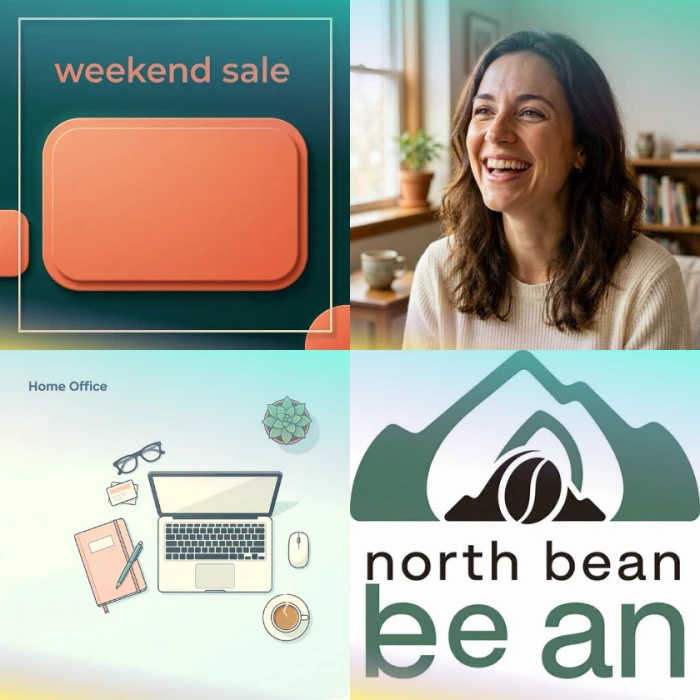
Images created by Craiyon
What I liked
- Unlimited, with no account.
- Nine images per prompt, handy for scanning rough directions fast.
What slowed me down
- Low resolution and rough polish.
- Historically a small watermark on free output, so confirm on a current image.
Which free tool is best for what
After running everything side by side, here is how I would actually choose, depending on the job in front of me.
Best for social graphics with text
Ideogram, with Gemini close behind. Ideogram spells words correctly more often, and Gemini's recent update closed most of the gap while giving you a higher daily limit. Either will hand you a usable sale banner.
Best for a realistic portrait
Gemini and ChatGPT trade blows here. ChatGPT renders skin and light beautifully but rations you to a couple of images a day. Gemini gives you room to iterate. Leonardo is the volume pick if you want to generate twenty variations and choose.
Best with no account at all
Perchance. Open the page, type, download, done. Craiyon and DiffusionArt are the backups if you want a different model or a batch of nine.
Best for commercial work you can defend
Adobe Firefly, without much argument. Its training data is licensed, which is the question a cautious client or legal team will ask first. ChatGPT and Gemini grant you rights to what you create under their terms too, but Firefly's provenance is the cleanest story. Steer clear of the free tiers on Ideogram, Leonardo and Recraft for paid work, since their free output is public and commercial use generally sits behind a subscription.
Best for sheer volume
Bing Image Creator for general images, Leonardo if you want model control. Bing's slow queue keeps producing long after the daily-capped tools have shut you out.
Best for logos and vectors
Recraft. Real vector output you can scale and recolor puts it ahead of every tool that only gives you a flat picture.
Getting better results on a free tier
Free models are often the smaller, faster versions of a tool's paid engine, so your prompt has to do more of the work. A few habits made a visible difference across every tool I tested.
Lead with the subject, then the action, then the setting. “A red bicycle leaning against a blue door in golden evening light” beats a pile of adjectives with no clear subject. The model anchors on whatever you mention first.
Name the style explicitly. Words like “flat vector,” “cinematic photo,” “35mm,” “watercolor” or “studio product shot” steer the output far more than vague requests for something “nice” or “professional.”
Say where the empty space goes. If you need room for a headline, ask for it: “leave the left third empty.” Free tools rarely guess your layout, and it is cheaper than regenerating.
Keep text short. Even the best free models stumble on long strings, so a two or three word slogan lands far more reliably than a full sentence. Ideogram tolerates more, but short still wins.
Specify the aspect ratio up front when the tool allows it. Generating at 4:5 for Instagram or 16:9 for a banner saves you from cropping away the part you liked.
When a tool lets you refine in conversation, like Gemini and ChatGPT, change one thing at a time. “Warm up the lighting” as a single instruction works better than a rewritten paragraph that quietly changes five things at once.
The free-tier traps worth knowing before you commit
Image quality is the easy part to compare. The things that actually bite you show up later, after you have already built a workflow around a tool. These are the ones that cost me time during testing.
“Free” means three credits. Some tools advertise a free plan that is a trial in disguise: a small one-time pile of credits, then a paywall. Canva's image allowance behaves this way on the free plan, and several tools outside this list lean on it harder. Check whether the free amount refills daily, monthly or never before you depend on it.
Public galleries. Ideogram, Leonardo and Recraft all make free generations visible to other users. Fine for personal art, a problem the moment you are designing something confidential for a client or an unannounced product.
Invisible watermarks are still watermarks. Gemini embeds SynthID, and Bing and ChatGPT attach C2PA content credentials. You will not see them, but detection tools and some platforms can. If undisclosed AI provenance is a dealbreaker for your use, that rules out more tools than the visible-watermark column suggests.
Commercial rights are not automatic. Owning the file is not the same as having the right to sell what is on it. Firefly is built around safe commercial use; the free tiers of Ideogram, Leonardo and Recraft generally are not. Read the current terms before an image goes on anything you charge money for.
Models change without warning. Bing is swapping out DALL-E 3 right now, ChatGPT moved off DALL-E in May, and Gemini has shipped two image models in under a year. A tool that impressed you in January can render differently by June, for better or worse. This is exactly why the date at the top of any guide like this one matters, and why I re-test these every month.
Start with Gemini for everyday quality and Perchance for unlimited no-login generating, then pull in Ideogram for text, Firefly for anything you sell, and Recraft for logos. That five-tool kit covered every prompt I threw at it without costing a thing.
Comments
Join the discussion and share your perspective.