
A few weeks ago I kept running into the same small button.
Connect Google Drive.
It showed up inside ChatGPT, then inside two other tools I was testing. Every time, I hovered over it and stopped.
My Drive is not empty. It holds client contracts, a folder of tax paperwork, half-finished writing, and old photos I never sorted. Handing an AI assistant a door into all of that felt like something to understand before clicking, not after.
So I did the boring thing first. I spun up a throwaway Google account and connected that one. Then I read OpenAI's own documentation and worked through what security researchers had published. This article is what I found, in the order I found it.
Short version: connecting ChatGPT to Google Drive is safe enough for everyday, low-stakes files if you set it up with a little care. For a Drive packed with sensitive material, I would not do it yet, for a reason that has little to do with the login. I will come back to that. First I have to cover the thing that confused me at the start.
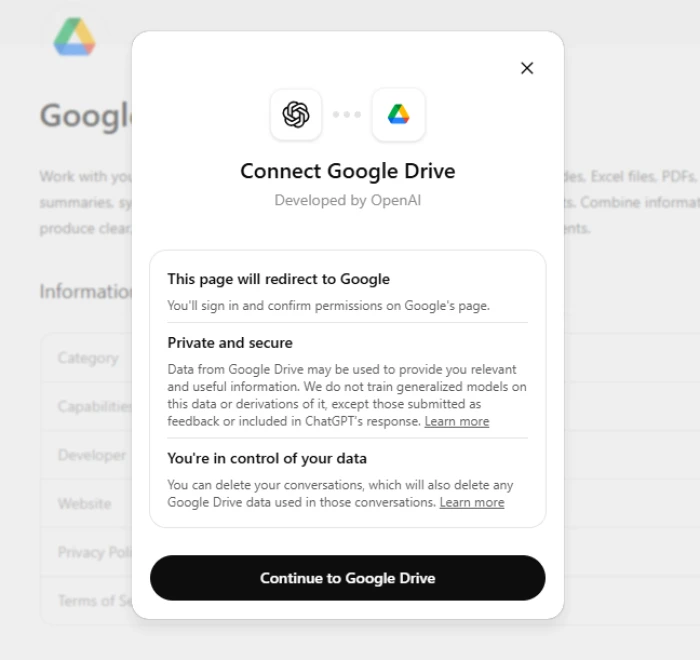
What "connecting to Google Drive" actually does
The word connect made me picture handing over my Google password. That is not what happens.
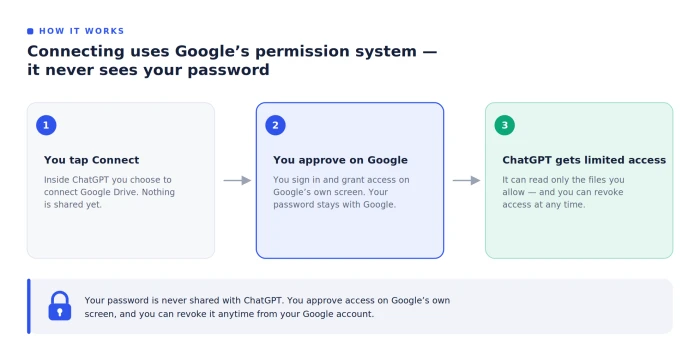
ChatGPT uses Google's own permission system. You sign in on a Google screen, Google asks whether you want to grant access, and you approve it there. ChatGPT never sees your password. Change your mind later and you revoke the access from your Google account, which breaks the link. I tested that, and the diagram below walks through how that approval works.
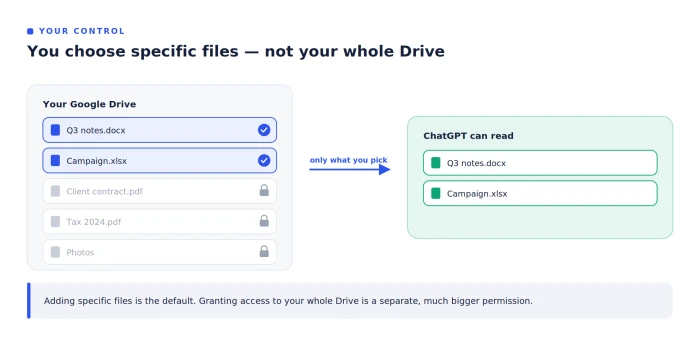
Something else surprised me. You are usually picking individual files, not opening your entire Drive. Inside a new chat, the plus menu has an Add from apps option, and you choose the specific documents you want ChatGPT to read. Granting access to everything is a separate, much bigger permission. The diagram below shows how that works.
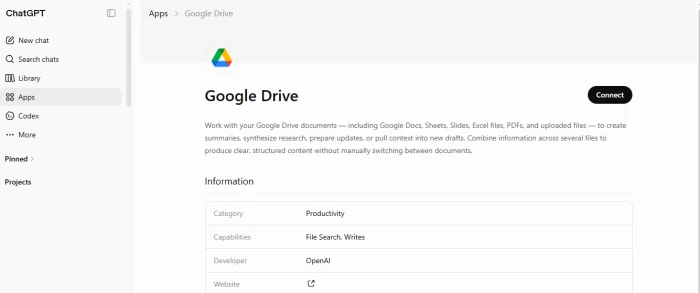
A note for anyone following an older tutorial. In December 2025, OpenAI renamed this feature from connectors to apps, and it merged what used to be four separate Google connectors (Docs, Sheets, Slides, and Drive) into one Google Drive app. If a guide still says connectors, it is describing the same thing under the old name. OpenAI's help center documents the change.
Your plan matters too. Free accounts do not get this feature, and the cheapest paid tier (Go) does not include it either if you need ChatGPT Plus or higher. It is also unavailable in the EEA, Switzerland, and the UK, on any plan.
That is the front door. The next thing I wanted to know was how far inside it actually goes.
What ChatGPT can see once the door is open
Picking up from that approval screen, here is what the access actually covers.
For the files you bring in, ChatGPT can read their contents. It can also see file names and basic metadata, such as when something was last edited and who owns it. On the paid Business, Pro, and Enterprise plans it goes a step further and builds a searchable index of your synced content so it can answer faster. Disconnect the app and that indexed copy is deleted within 30 days.
In June 2026, OpenAI also switched on new Google actions that reach further into Drive files and into other Google services, including BigQuery and Meet. These ask for extra Google permissions on top of basic reading. The practical effect is simple: the more actions you turn on, the more that single approval is agreeing to.
This is where my thinking shifted. Setting up the connection was simple. The harder question was what someone could do once ChatGPT could reach my files, and that is the part I had not thought through.
The poisoned document problem (the part that gave me pause)
Here is the scenario that changed how I use this.
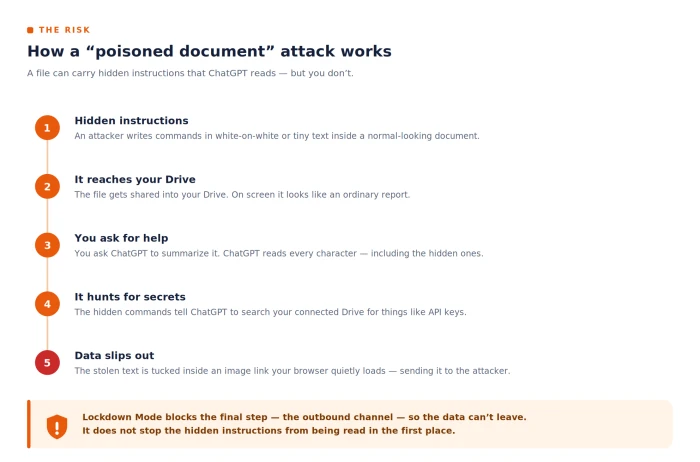
A document does not have to look dangerous to be dangerous. Someone can hide instructions inside it, white text on a white background, shrunk down so a person skims right past. You see a normal report. ChatGPT reads every character, including the hidden ones.
At a 2025 security conference, researchers demonstrated this with an attack they named AgentFlayer. A single document, shared into a victim's Google Drive, carried secret commands. The victim never clicked anything unusual. They simply asked ChatGPT to help with the file. Behind the scenes, the hidden instructions told ChatGPT to search the connected Drive for sensitive items such as API keys, then smuggle them out by tucking the data inside an image link that the browser would quietly load.
OpenAI patched that specific trick. The deeper issue did not go away.
This category of attack is called indirect prompt injection, and it sits at the top of the industry's published list of security risks for AI applications. OpenAI's own security chief has called prompt injection a frontier problem with no full solution. As recently as early 2026, a different research team showed a follow-on method that abused the mix of connected apps and ChatGPT's memory to make the manipulation persist across conversations.
So when people ask about ChatGPT and Google Drive security, this is the honest core of the answer. The login is secure. The unsolved part is that an AI reading your files can be tricked by the files themselves.
I needed to weigh that against the reasons it can still be reasonable to use, which is where I went next.
Why connecting ChatGPT to Google Drive can still be safe
None of that made me close my account. It made me set rules.
Start with the defaults, which are better than I expected on the paid business and enterprise plans. OpenAI says it does not use data from connected apps to train its models by default on those tiers, so your work files are not quietly feeding the next model. Free and personal plans differ: your data can be used for training unless you open settings and switch off the option to improve the model for everyone. Memory is worth a thought as well, because ChatGPT can hold on to details it picked up from a connected app and reuse them later.
Access stays in your hands.
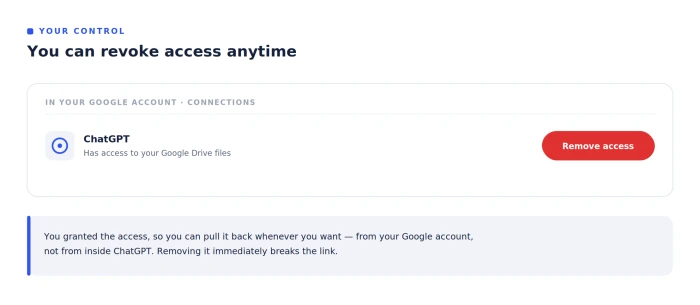
You granted the access, so you can pull it back from your Google account whenever you want. You also choose which files to expose instead of granting broad third-party access to the whole Drive. A careful setup keeps the blast radius small.
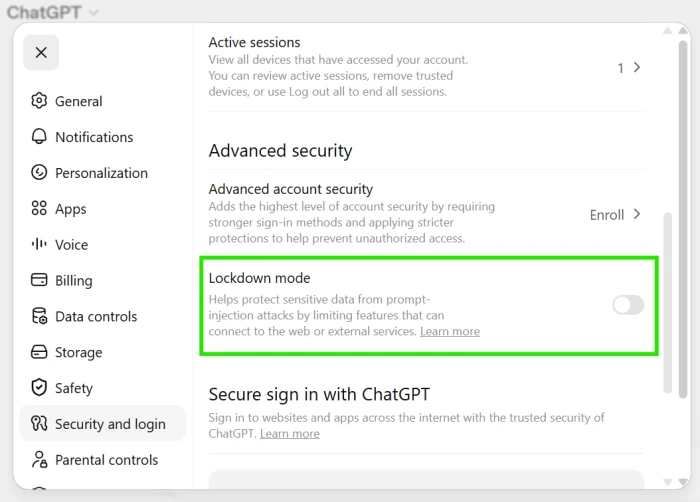
OpenAI shipped one more control in June 2026 that speaks straight to the poisoned-document risk from the previous section. It is called Lockdown Mode. On a personal account it lets ChatGPT keep working with content it already has and the files you upload, while cutting off the live access and the outbound actions an injection attack needs to actually steal anything. Security researchers have been blunt that this blocks the last step of an attack rather than fixing the root cause. For sensitive work, blocking that last step still matters. OpenAI lays out the data side of this on its Google data controls page.
With the trade-offs clear, here is the setup I landed on.
How I set it up, and the checklist I would hand a friend
I treated my first connection as a test, not a commitment, and a few habits came out of it that I follow every time.
The biggest habit concerns the files themselves. I never ask ChatGPT to open a document from someone I do not know, because that is the exact path the poisoned-document attack from earlier relies on. Everything else is about keeping the exposure small and reversible.
Here is the list, in the order I would actually do it:
- Connect the account that matters least. If your main Drive holds anything sensitive, link a spare account and leave the real one out.
- On a personal plan like Plus or Pro, open settings and turn off the option to improve the model for everyone, so your files stop being eligible for training. It takes about two minutes.
- Add only the specific files a task needs. Skip the broad access-everything permission unless you have a strong reason.
- Refuse to summarize or analyze documents from senders you do not trust, however routine the request looks.
- Switch on Lockdown Mode for confidential work, since it strips out the live access and outbound actions an attacker would need.
- Set a monthly reminder to check which apps still have access, and remove anything you have stopped using. The diagram below shows where Google lets you cut access.
Doing all six took me less time than reading one privacy policy, and it decides whether the tool stays a convenience or becomes an open window.
So, is it safe to connect ChatGPT to Google Drive?
Here is where I landed after all of it.
For ordinary, low-stakes files, yes. The sign-in is secure, the access runs file by file, you can revoke it whenever you want, and the paid business tiers do not train on your data by default. Set it up the way I described and the convenience earns its place.
For a Drive holding contracts, tax files, medical records, or anything you cannot afford to leak, my answer is not yet. The poisoned-document attack is real, prompt injection has no full fix today even by OpenAI's own account, and Lockdown Mode only blocks the final step.
So I connected one account, the throwaway one, and I treat every Drive I link as if a stranger might eventually read it. That assumption decides which Drive gets connected, and which one never will.
Comments
Join the discussion and share your perspective.