

Four AI coding subscriptions on one card statement is a common sight in 2026. One for the editor you like, one your team standardized on, one you keep for debugging, and one you forgot to cancel. Each is cheap on its own and expensive as a pile.
This guide exists to shrink that pile. It compares the six leading assistants on the criteria that decide whether a tool earns its seat: code quality, debugging, refactoring strength, editor fit, context window, and price after the billing changes of early 2026.
A note on method before anything else. This is a research-based comparison, built from four kinds of sources: official documentation, vendor pricing pages, public benchmark results, and reports from working developers. Every price below was checked against the vendor's own material on July 28, 2026. That date matters, because GitHub, OpenAI, Anthropic, and Google all changed their billing in the first half of the year, and one of them did it twice.
By the end you will know which tool fits your workflow. The criteria come first, because they explain every rating that follows.
How I Compared Them
Every score in this guide comes from the same short list of questions, kept concrete so you can weigh them against your own priorities.
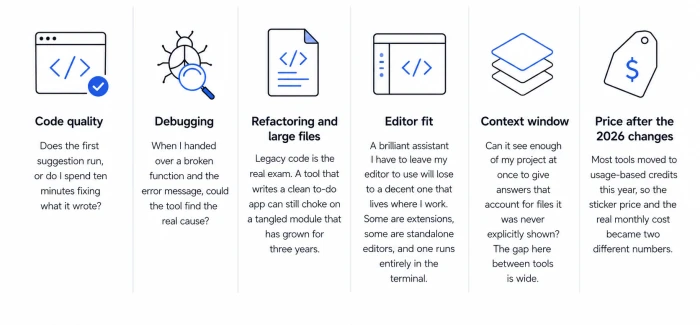
Code quality. Does the output hold up in production, or does it need babysitting? Public agentic coding benchmarks carry the most weight here, corrected by what developers report on real projects.
Debugging. Finding the actual cause of a failure separates these tools more than any other task, because it is where reasoning depth shows. The benchmark section further down covers the published evidence.
Refactoring and large files. Legacy code is the real exam. A tool that writes a clean to-do app can still choke on a tangled module that has grown for three years.
Editor fit. A brilliant assistant that forces you out of your editor loses to a decent one that lives where you work. Some of these are standalone editors and some are extensions. One runs in the terminal.
Context window. Can the tool see enough of your project at once to give answers that account for files it was never explicitly shown? The gap between tools here is wide and measurable, and the feature tables put numbers on it.
Price after the 2026 billing changes. Most of these tools moved to usage-based credits or quotas this year, so the sticker price and the real monthly cost became two different numbers. Each review separates the two.
Ratings are editorial and sit on a 10-point scale, spread out deliberately rather than handing everything a 9. A tool at 8.0 is still good. It lost to something better at the thing you would buy it for.
One scope note. The evidence base is strongest for Python, TypeScript, JavaScript, and Go, because that is where published testing and community reporting concentrate. Rust and C++ developers should weigh the per-tool language notes more heavily than the overall numbers.
The Short Version
Here is the answer without the reasoning. The reviews explain how each tool earned its spot, and the recommendations section turns this table into advice for your situation.
| Tool | Best for | Free plan | Rating |
|---|---|---|---|
| GitHub Copilot | Fitting into the editor you already use | Yes (limited) | 9.0 |
| Cursor | An AI-first editor | Yes (Hobby) | 9.3 |
| Claude Code | Large codebases and terminal work | No | 9.2 |
| ChatGPT (Codex) | Learning and background tasks | Yes (limited) | 8.7 |
| Gemini Code Assist | Google Cloud teams | No, since June 2026 | 8.0 |
| Devin Desktop | Wide IDE support on a budget | Yes | 8.5 |
Numbers this close deserve a caveat. The gap between a 9.3 and an 8.5 is small, and for your workflow the ranking can flip. That is the point of the reviews that follow.
The Reviews
GitHub Copilot
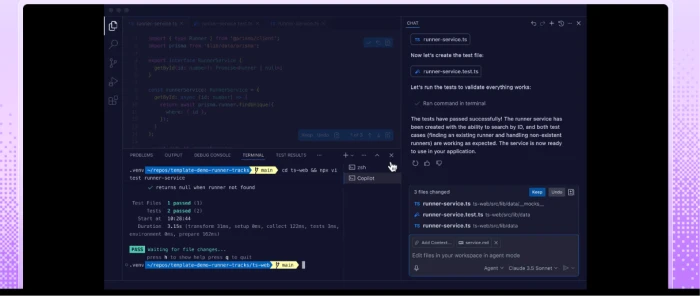
Copilot asks the least of you. Install an extension and the editor you already use starts suggesting code as you type, with no new app to learn and no workflow to rebuild.
Best for: developers who want AI help inside VS Code, JetBrains, Visual Studio, Neovim, or Xcode. The editor reach is the widest of any full-featured assistant here.
Strengths. Inline completions remain the core of the product, and on every paid plan they are unlimited and exempt from the credit meter. The agent mode has matured through 2025 and 2026; it handles multi-file edits and can draft a pull request from a plain-language description. Breadth is the other card: more than 20 models are now selectable, including base GPT-5-class defaults plus Claude and Gemini options.
Weak spots. Depth is the trade for that breadth. Community write-ups through 2026 describe the same pattern: dependable on routine work and less impressive on hard debugging, with a habit of relying on whatever context you hand it rather than reasoning across a whole repository the way Cursor or Claude Code attempt.
Pricing. This is where 2026 got busy. On June 1, 2026, Copilot moved every plan to usage-based billing: premium requests are gone and GitHub AI Credits are in, at one cent per credit, drawn down by token consumption. Individual plans run Free, Pro at $10, Pro+ at $39, and Max at $100, with new Max sign-ups paused at the time of writing. Teams pay $19 per seat for Business and $39 for Enterprise, and Enterprise also requires GitHub Enterprise Cloud at about $21 per user, which puts the real figure near $60. Completions and Next Edit suggestions never touch the credit pool, so completion-heavy users will barely notice the change. Agent-heavy users will, and early reports of real jumps in spend are why the credit meter deserves a bookmark.
Rating: 9.0. The cheapest serious entry point and the safest default if you do not want to change how you work. The Cursor review next shows what a purpose-built AI editor adds on top.
Cursor
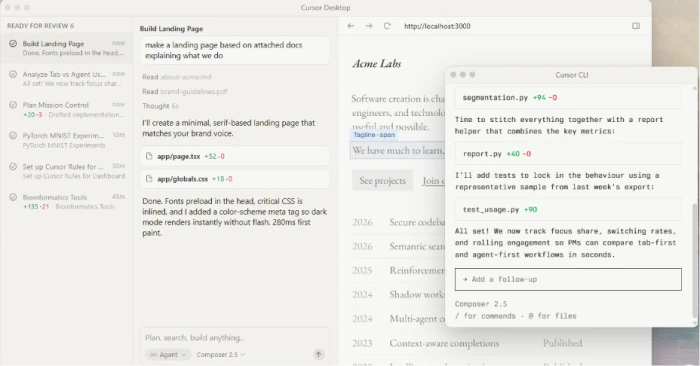
Cursor made a bet that if AI is going to write a real share of your code, the editor itself should be built around it. It is a fork of VS Code, so extensions and keybindings carry over, but the AI is wired into the core instead of bolted on the side.
Best for: developers ready to make an AI-native editor their main home.
Strengths. Multi-file editing is the signature. Describe a feature in a sentence and the agent plans the change across files, then shows you the diffs to approve piece by piece. Tab completion predicts the next edit rather than the next token, the payoff from Cursor's 2024 acquisition of Supermaven. Auto mode, where Cursor routes each request to a cost-efficient model, is unlimited on paid plans, which removes meter anxiety from everyday work.
Weak spots. Two things. It is a separate editor, so anyone tied to full JetBrains IDEs is out of luck. And the credit system takes learning: manually selecting a frontier model like Claude Opus for every request can drain a monthly pool by mid-month, a pattern reported often enough that most plan guides now recommend leaving Auto on.
Pricing. Hobby is free and fine for kicking the tires; a couple of hours of serious agent use exhausts it. Pro is $20 a month with unlimited Tab completions plus a $20 credit pool for premium models, and annual billing cuts 20 percent off every tier. Above that sit Pro+ at $60 with three times the usage and Ultra at $200 with twenty times. Teams run $40 per seat on Standard, and a Premium team tier appeared in June 2026 at $120. The student free year closed to new sign-ups on June 25, 2026.
Rating: 9.3. The best overall experience if you are willing to switch editors, because the AI feels native rather than adjacent. Cursor and Claude Code, reviewed next, are two philosophies aimed at the same goal, and plenty of teams run both.
Claude Code
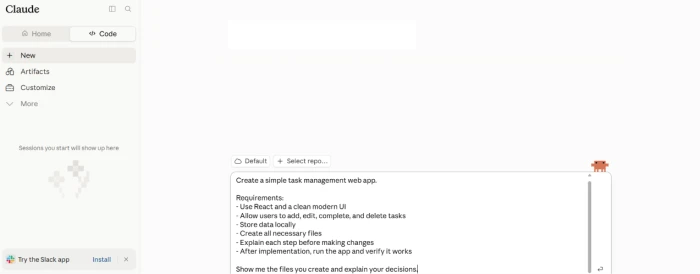
Claude Code takes the opposite approach. Instead of a graphical editor, it lives in your terminal and works like a teammate you delegate to: it reads files, writes changes, runs commands, and reports back.
Best for: large codebases, multi-file refactors, framework migrations, and anyone comfortable on a command line.
Strengths. Two stand out, and both are measurable. First, context: Anthropic made the 1 million token window generally available in March 2026, and Claude Code uses it automatically on every plan above Pro, while Pro stays at 200,000 tokens. A window that size holds a substantial chunk of a real project at once, so suggestions account for code the tool was never explicitly handed. Second, model strength: the Opus models behind it sit at or near the top of public coding leaderboards, with Opus 4.8 posting 88.6 percent on SWE-bench Verified across two independent trackers in July 2026. Community reporting matches the numbers, and the hardest refactoring and debugging stories in the ecosystem disproportionately feature this tool.
Weak spots. There is no free tier, which makes it the only tool here you cannot try without paying. The terminal-first interface is a hurdle if you want inline autocomplete while you type; it is built for delegation, not for finishing your sentences. And because it is an agent, careless use runs up token spend quickly, a complaint that appears in nearly every cost thread about it.
Pricing. Access comes through a Claude subscription. Pro is $20 a month and covers focused daily sessions. Max costs $100 or $200 depending on capacity. Team Standard seats at $25 a month do not include Claude Code at all, the single most common billing mistake teams make; Premium seats do, at $100 per seat on annual billing or $125 monthly, with a five-seat minimum. An API pay-as-you-go route exists for automation, billed per token. In 2026 Anthropic also added an extra-usage toggle that lets subscribers overflow into API rates under a spend cap they set.
Rating: 9.2. The tool for the scariest refactor. It asks more upfront than Copilot and has a narrower entry path than Cursor, but on large, messy code the model evidence and the user reports point the same direction.
ChatGPT (and Codex)
Most developers already have a ChatGPT tab open, and that familiarity is half the value. For coding, OpenAI's Codex is the piece that matters: a cloud agent you hand a task, which works in a sandbox and returns finished code with test results. It also runs as a CLI and an IDE extension.
Best for: learning, explaining unfamiliar code, offloading background tasks, and second opinions on a design.
Strengths. As a thinking partner and a teacher, nothing here beats it, which is the consistent verdict across community comparisons. Feed it legacy code and the explanation comes back clear and patient, exactly what onboarding to a strange codebase needs. The background model earns its keep too: hand Codex a contained task, keep working, check the result later.
Weak spots. The paradigm differs from an in-editor assistant, and it cuts both ways. Codex runs tasks in the background rather than finishing lines as you type, so tight real-time autocomplete is not the reason to buy it. Switching between the chat window and the editor extension adds friction that a native tool avoids.
Pricing. Codex has no separate price; it rides on your ChatGPT plan. Free gives a limited taste and Go at $8 covers occasional use. Plus at $20 is the practical entry point for a few sessions a week. On April 9, 2026, OpenAI split the Pro tier in two: $100 for five times Plus usage and $200 for twenty times. Business seats run $20 per user on annual billing, about $25 monthly. The bigger change landed a week earlier: on April 2, 2026, Codex moved from per-message limits to token-based credits at roughly four cents each, so busy weeks now cost more even though the seat price holds.
Rating: 8.7. The best tool for understanding code and for learning, and a strong background agent. It loses ground only because the multi-surface workflow is less smooth than a purpose-built editor, and the inline experience is not the reason to buy it.
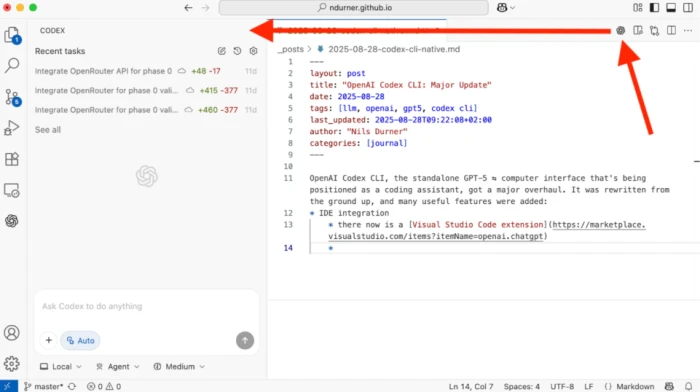
Gemini Code Assist
Google's entry has the most complicated 2026 story in this guide. An article about it written in January is mostly wrong by July, so here is the corrected version.
The sequence runs like this. At I/O on May 19, 2026, Google announced it was folding its developer tools into Antigravity, the agent-first platform it launched in late 2025. On June 18, 2026, the Gemini Code Assist IDE extensions and the Gemini CLI stopped serving requests for individual users entirely, free tier included. Individuals are now pointed at Antigravity, which requires a paid Google AI Pro subscription, and early migrants report the old allowance of 1,000 requests a day replaced by a weekly cap that heavy users exhaust fast.
Best for: teams building on Google Cloud with Standard or Enterprise licenses, which kept uninterrupted access.
Strengths. For those teams, the case is still real. The 1 million token context window handles cross-file suggestions on big projects without losing the thread. On Google Cloud work, writing Cloud Functions or configuring infrastructure, its native understanding of GCP services stays a clear step ahead of general tools.
Weak spots. The individual product is gone, and the transition burned goodwill. Away from Google Cloud, its general coding was already rated solid rather than sharp by most published comparisons, and the platform shuffle adds real switching risk for anyone outside an enterprise contract.
Pricing. For teams, Standard is $19 per seat a month on annual billing (a little more month-to-month) and Enterprise is $45, adding private-codebase customization and admin controls. Individuals pay through Google AI Pro to use Antigravity instead. The generous free tier this product was famous for ended on June 18, 2026.
Rating: 8.0. Still the obvious pick for Google Cloud teams, and no longer a pick at all for individuals. The rating sits below where most 2025 roundups placed it for one reason: the free tier that carried its value case no longer exists. AWS developers have an equivalent home-field option in the roundup below.

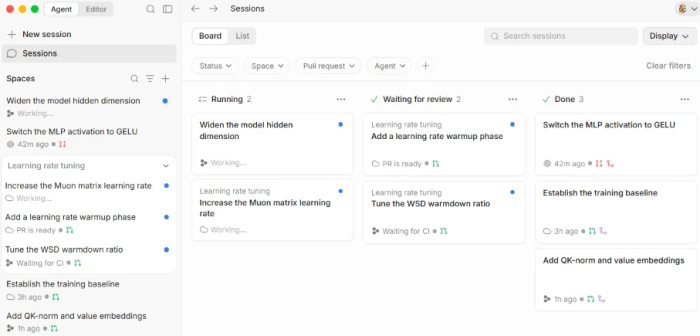
Devin Desktop (formerly Windsurf)
Windsurf packed three product cycles into a single year, and every date below comes from Cognition's own announcements.
Cognition, the company behind the Devin agent, acquired Windsurf in mid-2025. On March 19, 2026, it replaced the credit system with daily and weekly usage quotas and raised Pro from $15 to $20. On June 2, 2026, an over-the-air update renamed the product Devin Desktop; plans, extensions, keybindings, and settings carried over untouched. The old Cascade agent retired on July 1, 2026, replaced by Devin Local, a ground-up Rust rewrite that Cognition says cuts token use by about 30 percent and adds parallel subagents.
Best for: developers who want an agent-in-editor experience with a working free tier, and who work across many IDEs.
Strengths. Devin Local plans a multi-file change and shows the diffs before committing, with one-click rollback, which keeps big edits approachable. Editor reach is the widest in this group: plugins cover more than 40 editors, including the full JetBrains lineup, Vim, Neovim, and Xcode, so it lands where Cursor cannot. The rename also brought support for the open Agent Client Protocol, meaning outside agents such as Claude Agent or Codex can run inside the same editor. The free plan includes unlimited Tab completions and inline edits, the most generous free autocomplete deal still standing in 2026.
Weak spots. Churn is the cost. Users absorbed a pricing overhaul in March, then a rebrand in June, then the agent swap in July, and six Cascade-era features, Codemaps among them, were missing from Devin Local at launch. Reviews also place it about half a step behind Cursor on adopting the newest models, and support material stays thinner than what the bigger players publish.
Pricing. Free covers unlimited autocomplete plus a light agent quota. Pro is $20 a month, matching Cursor since the March increase. Max sits at $200 for heavy users, and Teams run $40 per seat. Autocomplete never touches the quota on any plan, including Free.
Rating: 8.5. A real Cursor alternative with wider editor support and a strong agent, held back by the model lag and by a year that asked users to absorb three transitions. If your IDE is not VS Code, this one will matter more to you than the raw ranking suggests.
A Few More Worth a Look
Three tools come up often enough to mention. Amazon Q Developer is the home-field pick for AWS the way Gemini is for Google Cloud, with deep hooks into AWS services and a solid free tier. Tabnine is the one to evaluate if privacy leads your requirements, since it runs without training on your code and supports self-hosting for regulated teams. Sourcegraph's Cody is built for searching and understanding huge codebases, though it has moved toward enterprise-only pricing. None of these is a bad tool. They are specialists, and if you are the person they were built for, add them to your shortlist.
Feature Comparison
Ratings give a verdict; a feature grid shows what each tool can do. Two smaller tables beat one wall of checkmarks, because the interesting differences cluster into two groups: day-to-day behavior, and how far each tool reaches into your setup.
First, the everyday capabilities, as documented and as reviewers consistently describe them.
| Tool | Inline completion | Chat | Multi-file agent | Test generation |
|---|---|---|---|---|
| GitHub Copilot | Yes | Yes | Yes | Yes |
| Cursor | Excellent | Yes | Excellent | Yes |
| Claude Code | Limited | Yes | Excellent | Yes |
| ChatGPT (Codex) | Limited | Excellent | Yes | Yes |
| Gemini Code Assist | Yes | Yes | Yes | Yes |
| Devin Desktop | Yes | Yes | Strong | Yes |
Second, reach and integration, where the tools separate most.
| Tool | Runs in | Context window | Free plan |
|---|---|---|---|
| GitHub Copilot | VS Code, JetBrains, Visual Studio, Neovim, Xcode | Standard | Yes (limited) |
| Cursor | Its own editor | Large | Yes (Hobby) |
| Claude Code | Terminal | 1M tokens (above Pro) | No |
| ChatGPT (Codex) | Web, CLI, IDE extension | Large | Yes (limited) |
| Gemini Code Assist | VS Code, JetBrains (team licenses only) | 1M tokens | No, since June 2026 |
| Devin Desktop | Own editor, plus 40+ editor plugins | Large | Yes |
One pattern jumps out. The standalone editors trade broad IDE support for a tighter experience, while the extensions go the other way. Claude Code sits apart from both in the terminal, and Devin Desktop splits the difference with its plugin line. Keep that split in mind when you reach the recommendations.
What the Public Benchmarks Show
Marketing pages cite benchmarks selectively, so here is the fuller picture as of July 2026, including the caveat most coverage skips.
On SWE-bench Verified, the standard test of resolving real GitHub issues, the frontier models behind these tools now cluster tightly. Leading scores sit in the 80s, with the exact figure depending on the harness and the tracker: Anthropic's Opus 4.8 posts 88.6 percent on two independent leaderboards, and rival flagships from OpenAI and Google land within a handful of points on comparable setups. Two years ago the spread between the best and the rest was enormous. At the top it is now a rounding error.
The harness is the caveat.
Scale's SWE-bench Pro runs the same idea on harder, longer tasks under one standardized scaffold, and every model drops hard: the best public-set score stood at 59.1 percent in late June 2026, with falls of 15 to 35 points against Verified across the board. The lesson for buyers is direct. The model is only part of the outcome; the scaffolding around it, which is exactly what these six products differ on, moves results by double digits. Context handling shows the same effect, which is why the 1 million token windows in Claude Code and Gemini are a spec worth weighing, and why a smaller window plus good retrieval can still win on projects that fit.
No benchmark hands out a single winner. The models converged; the products did not.
Which One Should You Pick?
Match yourself to the closest description.
If you're just starting out, pick ChatGPT's free tier and add Copilot Free inside your editor. Both explain their reasoning as they go, which teaches you something instead of handing over code you do not understand. The free Gemini tier that older guides recommend for this ended in June 2026.
If you want AI help without changing your setup, GitHub Copilot at $10 a month is the easy answer. It lives in your current editor and costs the least of any serious option.
If you're ready to go all-in on an AI editor, Cursor is the pick, with Devin Desktop as the alternative when your IDE is one Cursor does not support.
If you work in large or messy codebases, Claude Code has the strongest evidence base, especially for refactors and hard debugging, and a 1 million token window on its upper plans.
If you live in a specific cloud, let that decide. Google Cloud teams should use Gemini through a Standard or Enterprise license, and AWS developers should look at Amazon Q Developer.
If privacy rules the decision, Tabnine's self-hosting and no-training stance make it the one to evaluate first, whatever its raw score.
If you're buying for a team, the calculus shifts to seat pricing and admin controls. Copilot Business at $19 and Cursor Teams at $40 are the sensible starting points, depending on whether you want an extension or a dedicated editor.
The through-line: buy for the thing you will do most. A tool that is second-best overall but best at your daily task is the right tool. The mistakes below are mostly ways people forget that.
Common Mistakes to Avoid
These five show up in pricing threads and postmortems all year, and each one is cheap to dodge.
Buying on sticker price alone. The 2026 billing changes mean the number on the pricing page is not your cost. A $20 plan with heavy agent use can run far past its included pool, and the overage mechanics differ by vendor: Copilot bills token-consumed credits, Codex bills roughly four-cent credits, Cursor bills model-priced usage, and Devin bills quota overflow.
Ignoring which editor you use. The best assistant is worthless if it does not run where you work. Check IDE support before anything else, especially on JetBrains or a niche editor.
Overlooking the context window. On large projects, a tool that sees a few files at a time keeps giving answers that ignore the rest of your code. The spread now runs from standard-sized windows to 1 million tokens, which makes this the single most underrated line on a spec sheet.
Trusting generated code without reading it. Every tool here produces confident code that is sometimes wrong, and the SWE-bench Pro numbers above put a ceiling on how much trust even the best models deserve. Review what you ship, every time.
Forgetting about data privacy. If your employer cares where code goes, check each tool's training and data-handling policy before pasting anything proprietary. Some vendors offer contractual guarantees. Some do not.
Four of the five come down to one habit: know your own situation before you look at the tools. The exception is reading the code, which never stops mattering.
Where to Start
A staged trial beats any verdict table, and the whole thing costs nothing until the last step.
Install Copilot Free in your current editor today and let it run for a week; it sets your baseline. Open a free ChatGPT tab beside it for the explaining and debugging conversations. The following week, point Cursor's Hobby tier and Devin Desktop's free plan at the same repository and notice which agent workflow you reach for without thinking. Pay for exactly one of the four after that, and add Claude Code only when a refactor shows up that your winner cannot hold in its head.
Subscriptions pile up when that order runs backwards. Run it forwards and one line on the card statement is all this costs.
Comments
Join the discussion and share your perspective.