
Last month, a client sent back my draft with one line: "This reads like ChatGPT wrote it."
It stung. Partly because it was half true. I'd used AI for the first draft, cleaned it up, and thought nobody would notice. Somebody noticed. That email is the reason I ended up spending weeks (and a fair bit of my own money) testing what people call "human AI" tools, the software that rewrites machine-generated text until it sounds like a person wrote it.
So if you're searching "which is the best human AI," here's everything I found. Real prices from the official websites, what each tool does well, where each one falls apart, and the one I still pay for.
What Exactly Is a "Human AI" Tool?
Quick clarification, because the term confuses people. A "human AI" is not a robot with feelings. It's an AI humanizer, a rewriting tool. You paste in text from ChatGPT, Claude, or Gemini, and it hands back a version with different rhythm, different word choices, and less of that machine flavor.
As shown in the above image, the difference is easier to see than to describe. Raw AI text has a certain sameness to it. Every sentence lands at roughly the same length. Transitions arrive exactly where you'd expect. Humanizers attack that sameness in a few specific ways:
● Sentence variety: AI models tend to write sentences of similar length and shape. Humanizers mix short, punchy lines with longer, flowing ones.
● Word choice: Generic AI phrases like "in today's fast-paced world" get swapped for stronger, more specific language.
● Predictability: AI picks the "safest" next word every time, which creates a detectable fingerprint. Humanizers deliberately break that pattern.
● Tone and flow: The best tools preserve your meaning while making the text warmer and more conversational.
The Complete Working: What Happens After You Hit "Humanize"
I assumed these tools were glorified synonym-swappers. Turns out the decent ones run a proper pipeline. Here's the process, pieced together from official documentation:
- A detection scan comes first. Undetectable AI, for example, analyzes your text the same way a detector would and highlights which sentences will get flagged.
- Then pattern analysis. The tool measures perplexity (how predictable your word choices are) and burstiness (how much your sentence lengths vary). Low scores on both scream "machine."
- Targeted rewriting. A language model trained specifically on human writing patterns reworks the flagged sections. Structure changes, vocabulary shifts, tone adjusts.
- Re-scoring. Premium tools check the output against GPTZero, Originality.ai, Copyleaks and friends, then show you a human score.
- Iteration: If the score isn't high enough, you re-humanize until it passes.
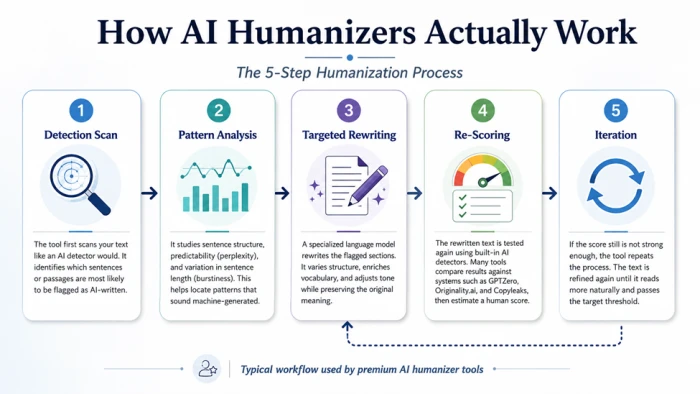
As shown in the above image, this is a cycle, not a one-and-done conversion. Keep that in mind, because tools charging per word will eat your credits fast if a stubborn paragraph needs three passes. Mine usually did.
The 5 Tools I Tested, With Numbers From Their Own Websites
I gathered the numbers below directly from each tool's official website and pricing pages, so you're getting current, authentic figures not outdated review-site guesses.
1. Undetectable AI — The Market Leader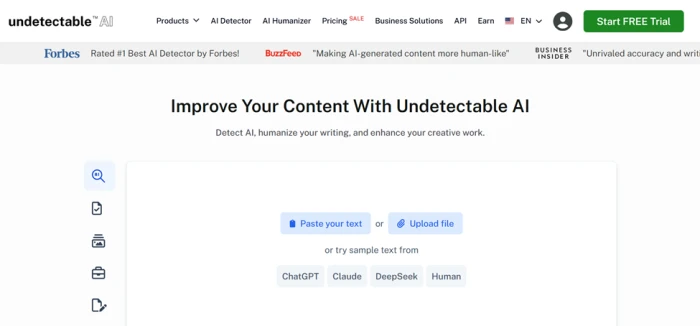
Undetectable AI is the biggest name in this space, and its scale genuinely sets it apart. According to its official site, the platform is trusted by over 23 million users, and it was rated the #1 best AI detector by Forbes.
Standout facts and features:
● Works as both a detector and a humanizer it scans your text first, shows which sentences flag as AI, then rewrites them.
● Lets you customize output by readability level (university, high school, journalist) and purpose (essay, story, marketing copy).
● Offers a money-back guarantee: if humanized text still gets flagged as AI, they refund the humanization cost.
● Includes extras like an AI image detector, an AI voice detector, and a Chrome extension that works inside Google Docs and Gmail.
● Free trial is limited to 250 words, with paid plans scaling up to 35,000+ words per month.
What stood out during testing: The refund policy did something subtle to how I used the tool I stopped second-guessing every output and just trusted the process. None of the smaller competitors put their money where their marketing is like this, and with 36,000+ new users signing up weekly (a live counter on their homepage tracks this), the momentum is clearly real.
2. WriteHuman — The Budget-Friendly Specialist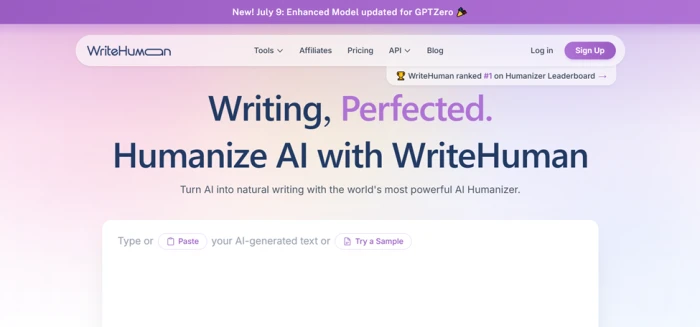
WriteHuman focuses on doing one thing really well. Its official pricing page lists Basic, Pro, and Ultra plans starting at just $5/month on annual billing, with the free tier capped around 200 words per request.
What makes it different:
● Bracket protection: Put keywords or phrases in [brackets] and WriteHuman won't touch them genuinely useful for SEO writers protecting target keywords.
● Request-based pricing: Plans work on humanizer requests (e.g., 80 requests/month on Basic at 600 words per request) rather than raw word counts.
● Built-in AI detector included on every plan, so you can verify results without leaving the site.
● Developer API: Supports 40+ languages, seven tone presets (professional, academic, blog, casual, creative, scientific, technical), and pricing starting around $0.17 per 1,000 words.
A tip most reviews miss: Keep your requests under 500 words each, even if your plan allows more. In my runs (and in several independent tests I read), output quality noticeably dips on longer passages. Splitting a 1,500-word article into three requests gave me cleaner results than one big dump and the bracket feature meant my target keywords survived every pass untouched.
3. Phrasly — The Best Value for Students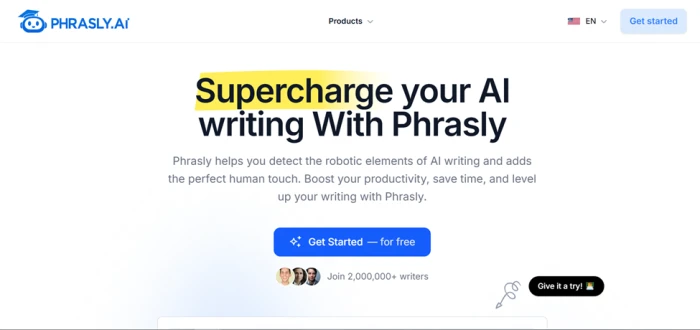
Phrasly has quietly built a huge following. Per data on its site and independent listings, over two million writers use it, it holds a 4.7/5 Trustpilot rating, and entry pricing sits among the lowest in the category at roughly $11.99–$12.99/month.
Key details worth knowing:
● Three humanization modes: a quick mode for short rewrites, a balanced mode for blog content, and a deeper mode for academic work.
● Free users get around 300–600 words to test before committing.
● Generates multiple humanization drafts per run, so you can pick the version that sounds most like you.
● Includes a plagiarism-safe mode that checks humanized output doesn't accidentally match existing online sources.
Where it fits best: The multiple-drafts feature is the real sleeper here. Instead of accepting one rewrite and hoping for the best, you compare up to five versions side by side and cherry-pick sentences from each. For a student polishing a thesis chapter at 2 AM on a tight budget, that flexibility matters more than any headline feature. .
4. QuillBot Humanizer — The Free Favorite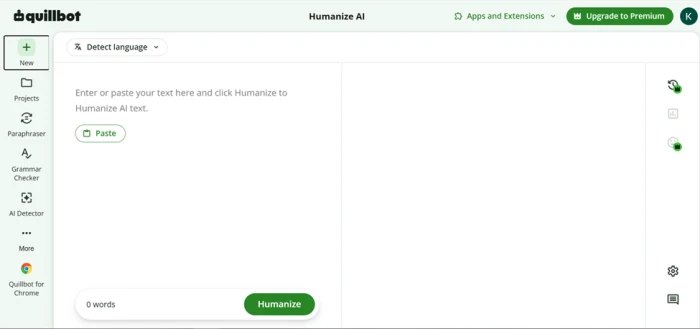
QuillBot's Humanize AI tool is the one I recommend to friends who refuse to pay for anything. According to QuillBot's official page, it's completely free with no sign-in required, handling up to 125 words at a time with 6 uses per day.
Why people love it:
● Trained on tens of thousands of texts to rephrase writing naturally without changing meaning.
● Supports Spanish, German, French, Portuguese, and four dialects of English (US, UK, AU, CA).
● Changes are color-coded, and you can swap synonyms from a drop-down to fine-tune the output.
● Pairs seamlessly with QuillBot's free Paraphraser and Grammar Checker for a full editing workflow.
One thing to appreciate: QuillBot is refreshingly honest about what it is. Its own website openly warns users to follow their institution's AI guidelines and calls passing off reworded ideas as your own "unethical", a rare stance in a niche full of "beat every detector" promises. It's a refinement tool, not a bypass machine, and for emails, cover letters, and LinkedIn posts, that's exactly what most people actually need.
5. HIX Bypass — The Multilingual Powerhouse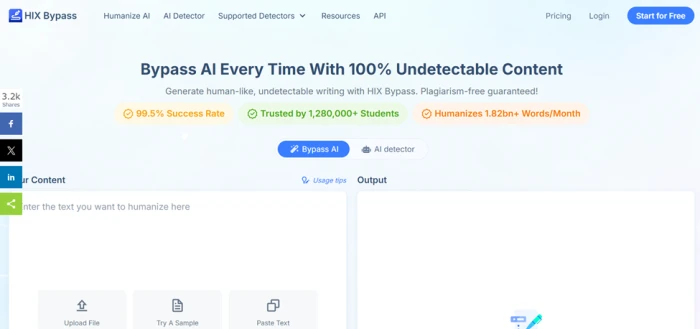
HIX Bypass, built by the HIX AI team, leads on raw claimed performance. Its official material cites an over 95% success rate against detectors like Originality.ai and GPTZero.
The numbers that matter:
● Basic plans start around $14.99/month for 5,000 words, with an Unlimited plan at $59.99/month.
● Supports humanization in dozens of languages, making it a strong pick for non-English content teams.
● Has its own built-in AI detector, so you check and fix in one place.
● A limited free trial lets you test a few samples before paying.
Do the math before you buy: At $59.99/month unlimited, HIX Bypass looks expensive next to Phrasly's $11.99 until you calculate per-word cost at volume. An agency humanizing 200,000 words a month pays roughly $0.30 per 1,000 words here, which undercuts most per-word competitors. For a solo blogger producing 10,000 words a month, though, that same plan is massive overkill; the $14.99 tier or a cheaper rival makes far more sense.
Quick Comparison at a Glance
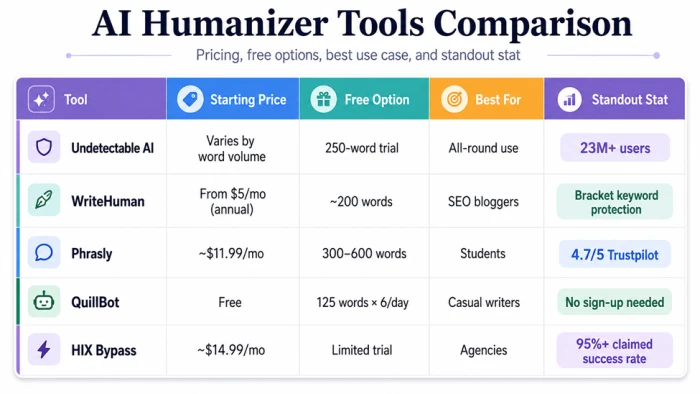
As shown in the above image, here's how the five tools stack up on the metrics that matter most:
| Tool | Starting Price | Free Option | Best For | Standout Stat |
|---|---|---|---|---|
| Undetectable AI | Varies by word volume | 250-word trial | All-round use | 23M+ users |
| WriteHuman | From $5/mo (annual) | ~200 words | SEO bloggers | 40+ language API |
| Phrasly | ~$11.99/mo | 300–600 words | Students | 4.7/5 Trustpilot |
| QuillBot | Free | 125 words × 6/day | Casual writers | No sign-up needed |
| HIX Bypass | ~$14.99/mo | Limited trial | Agencies | 95%+ claimed success rate |
Note: Prices are accurate as of writing but change often always confirm on the official pricing pages.
The Trade-Offs Nobody Puts in Their Marketing
What these tools genuinely deliver:
● Hours saved on manual editing. My per-article editing time dropped by more than half.
● Better flow and readability, which keeps readers on the page longer.
● Protection against false positives. Real human writing gets wrongly flagged more often than people realize, and I've watched it happen to my fully handwritten paragraphs.
What they won't tell you upfront:
● No tool passes every detector every time. Undetectable AI's refund policy exists precisely because failures happen.
● Long inputs degrade. Past 500 to 1,000 words per request, output quality slides across nearly every tool I tried.
● Facts get scrambled sometimes. A rewrite once changed a statistic in my draft mid-sentence. Proofread everything.
● Academic use is risky territory. As mentioned in the pros and cons above, disguising AI work can violate institution policy no matter which tool you use. QuillBot says this openly on its own site.
My Personal Verdict: So Which Is the Best Human AI?
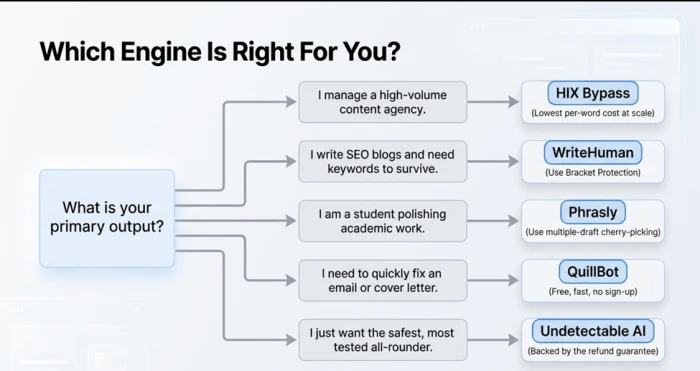
As mentioned in the features and pros and cons sections, there's no single winner for everyone. Here's where I landed after all the testing:
● Overall: Undetectable AI. The scan-then-rewrite workflow plus the refund guarantee makes it the safest first pick. It's the one subscription I kept.
● SEO writers: WriteHuman. Bracket protection plus the lowest entry price. Simple call.
● Zero budget: QuillBot. Free, honest, and good at what it does.
● Students: Phrasly. The academic mode and comparable drafts fit that life.
● Agencies: HIX Bypass. Only at real volume, where the unlimited math works.
And one thing I have to say plainly, because I learned it the expensive way: no humanizer replaced the step that actually fixed my writing. What got my client back wasn't a tool. It was adding my own stories, my own numbers, my own opinions on top of the polished draft. Google's guidelines back this up too. They don't penalize AI-assisted content; they penalize unhelpful content. Tools handle the rhythm. The substance still has to be yours.
Comments
Join the discussion and share your perspective.