Craiyon is eight tools sharing one sidebar, and the sequence that pays off is generating an image and then fixing it without leaving the tab. Its reputation for mangling text did not survive testing: a poster prompt asking for CREATE MORE came back spelled correctly, which every review I read beforehand said would not happen. Its reputation for ignoring half a brief held up, since a request for a single-color logo returned three colors. Worth a look for solo creators who want a fast loop more than an exact one.
Craiyon turns typed descriptions into images in a browser, and it has been doing it longer than almost anything else in the category. It launched as DALL-E mini in 2022 and went viral on the strength of its weirdness. The rebrand came after OpenAI objected to the name.
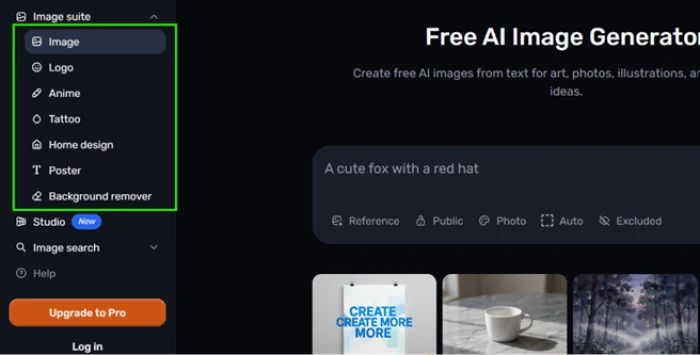
What it is now is wider than a prompt box. The sidebar splits generation into purpose-built pages for logos, posters, tattoos, home design, and anime, then adds a background remover and a Studio surface on top. Each page takes the same plain-language description and applies a different set of assumptions to it.
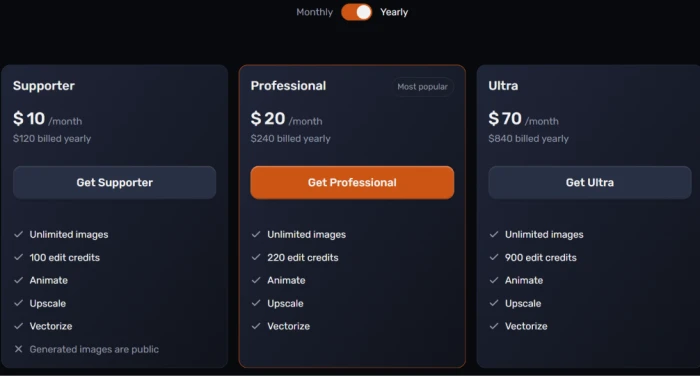
Positioning targets the person who wants a picture in the next thirty seconds rather than the person building a brand system. The company leans on that history in its marketing, and the pricing page carries logos from Google, Roblox, Vodafone, and Paramount under a "trusted by" heading. Three paid plans sit above the free tier, running from $10 to $70 a month on yearly billing.
What Happened When We Tested It
02 . Six tests across the image suite
Rather than push one prompt through the main generator repeatedly, testing spread across six of the eight tools to see whether the purpose-built pages behave differently from each other. Everything ran on the free tier in a normal browser session, and the screenshots are unedited.
A Watercolor Forest, No Account Asked
Test 01 . First run
★ Prompt Used
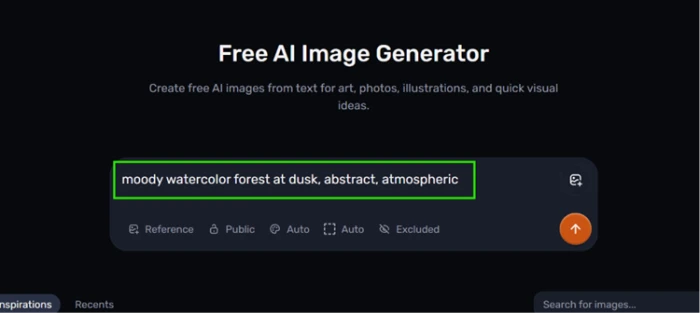
"moody watercolor forest at dusk, abstract, atmospheric"
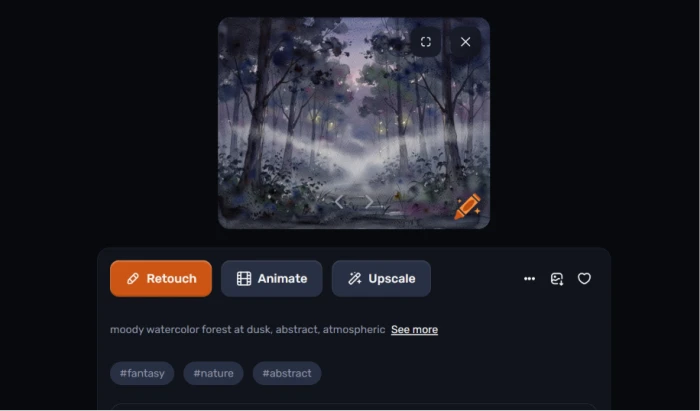
The full tool suite, tucked into the sidebar.The prompt as entered, with no login step in the way.The pick of the grid, straight off the free tier.
First impression: A 3x3 grid came back without a signup screen appearing anywhere in the flow. The best of the nine held its fog and its tree line without smearing them together, and the mood matched the words closely enough that it would go on a blog post as a header with no edits. Nine returns is more than most tools hand over, and the sorting cost that comes with them is real.
The Test Every Other Review Says It Fails
Test 02 . Text rendering
★ Prompt Used
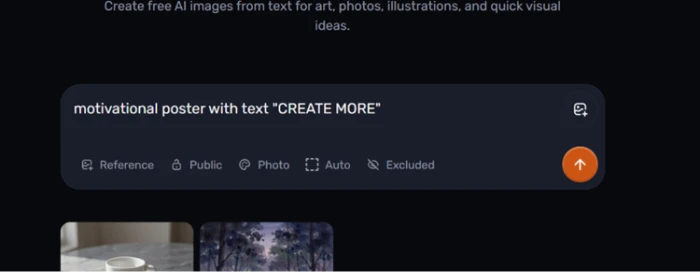
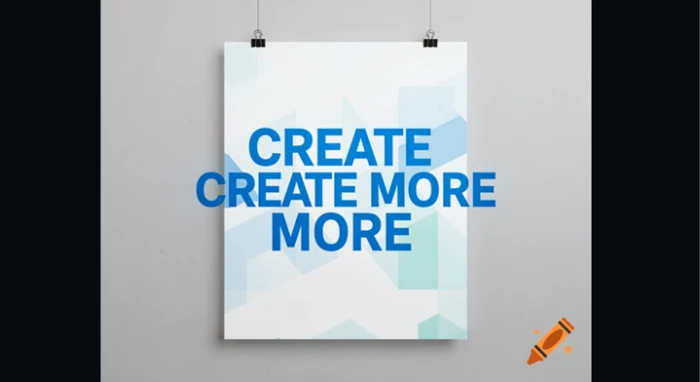
"motivational poster with text 'CREATE MORE'"
The prompt, run through the Poster tool rather than the main generator.Legible type, stacked headline layout.
What stood out: The letters were correct. CREATE, CREATE MORE, MORE, stacked in bold blue type over a geometric background, every word spelled the way the prompt spelled it. Published reviews of this exact prompt describe characters that read as letters from a distance and dissolve up close, so the result contradicts the consensus outright. The layout is a different story, since the prompt asked for one phrase and the poster returned it three times.
A One-Color Brief, a Three-Color Logo
Test 03 . Brief accuracy
★ Prompt Used
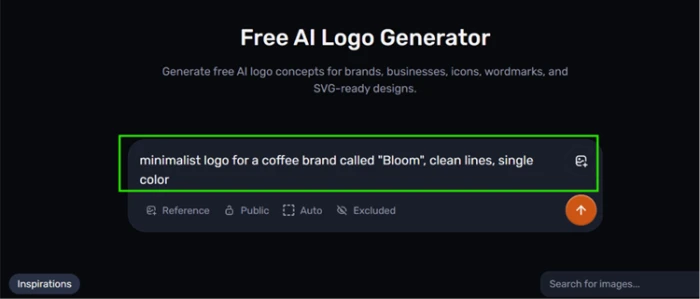
"minimalist logo for a coffee brand called Bloom, clean lines, single color"
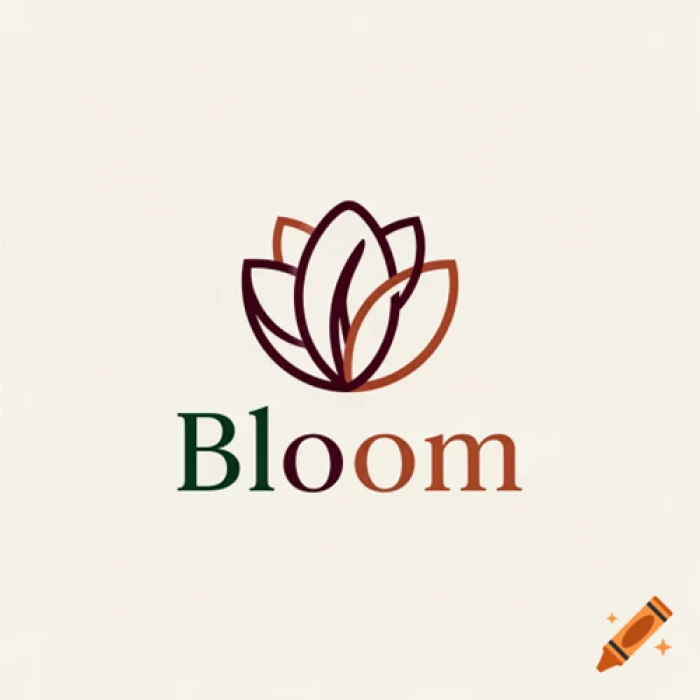
The brief, entered into the Logo tool.Clean linework, and a color count nobody asked for.
Worth noting: Half the brief landed. The line work came back clean enough to put in front of a client as a first draft, with a leaf mark sitting above a wordmark you can actually read. The color instruction was ignored. Single color went in, three colors came out, spread across the mark and the type underneath it.
The Free Anime Generator That Isn't
Test 04 . Paywall mechanics
★ Prompt Used
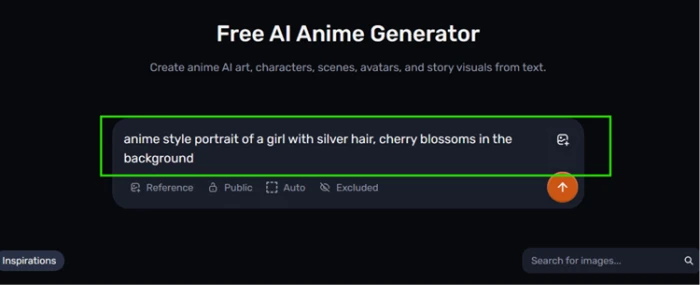
"anime style portrait of a girl with silver hair, cherry blossoms in the background"
The prompt, on a page whose own header reads free.What appeared instead of an anime portrait.
The real story: No image came back at all. The page header reads Free AI Anime Generator, and pressing generate produced an upgrade popup where the picture should have been. Five of the six tools tested ran on the free tier without ever suggesting a plan, so this is one page behaving differently rather than a wall around the whole site.
A Product Shot With One Tell
Test 05 . Product photography
★ Prompt Used
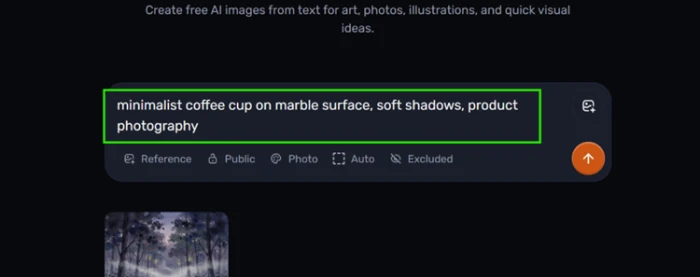
"minimalist coffee cup on marble surface, soft shadows, product photography"
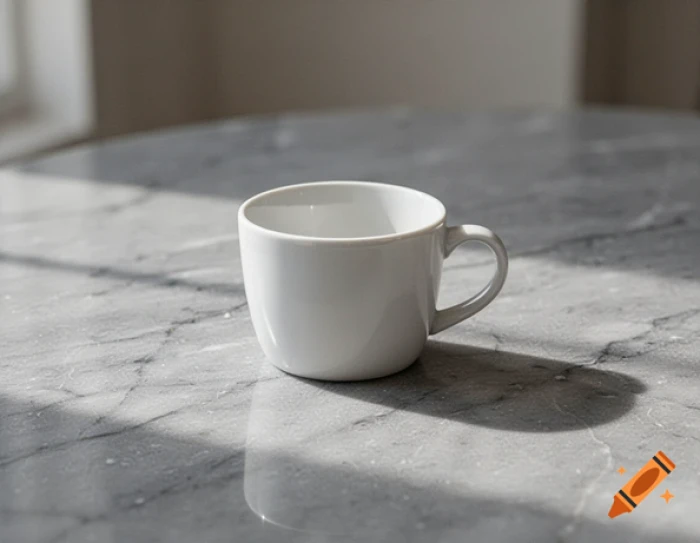
The prompt, set to Photo style.The result, with the corner mark visible bottom right.
How it performed: Marble veining stayed sharp instead of dissolving into grey mush, and the shadow fell where a desk lamp would actually put it. Nothing in the lighting gave the image away as generated. The only tell was the small orange Craiyon watermark sitting in the corner, which is the one thing standing between this file and a product listing.
Background Removal on an Image It Just Made
Test 06 . Editing tools
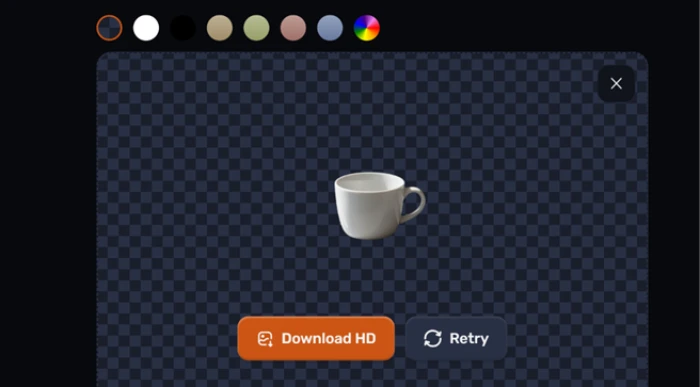
Clean cutout, recolor swatches, HD download ready.
What clicked: Feeding the coffee cup from the previous test into the background remover returned a transparent cutout in seconds. The edge around the handle held without fringing, which is where cheap cutout tools usually leave a halo. A row of one-click swatches dropped in a new backdrop colour and an HD download button sat beside them. No prompt was needed, since the tool works straight off an uploaded image.
★
Generate, then fix, without changing tabs
The strongest run of the session was a product shot followed immediately by a cutout of that same shot, both inside the same browser tab and both on the free tier. Most free generators stop at the image and leave you to open something else for the cleanup. Craiyon closes that gap, and the cutout quality is high enough that the second step is not a downgrade on doing it properly elsewhere.
!
A page labelled free that will not generate for free
The anime result was rerun in an incognito window with no account history and no credits spent anywhere else on the site. The same popup appeared instantly, which rules out a session limit or a quota running dry mid-test. Anyone arriving from a search for a free anime generator lands on a page that answers a prompt with a sales pitch, and the word free is in the header they arrived through.
How this review was put together. Six of the eight tools in the image suite were tested in August 2026 across a normal browser session. Every screenshot in this article came from those runs and none were retouched. Plan names and their feature splits were read from the official pricing page at craiyon.com/en/pricing, with the monthly figures taken from the in-app upgrade screen shown during Test 04.
10-Point Feature Review
03 . Scored on what six tools actually returned
Feature Scores at a Glance
Background removal
9.0
Zero-friction start
8.5
Style range
8.0
Tool suite breadth
8.0
Text rendering
7.5
Commercial rights
7.0
Credit transparency
6.5
Brief accuracy
6.0
Free-tier output
5.5
Label honesty
5.0
Feature-by-feature breakdownScored across six tools, one session
01
Background removal Class leading
The cutout came back in seconds with the handle edge intact and no halo around it, which is the exact place free cutout tools give themselves away. Swatches and an HD download sat next to the result rather than two menus away. It misses a perfect score only because nothing here was tested against hair or any edge harder than a ceramic handle.
Fringing: None visibleTurnaround: Seconds
9.0
Excellent
02
Zero-friction start Strength
Typing into the homepage box and pressing go produced a full grid with no account wall in between. That is worth 8.5 rather than 9.0 because the smooth path is not the whole path: one of the six tools stops you cold, and you find out which one only by trying it.
Signup screens hit: 0Returns per prompt: 9
8.5
Excellent
03
Style range Strength
A watercolor request read as watercolor and a photo request read as a photograph, with no bleed between the two registers. Style presets are doing genuine work rather than applying a filter over one house look. It sits at 8.0 instead of higher because only a handful of registers were exercised, and abstract prompts are the easiest kind to satisfy.
Eight tools sit behind one nav, and they are separate pages with their own assumptions rather than modes on a dropdown. The Poster page produced better type than the general prompt box has any reputation for, which suggests the split is real. What keeps this at 8.0 is that breadth is only useful if each page works, and one of them does not.
Tools in suite: 8Tested here: 6
8.0
Strong
05
Text rendering Beats expectations
Spelling was correct on a phrase that competing reviews report as gibberish, which is a genuine result and not a lucky crop. The deduction is about copy rather than characters. Asking for one phrase and receiving it three times over means the type is legible and the layout still needs a designer, so 7.5 is where honest scoring lands.
Spelling: CorrectPhrase repeats: 3
7.5
Solid
06
Commercial rights Caveat
The official FAQ answers the question without hedging: images can be used commercially on any account type, free included. The catch is that free use carries a credit requirement pointing back at Craiyon, and that condition lives in an FAQ answer rather than anywhere near the download button. Clear policy, poor placement, so 7.0 rather than 8.0.
Commercial use: All account typesFree-tier credit: Required
7.0
Solid
07
Credit transparency Caveat
Edit credits only burn when an image goes in as input, which the FAQ states plainly. Pure text-to-image work never touches them at all. Working out what that means for you is harder, because nothing states how many credits a single retouch consumes. A user cannot tell whether a monthly allowance covers ten edits or a hundred, which caps this at 6.5.
Text-to-image cost: 0 creditsPer-edit cost: Not published
6.5
Mixed
08
Brief accuracy Weak point
A logo brief carrying two constraints came back honouring one of them. Clean lines arrived and single color did not. A three-color result is not a near miss on a one-color instruction. Design work lives or dies on constraints like that, so 6.0 is generous and only holds because the shape and the wordmark were both usable.
Constraints met: 1 of 2Colors returned: 3
6.0
Mixed
09
Free-tier output Weak point
The strongest image of the session, a product shot good enough to sit on a listing page, arrived branded in the corner. That single mark is what separates the free tier from a usable deliverable, and no prompt engineering removes it. It clears 5.0 because the underlying image was genuinely good and the mark is small rather than stamped across the middle.
Watermark: PresentPlacement: Corner
5.5
Weak
10
Label honesty Weak point
A page titled as a free generator does not generate on the free tier, and an incognito rerun ruled out the innocent explanations. Nothing on the page warns you before the prompt is written. The score does not go lower than 5.0 because the rest of the suite is honest about what it does, which makes this look like one page left behind rather than a pattern.
Incognito result: Same popupTools affected: 1 of 6
5.0
Weak
Pros and Cons
04 . What six tools in one sitting leaves you with
+What works
Cutouts are the standout: the edge around a handle held with no halo behind it
Recolor swatches sit right there: one click swaps the backdrop behind a cutout
A whole grid, not one guess: every prompt returns a batch to choose between
Presets land the mood: a watercolor request came back reading as watercolor
Linework is presentable: the logo mark was clean enough to show as a first draft
Plain description is the whole syntax: no commands or prefixes to learn first
−What frustrates
Brief constraints get dropped: a color instruction went in and did not come out
The anime page answers with a sales pitch: a prompt there returns a popup, not a picture
Generated copy repeats itself: the poster stacked the same phrase more than once
Nine returns still need triage: quantity arrives, and picking the keeper is on you
Pricing Breakdown
05 . Three paid tiers, and where privacy actually starts
Feature
Supporter$10 /mo, $120 yearly
Professional$20 /mo, $240 yearlyMost popular
Ultra$70 /mo, $840 yearly
Unlimited images
✓
✓
✓
Edit credits per month
100
220
900
No watermark
✓
✓
✓
Attribution-free use
✓
✓
✓
Private generations
✗
✓
✓
Animate, upscale, vectorize
✓
✓
✓
Where the value sits: The cheap tier is cheap for a reason that has nothing to do with image quality, since all three plans reach the same top model. What Supporter withholds is privacy. Its generations stay public, which makes the middle tier the real entry point for anyone touching unreleased client work.
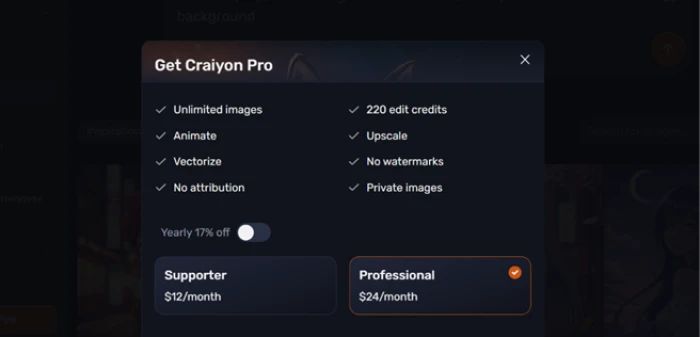
Two things are worth checking against your own screen. The upgrade popup quotes monthly rates while the pricing page defaults to the yearly view, so the same plan reads as $12 in one place and $10 in the other, a billing-cycle gap rather than a contradiction. That screen's feature list was also looser: it showed 220 edit credits and private generations against both of the plans it advertised, while the pricing page gives the cheaper tier 100 credits and marks its output public. Trust the pricing page. Sales are non-refundable either way.
The three paid tiers as they appear on the yearly toggle.
Verified August 13, 2026 from the yearly view. Plan contents shift more quietly than plan prices do, so open the official pricing page before you commit.
Craiyon vs the Top 3 Alternatives
06 . Measured against what a free-first buyer would shortlist
CCraiyon
PPerchance
BBing Image Creator
MMidjourney
Free tier ceiling
Watermarked, credit required
No sign-up, no watermark
15 fast creations daily
None
Entry paid price
$10 a month, billed yearly
No paid tier
Rewards points, not cash
$10 a month or $96 yearly
Editing your own images
Retouch, upscale, cutouts
Only what a page author built
Image editing via GPT-4o
No built-in retouching
Account needed to generate
No
No
Yes, Microsoft account
Yes, paid subscription
Best For
Making and mending in one place
Rebuilding the tool itself
Named frontier models at no cost
Consistency when budget allows
Picking between them: Craiyon wins on the second step. Every other name here hands you an image and stops, while Craiyon lets you cut the background out of that image without opening anything else, which matters more than a resolution comparison for anyone shipping social posts or listing photos. Look elsewhere if the first step is what you care about. Bing puts stronger models behind a daily allowance for nothing, and Midjourney's entry plan buys a hit rate Craiyon does not reach on complex briefs.
What Users Are Saying
07 . Four verified reviews across two platforms
very clear instructions on how to attain desired results by leaving out "negative" words
Use Craiyon if your images need a second step after generation, since cutting out a product shot where you made it saves a round trip through another tool. It also suits anyone who wants a wide grid to choose from rather than one polished guess.
Skip Craiyon if a brief has to be followed to the letter, because a one-color instruction is not something this model reliably honours. Bing Image Creator costs nothing and puts DALL-E 3 behind a daily allowance, and Midjourney's entry plan buys a far better hit rate on tightly specified work.

Discussion
Join the discussion and share your perspective.