


What Creen AI Does
Creen AI works as a single workspace for three kinds of output: still images, short video clips, and spoken audio. The idea it sells is access. Rather than paying for a separate subscription behind each model, you reach a wide set of them through one tab and one credit pool, then switch between them as the job needs. A house image model acts as the low cost default for everyday work, while the premium engines cost more per run.
It is aimed at solo creators, marketers, and small teams who want to try many models without committing to any of them first. If your work is mostly stills and a fast login-free start matters to you, it fits well. If you lean on heavy video output or need results you can reproduce exactly, the tool starts to show its limits, which the tests below get into.
What Happened When We Tested It
I ran the whole session on a fresh free account, no card attached, on October 8. The free plan opens with 100 credits and a live countdown to a daily reset, plus a Restore button. That framing matters, because the homepage sells "free and unlimited" while the panel hands you a fixed daily tap. I wanted to see where that tap runs dry and whether the output justified spending the allowance at all.
The free allowance, up close
Test 01 . Credit mechanics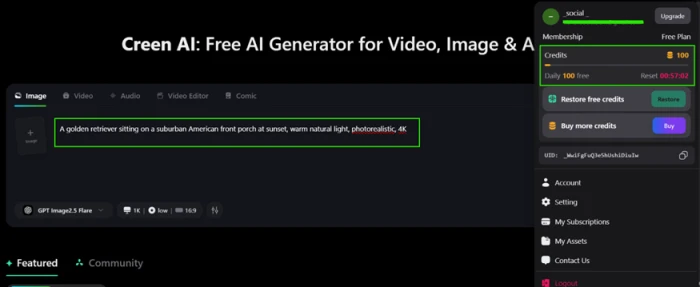
Which engine a free user actually gets
Test 02 . Model selector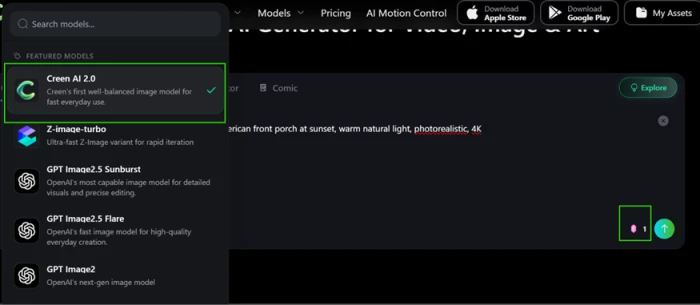
A photorealism baseline
Test 03 . Image quality"A golden retriever sitting on a suburban American front porch at sunset, warm natural light, photorealistic, 4K"
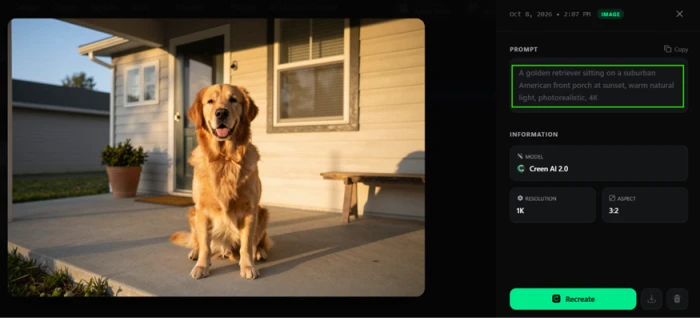
Hands, the usual failure point
Test 04 . Anatomy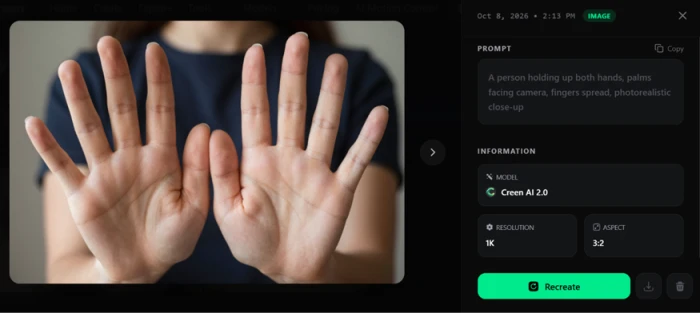
How long your work sticks around
Test 05 . Free storage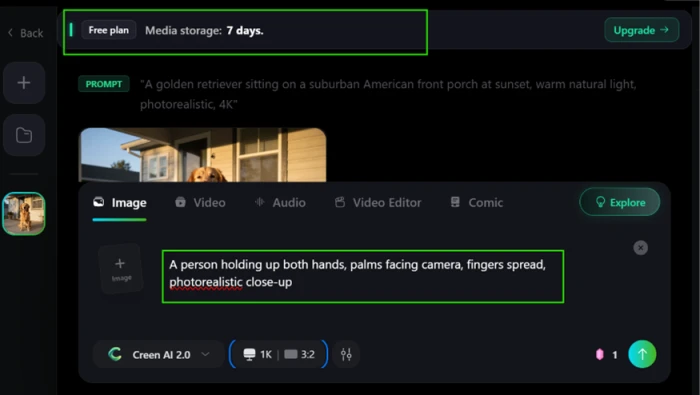
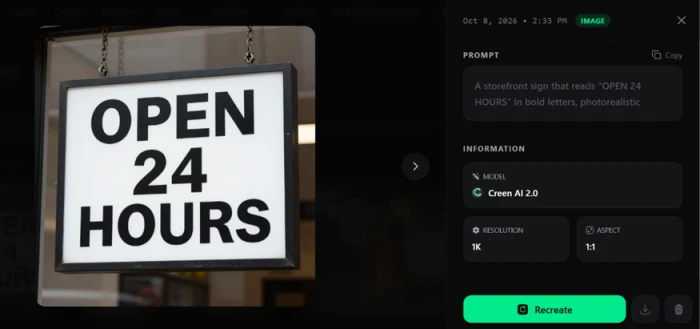
Legible text inside an image
Test 06 . Text rendering"A storefront sign that reads OPEN 24 HOURS in bold letters, photorealistic"
The point where video stops being free
Test 07 . Video pricing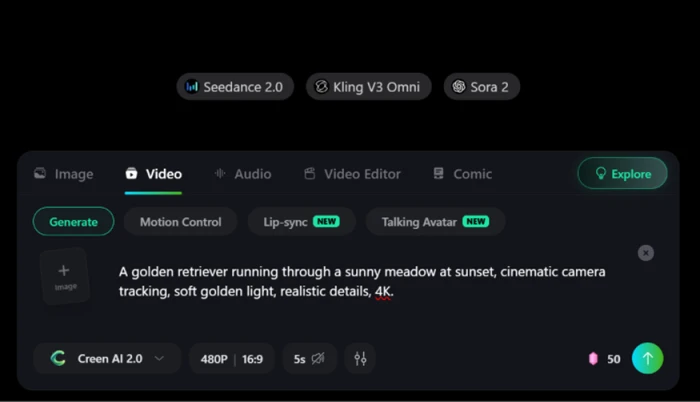
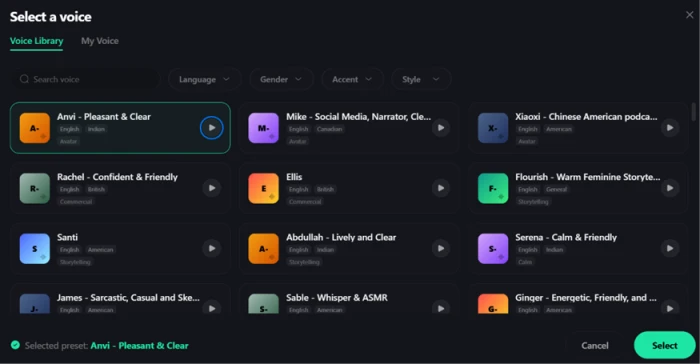
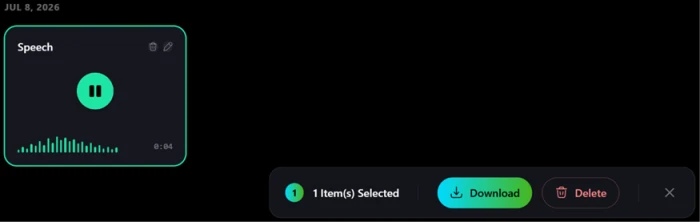
Text to speech, end to end
Test 08 . Audio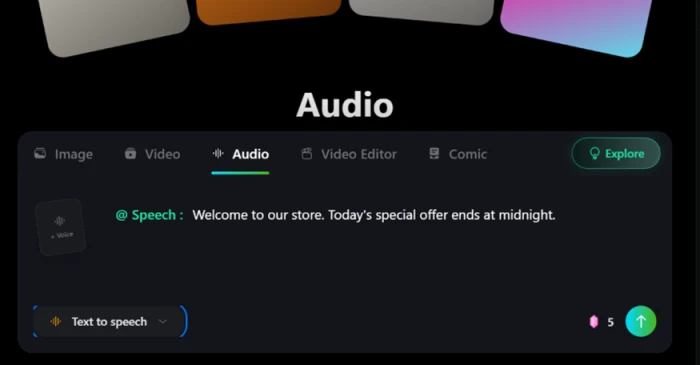
The full engine lineup in one tab
Test 09 . Model roster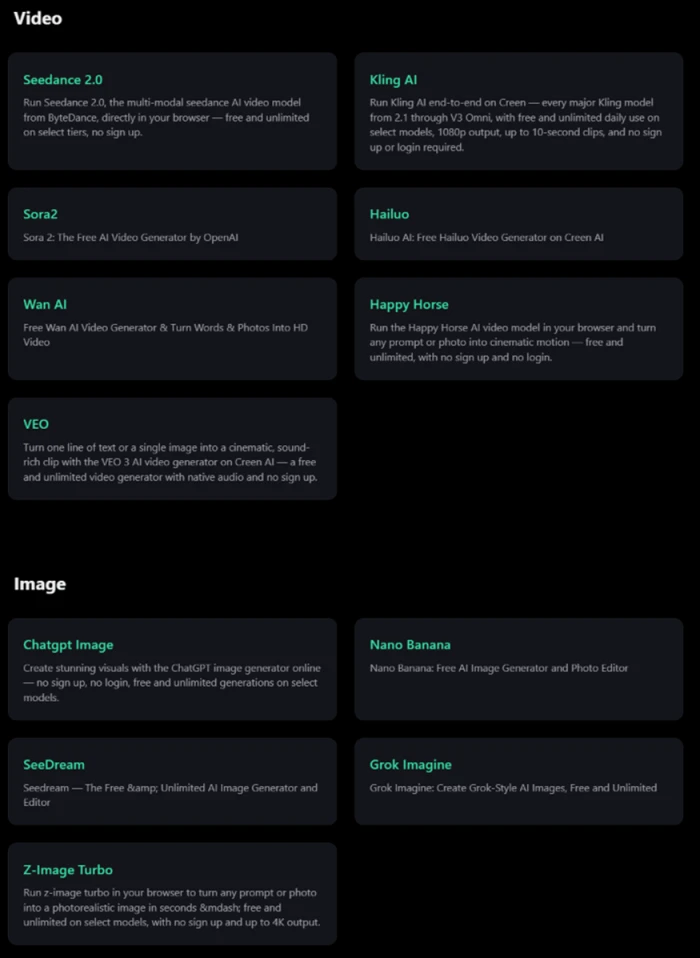
Photorealism, hands, in-image text: Creen AI 2.0 cleared every check I threw at it while costing a single credit per render. That combination of quality and price is what lets a free user run a full design loop in a day rather than three attempts before a paywall.
The detail readout lists prompt, model, resolution, and aspect ratio, then stops. There is no seed value anywhere, which contradicts the marketing claim that every generation shows one. Land a composition you love and you cannot lock it and regenerate it exactly. For client work that needs a repeatable result, that is a real gap.
10-Point Feature Review
Pros and Cons
- No account wall: you land on the studio and generate without an email gate
- Readable in-image text: a multi-word sign kept its spelling and spacing
- Instant downloads: finished stills and clips come down directly from the result card
- "Unlimited" is not: the free plan runs on a fixed daily credit count with a reset timer
- No seed control: nothing in the panel lets you reproduce a composition exactly
- Billing complaints: App Store reviewers report paying and not receiving their credits
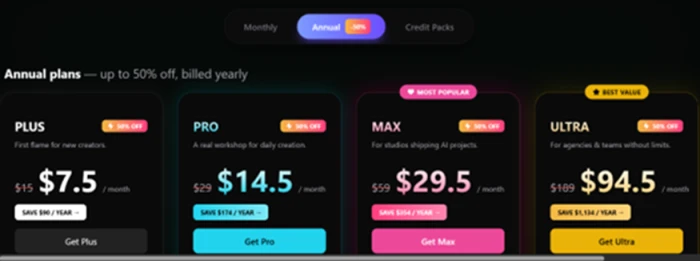
Pricing Breakdown
| Plan | Plus$7.50/mo annual | Pro$14.50/mo annualMost Popular | Max$29.50/mo annual | Ultra$94.50/mo annual |
|---|---|---|---|---|
| Monthly credits | 3,000 | 8,000 | 20,000 | 80,000 |
| Per-credit rate | $0.0025 | $0.0018 | $0.0015 | $0.0012 |
| Own voice slots | 1 | 2 | 3 | 5 |
| Image concurrency | 4 | 8 | 16 | 32 |
| Video concurrency | 2 | 4 | 8 | 16 |
The tier math: the headline monthly-equivalent prices are the annual rate, which Creen advertises at up to 50 percent off. Paid monthly and the same plans list higher: Pro, for instance, is $29 a month billed monthly against roughly $14.50 on the annual commitment. Credits reset every cycle and do not roll over, so an unused balance is gone at renewal. If you only want credits and none of the plan features, the separate Credits Pack starts at $10 a month for 3,000 and scales to $600 a month for 270,000, where the per-credit rate bottoms out.
One finding you should weigh before paying: the website and the iOS App Store do not agree. The App Store lists this app's annual purchases as Pro at $169, Max at $349, and Ultra at $999, along with iOS-only monthly names (Standard, Premium, Deluxe) that the website never uses. Buy on the web and in the app and you are not always buying the same thing at the same price.
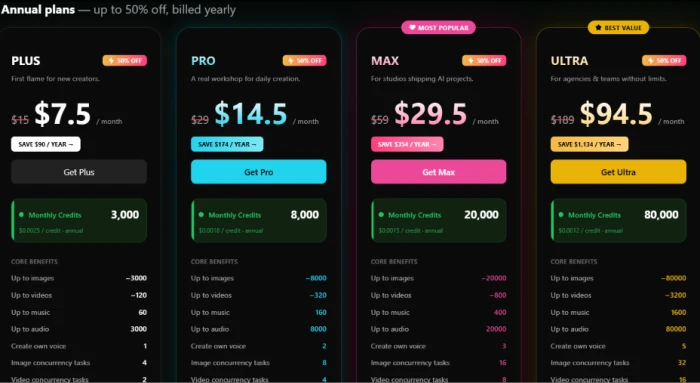
Pricing verified October 8, 2026. Creen runs frequent discounts and the figures shift, so confirm the current rate on the official pricing page before you commit.
Creen AI vs the Top 3 Alternatives
| CCreen AI | KKrea | PPika | |
|---|---|---|---|
| Modalities | Image, video, audio | Image, video | Video |
| Login required | No | Yes | Yes |
| Entry paid plan | $7.50/mo annual | $10/mo annual | $8/mo annual |
| Free tier | 100 daily credits | Daily free credits | Monthly free credits |
| Best For | Login-free multi-model stills | Real-time image iteration | Stylized short video |
How to choose: Creen wins on the login-free start and the sheer engine count, so it suits anyone who wants to touch many models for stills without signing up or paying first. Reach for Krea if real-time image iteration is your core loop, or Pika if short stylized video is the whole job and you do not need images or audio alongside it. Competitor entry prices here come from each vendor's own site and shift often, so confirm before you subscribe.
Discussion
Join the discussion and share your perspective.