
Home / Reviews / AI Social Media Tools / ExGif
Ezgif logo
GIF & Image Tools Browser Toolset

Ezgif Review

ezgif.com · Free since 2014, no account

Ezgif has run as a free browser toolset since 2014, and it still handles the GIF work most editors put behind a login. The GIF maker alone gives you frame delay, loop count, alignment, and a choice of converter engine, and the MP4 it produced came out clean with no watermark anywhere on it. It fits anyone who wants precise, quick edits to a GIF or a short clip without an account or an install.

Reviewer Score
8.3
/10
Top Pick
Deep GIF control, clean output.
Watch the PDF crop.
GIF maker controls9.0
No-watermark output9.0
Local processing8.5
Add Text usability7.5
PDF crop precision6.5
Platform
Browser based
File Cap
200 MB per file
Account
None required
Retention
1 hour auto-delete
Cost
Free donate-supported
Export
No watermark

What Ezgif Does

01 . Overview

Ezgif is a free online toolset at ezgif.com for making and editing animated images. The core is the GIF maker, and the site has grown around it into a wide utility belt: video to GIF, format converters for WebP, APNG and a dozen other image types, plus PDF and audio helpers. Everything runs in the browser, and a donate link is the only thing resembling a transaction.

The positioning has barely changed since 2014, which is part of the appeal. Ezgif does not sell a subscription or a design suite. It is the page you open when a GIF needs resizing before a forum post, or a clip needs turning into a loop for a chat. Who it serves is broad by design: casual users, developers, marketers, and anyone who lands there straight from a search result.

What Happened When We Tested It

02 . 4 tests across GIF, video, and PDF tools

I ran four real jobs on the free tier with no account and no payment taken. The aim was to push past the GIF maker everyone knows and see how the surrounding tools hold up. Three of the four went smoothly. The fourth has a limitation worth knowing before you trust it with a multi-page file.

Building a GIF from five photos

Test 01 . GIF maker
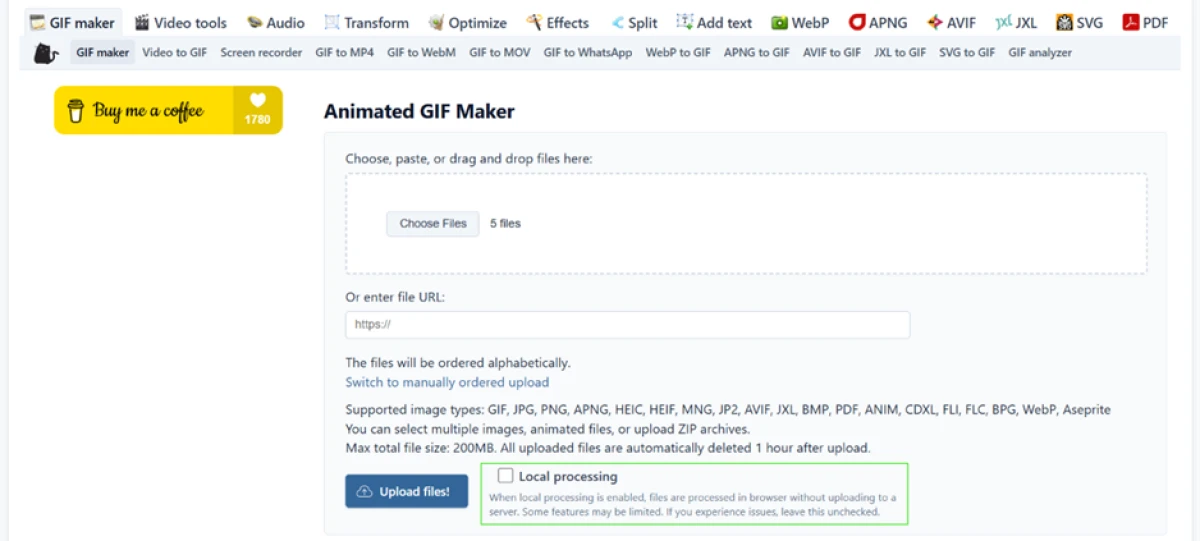
Ezgif GIF maker upload page showing a 200MB cap, a one-hour auto-delete rule, and a local processing checkbox beside the upload button
The GIF maker upload page, with the 200 MB cap, the one-hour auto-delete rule, and the local processing checkbox.
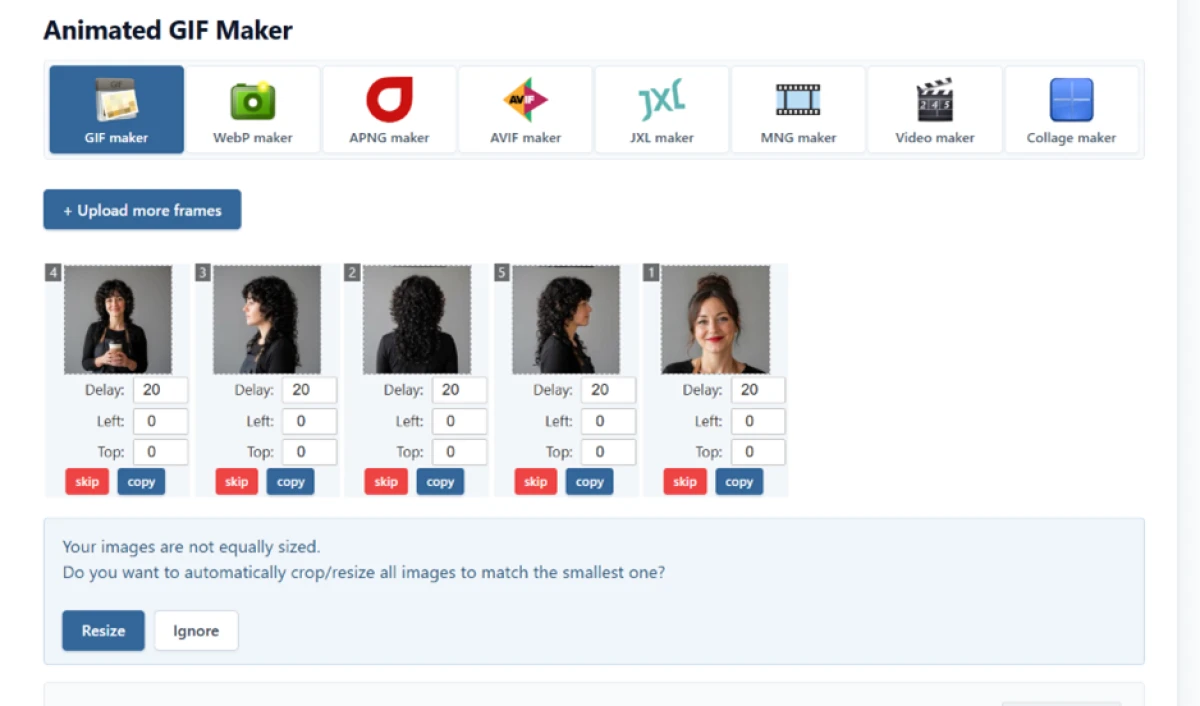
Five portrait photos loaded as draggable frames with individual delay boxes, with Ezgif offering to resize the uneven sizes
Five photos loaded as draggable frames with individual delay boxes; Ezgif flagged the uneven sizes.
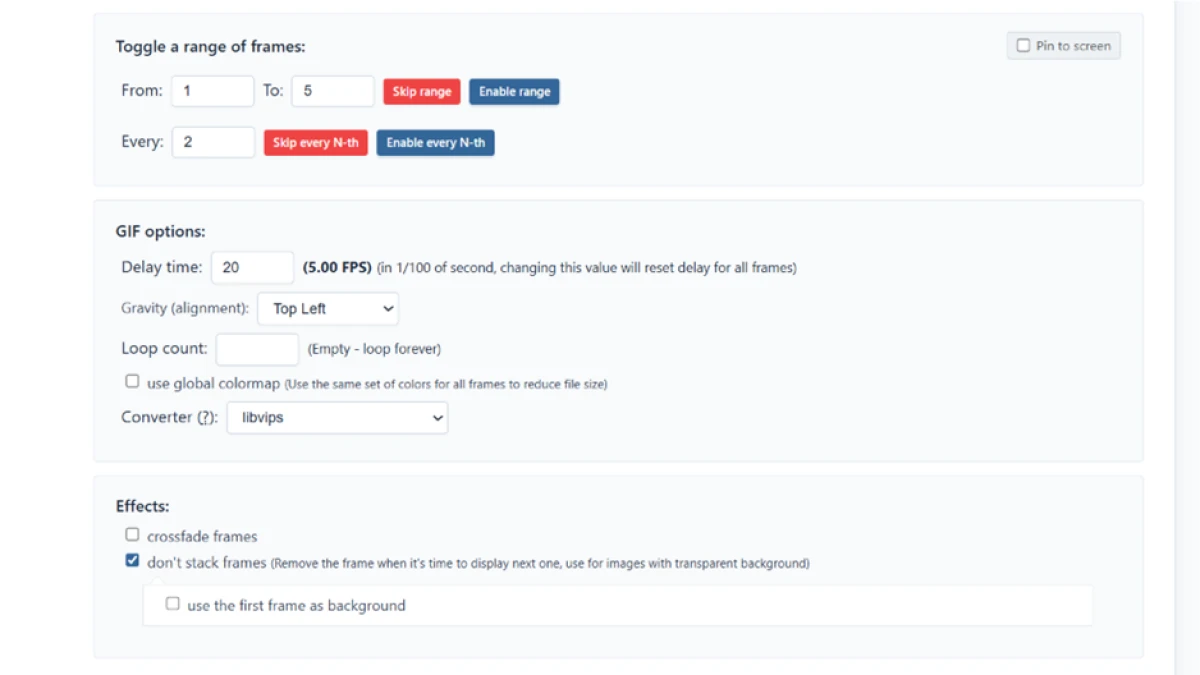
The Ezgif GIF options panel showing delay, loop count, frame alignment, converter engine, plus crossfade and don't-stack toggles
The options panel: delay, loop count, alignment, converter engine, plus crossfade and a don't-stack toggle.
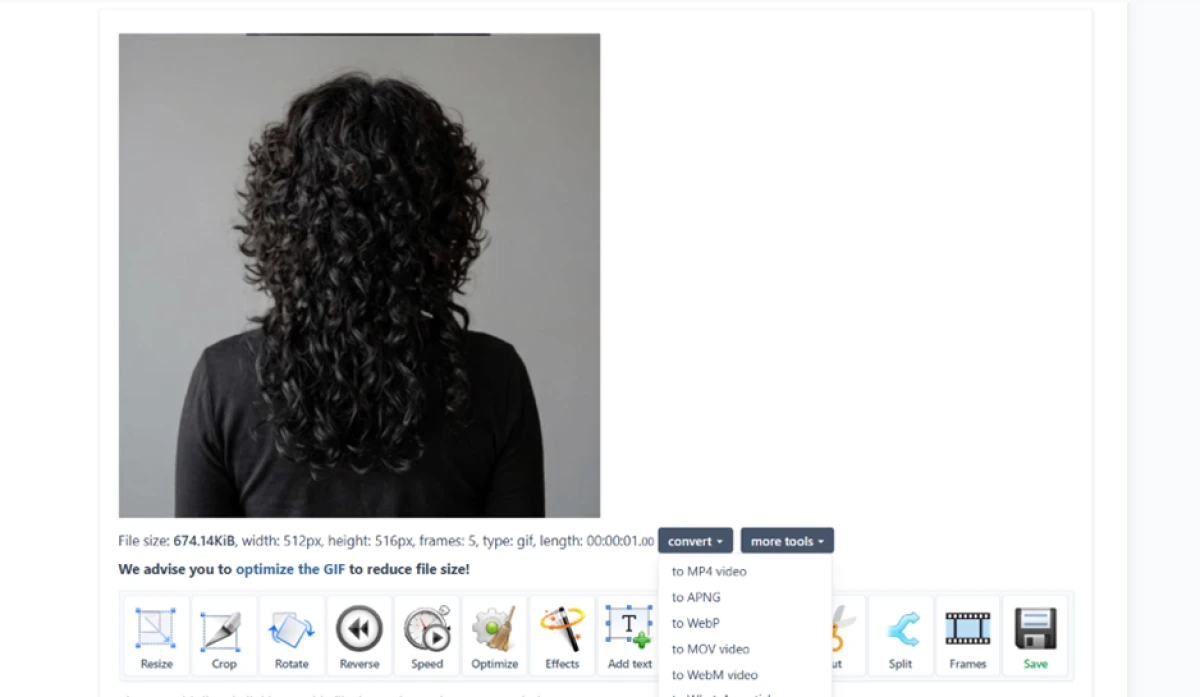
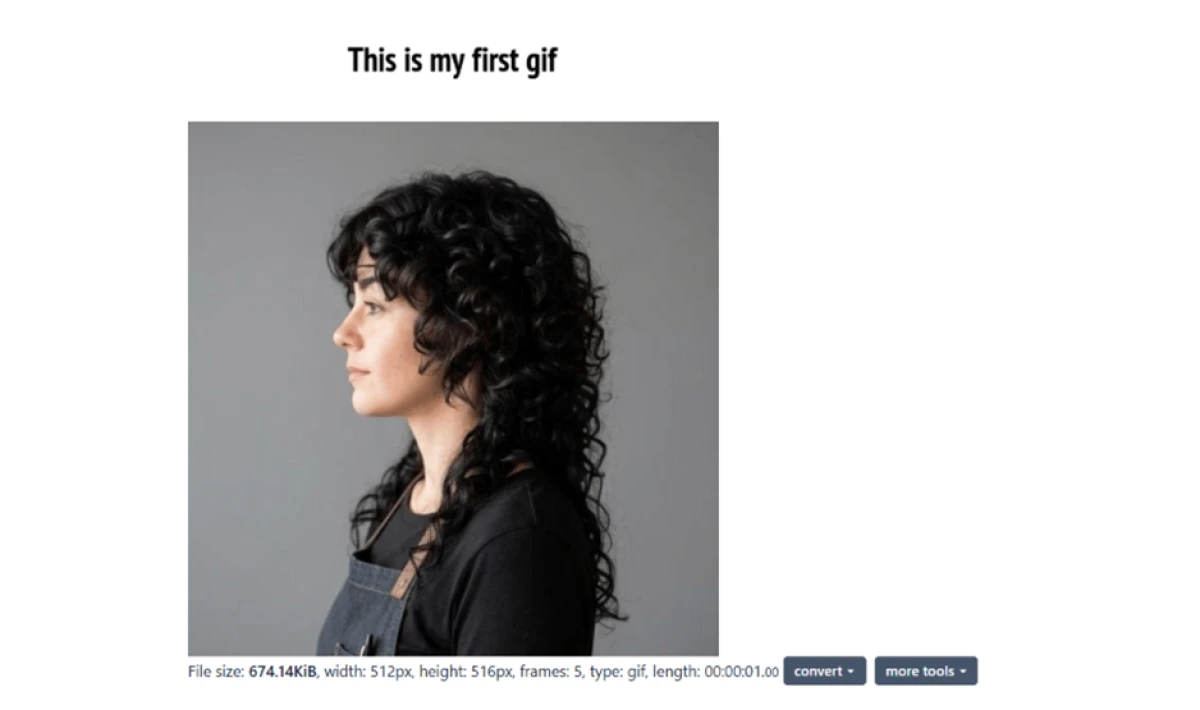
The finished GIF at 674 KiB and 512 by 516 pixels with convert and editing buttons underneath the preview
The finished GIF at 674 KiB and 512 by 516 pixels, with convert and edit buttons underneath.
First impression: Five portrait photos loaded as separate, draggable frames, each with its own delay box, and Ezgif flagged the uneven sizes and offered to resize them to the smallest. The options panel is the real draw, with frame delay, loop count, alignment, converter engine (libvips on my run), crossfade, and a don't-stack toggle for transparent frames. The result was a 674 KiB GIF at 512 by 516 pixels, five frames, one second of playback.

Adding a caption

Test 02 . Add Text
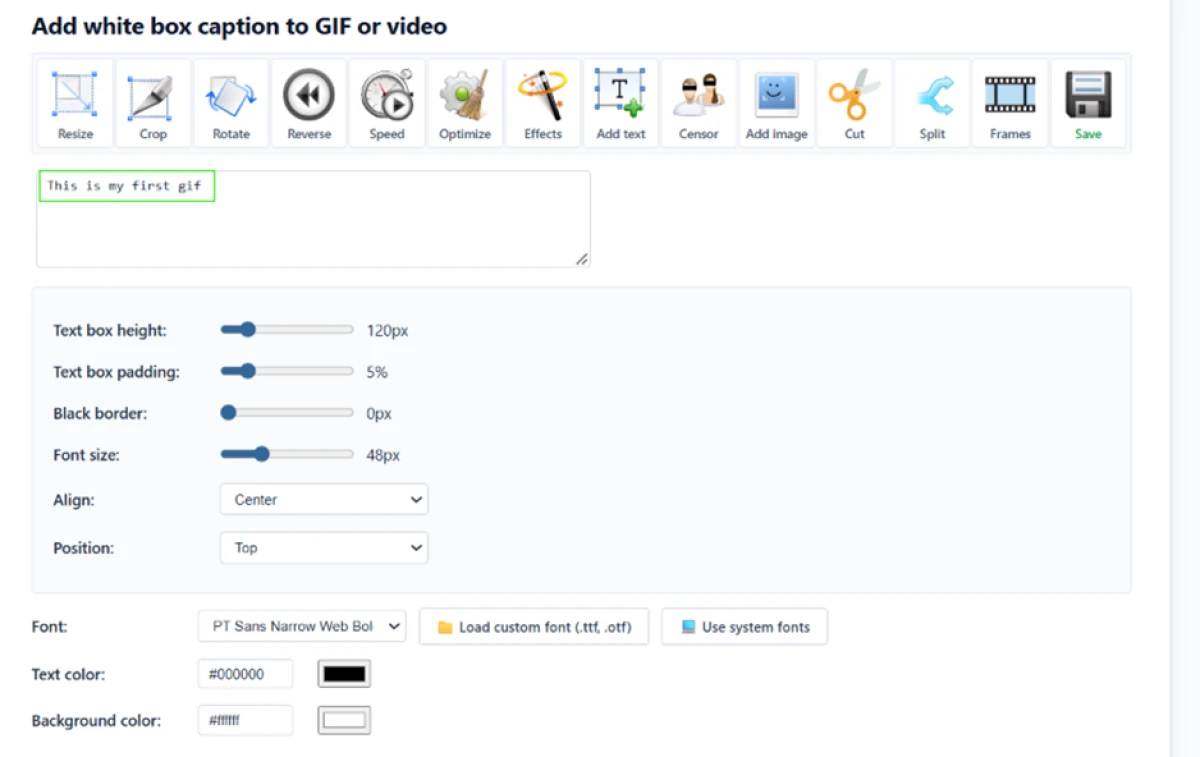
The Ezgif Add Text panel with a caption typed in, showing the font selector and a custom-font loader over the default PT Sans Narrow
The Add Text panel with the caption typed in, showing the font selector and custom-font loader.
The result still reading 674 KiB with no caption burned into the image because the apply button at the bottom was missed
The result still reads 674 KiB with no caption inside the image, because the apply button got missed.
Worth noting: The Add Text panel is deep, with controls for box height, padding, font size, alignment, and a loader for a custom .ttf or .otf over the default PT Sans Narrow. It also hides its payoff. I typed my caption, saw it sit above the image in the preview, and the file stayed at 674 KiB with no text burned in, because the apply button sits at the bottom of a long settings panel and I scrolled straight past it. The tool works. The layout makes it easy to think you are finished before you are.

Converting the GIF to MP4

Test 03 . GIF to MP4
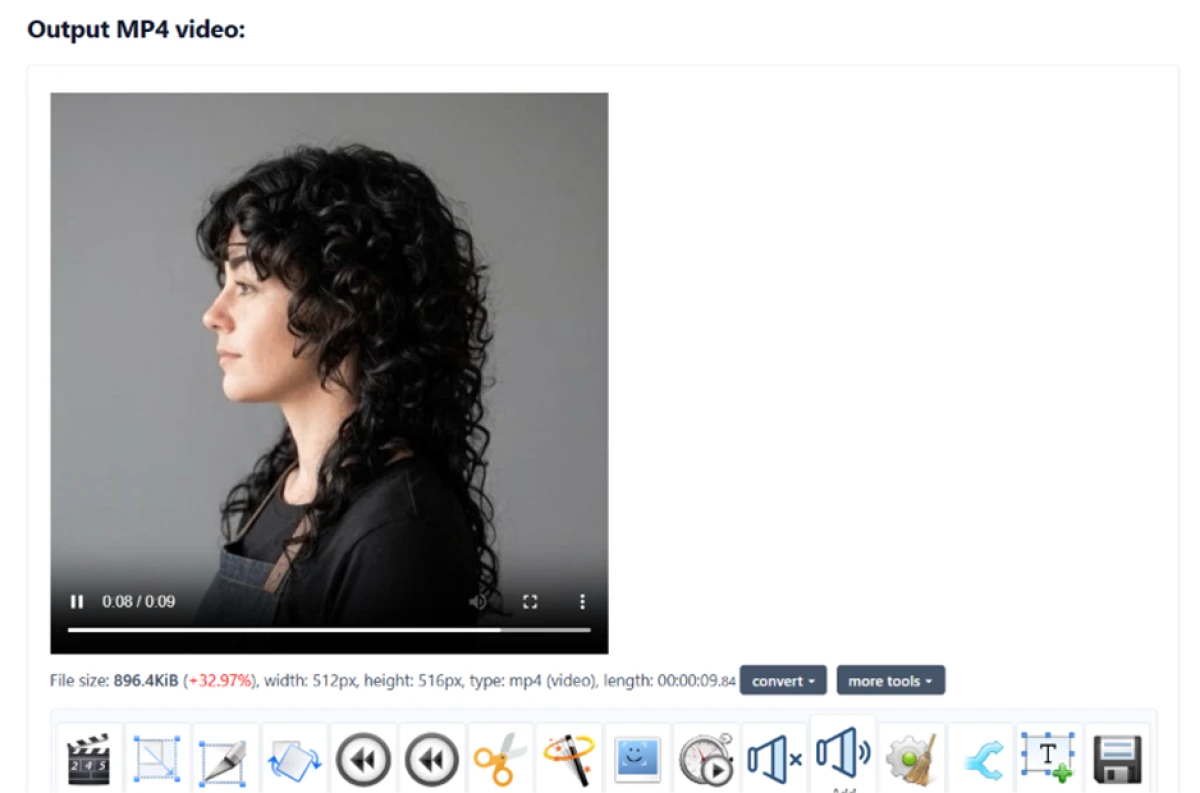
The MP4 output at 896.4 KiB, flagged as 32.97 percent larger than the GIF because it holds ten loops as nine seconds of video
The MP4 at 896.4 KiB, flagged 32.97% larger than the GIF because it holds 10 loops as nine seconds.
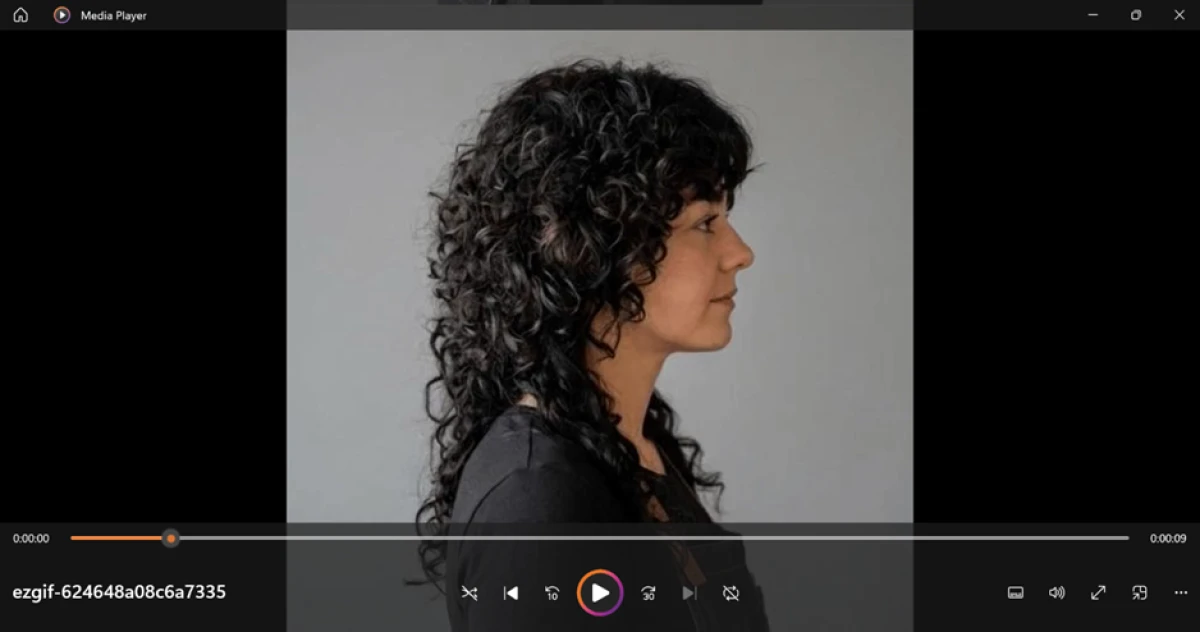
The downloaded MP4 playing in Windows Media Player away from the site with no watermark in any corner
The downloaded MP4 playing in Windows Media Player, with no watermark.
The real story: Set to repeat 10 times, the MP4 landed at 896.4 KiB, flagged as 32.97 percent larger than the GIF. That reads worse than it is. My GIF was one second on an endless loop, and the MP4 wrote those 10 loops out as nine seconds of actual footage, so the video held far more content for a third more space. Played back in Windows Media Player, away from the site, the picture was clean with no watermark in any corner.

Cropping a PDF

Test 04 . Crop PDF
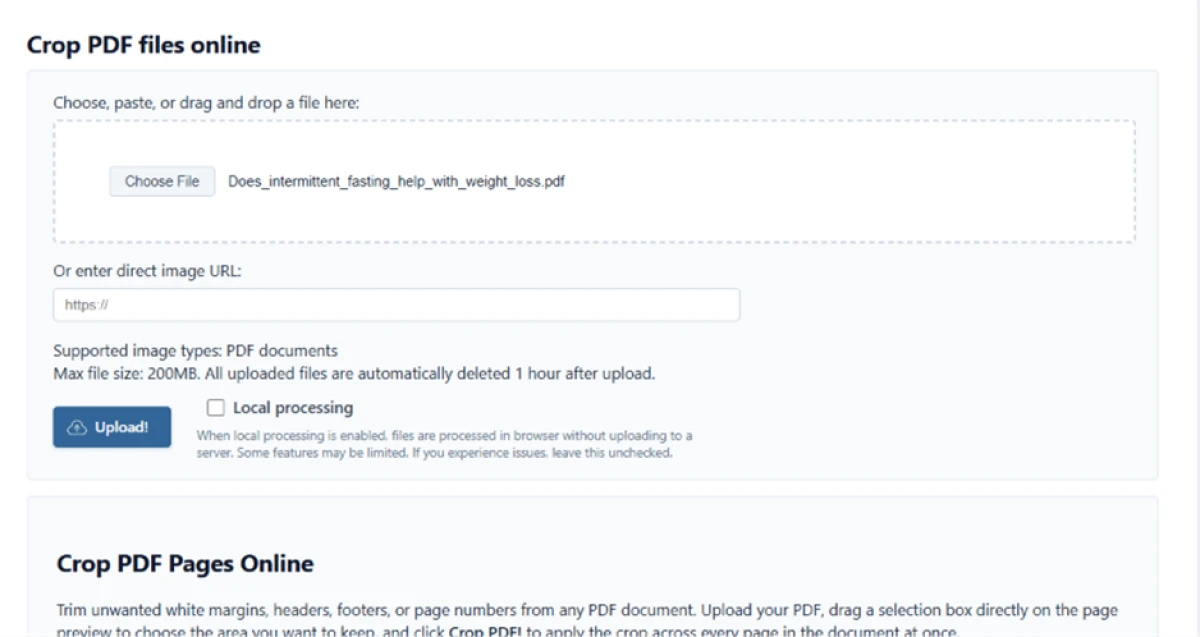
The Ezgif Crop PDF upload page carrying the same 200MB cap and one-hour deletion as the image tools
The Crop PDF upload page, carrying the same limits as the image tools.
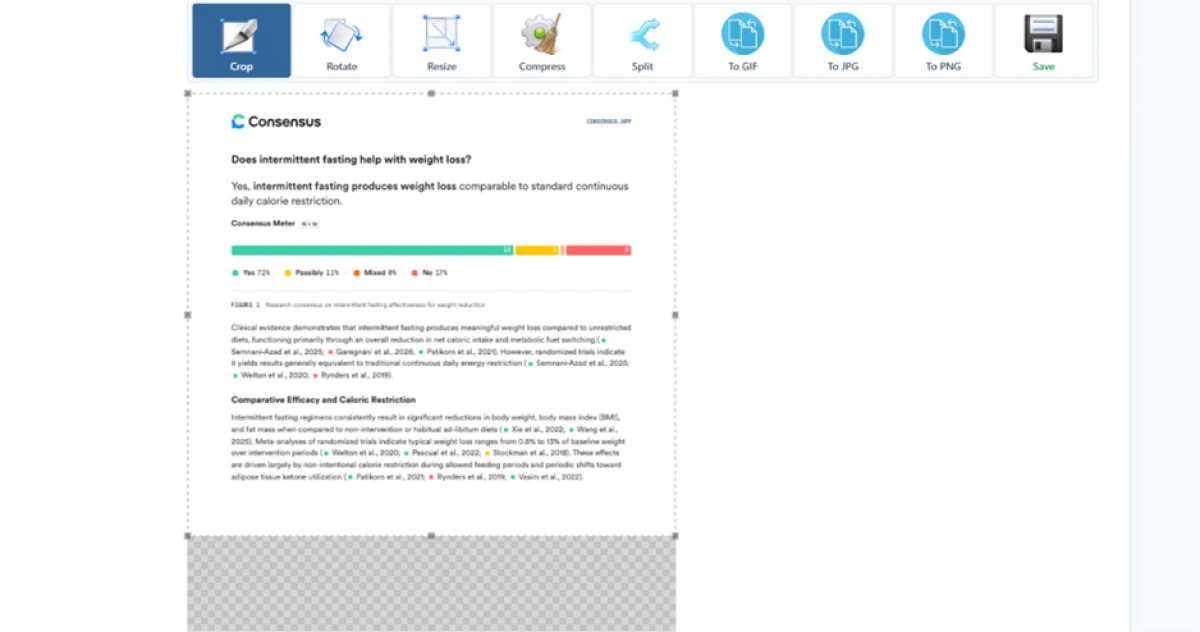
A crop selection box drawn over part of page one, with a checkered strip marking the area due to be trimmed
The crop selection on page one; the checkered area below the box is what gets trimmed.
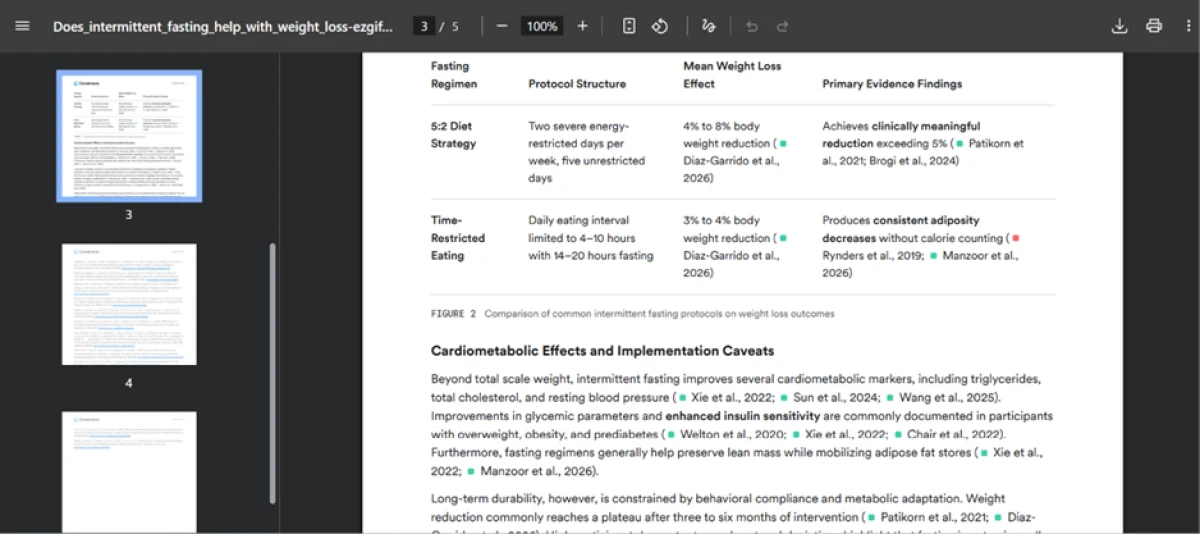
The cropped PDF at page three, where a table sits in a different position from the page used to set the crop box
The cropped PDF at page three, where the table sits in a different position from page one.
Where it lands: The Crop PDF tool carries the same 200 MB cap and one-hour deletion as the image tools. I dragged a box over part of page one and ran the crop, and the trim itself was correct. The problem is scope. Ezgif applies one crop box to every page at the same coordinates, so the box I set on page one also cut page three, where a table sits in a different position. For uniform margins it is fine. For a document whose layout shifts between pages, it will quietly remove content you never looked at, and the crop is destructive.
★
Control and clean output on one free page

The GIF maker gives you frame-level control that paid editors gate behind a plan, and the MP4 it produced carried no watermark at all. For turning photos or a clip into a polished loop, Ezgif does the whole job in the browser with nothing to install and nothing to sign.

!
One crop box for every PDF page

The PDF crop applies a single selection to all pages at fixed coordinates. On a file where content moves around between pages, that cuts material you never inspected, and because the crop is destructive, the damage is baked into the download. Keep the original.

How this review was put together. Deepak ran four of Ezgif's tools in November 2026, building a GIF from five photos, captioning it, converting it to MP4, and cropping a five-page PDF, with the files and outputs saved at each step. The free status and the donate-only model were confirmed on ezgif.com, which has no pricing page. Competitor details in the comparison were checked against each rival's own site on the day of writing. No account was created, because none is required.

10-Point Feature Review

03 . What a free, no-account toolset gets right, and where it slips
Feature Scores at a Glance
GIF maker controls
9.0
Output quality
9.0
Toolset breadth
9.0
Frame handling
8.5
Format support
8.5
Privacy options
8.5
No-signup access
8.5
GIF to MP4
8.0
Add Text usability
7.5
PDF crop precision
6.5

Pros and Cons

04 . What stands out, and what to watch
+What works
  • Frame-level GIF control: delay, loop, alignment and engine choice sit in one panel.
  • Local processing option: a checkbox keeps sensitive files off the server.
  • Genuinely broad: a single page covers GIF, video, image and PDF jobs.
  • No friction: tools run with no account and files auto-delete after an hour.
  • Draggable frames: reorder and retime each frame without re-uploading.
−What drags
  • Buried apply button: the Add Text payoff hides at the bottom of a long panel.
  • One-box PDF crop: the same selection hits every page, risky on varied layouts.
  • Server upload by default: local mode is opt-in, not the standard path.
  • Scattered tools: the format converters live on separate pages, not one hub.

Pricing Breakdown

05 . What a free, donate-supported tool costs you

Where the value sits: Ezgif has no paid tier and no subscription. A Buy Me A Coffee link is the only ask, and the tools run on that plus ads rather than a fee. What you give up is thin. Server-side uploads carry a 200 MB cap, and files are wiped an hour after upload, so a large batch or a file you need to revisit later takes a little planning.

The local processing mode removes the upload entirely for the tools that support it, which is the closest thing to a premium feature, and it costs nothing. The real price is not money. It is the server upload on tools that lack a local mode, and the ads that keep the lights on. For a quick GIF or a format swap, neither gets in the way.

Free status verified November 19, 2026. Ezgif runs no paid plan, so check the official site before you count on any limit staying the same.

Ezgif vs the Top 3 Alternatives

06 . Three tools a reader would weigh for GIF and media work
EEzgif KKapwing GGiphy CConvertio
Free to useFully freeFree, paid ProFreeFree, paid tiers
WatermarkNoneOn free exportsAdds brandingNone
AccountNoneYesTo saveOptional
Best ForGranular GIF editsTeam media editingShareable social GIFsBroad file conversion

How to choose: Ezgif's pitch is control without a toll gate. Kapwing does more on the video and collaboration side and layers in AI editing, but its free exports carry a watermark and it wants an account. Giphy is the better home for GIFs meant to be shared and discovered, less so for precise editing, and it brands what you make. Convertio beats Ezgif on raw format coverage, over 300 types, though it is a converter rather than an editor, with no frame controls or captioning. Ezgif wins when the job is editing a GIF closely and leaving with a clean file.

What Users Are Saying

07 . Real verdicts from Trustpilot
One of the best online tools I know for manipulating and creating gifs.
Trustpilot reviewer
On the overall GIF tooling
★★★★★
trustpilot.com
Free, easy to use and provides an excellent service.
Trustpilot reviewer
On the format converters
★★★★★
trustpilot.com
Ezgif easily converts it to JPG in a moment's notice.
Trustpilot reviewer
On WebP to JPG
★★★★★
trustpilot.com
It has so many tools to use, and it is very intuitive.
Trustpilot reviewer
On the breadth of the toolset
★★★★★
trustpilot.com
Tried to create a gif, the site wouldn't upload the video.
Trustpilot reviewer
On an upload failure
★☆☆☆☆
trustpilot.com
· The Verdict ·
8.3/10
The free GIF toolset that still sets the bar

Use Ezgif if you want close control over a GIF or a clean, watermark-free MP4, and you would rather not create an account to get it.

Skip Ezgif if you need one crop applied intelligently across a multi-page PDF, or a shared workspace for a team. Kapwing suits collaborative editing, and a dedicated converter like Convertio handles bulk format jobs better.

Category RankTop Pick
Compared To3 Alternatives
Entry PriceFree
WatermarkNone

Discussion

Join the discussion and share your perspective.