


What Hotpot AI Does
Users can access a wide range of creative tools through Hotpot AI, from generating artwork and logos to editing, enhancing, and removing backgrounds from images. The platform also provides options for creating professional headshots and other visual content, with its features grouped according to different design needs. Hotpot.ai promotes several of these services as free, while some can be used without creating an account. However, actual use of the platform may involve account sign-ins or paid access for certain features, which may not be immediately obvious from the information presented on its homepage.
Tool usage follows a prompt-driven workflow where users describe the desired output and select style options before initiating generation. The platform operates on a freemium model with premium subscription unlocking higher generation limits, additional capabilities, and removal of watermarks. Authentication is via email and password only with no third-party SSO options available, requiring traditional account creation workflow rather than social authentication.
What Happened When We Tested It
The test session ran on Hotpot.ai in June 2026 and exercised the homepage with no-login marketing positioning, the logo creation prompt entry workflow with a detailed luxury brand identity prompt, the login requirement appearing after prompt entry which validated the first marketing claim discrepancy, the email-only authentication interface, the post-login dashboard with tool catalogue, the AI Art Generator marketed as free with no account needed, and the paywall revealed when attempting AI Art Generator use which validated the second marketing claim discrepancy. The two-discrepancy pattern is the dominant editorial finding from the test session.
Homepage and No-Login Marketing Claim
Test 01 . Marketing positioning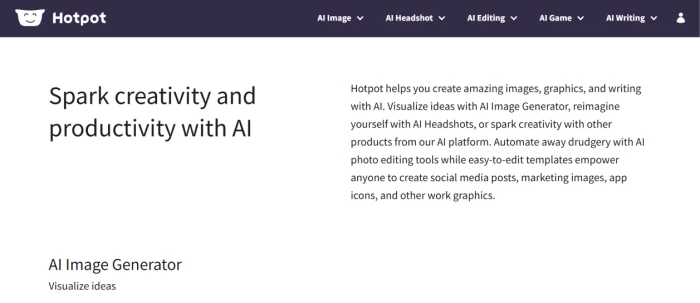
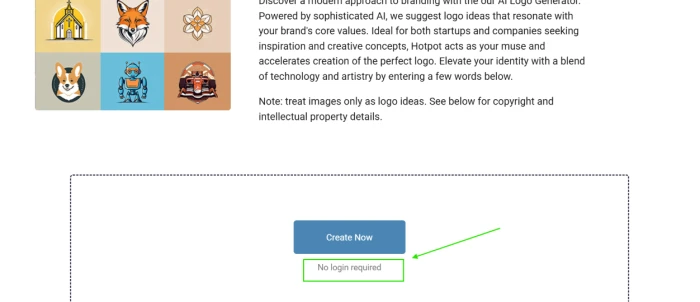
Logo Creation Prompt Entry
Test 02 . Prompt workflow surface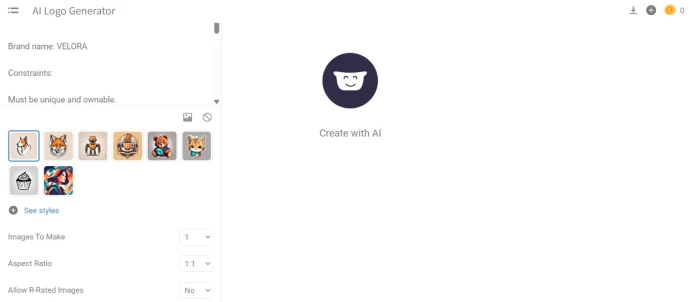
Login Required Despite Marketing Claim
Test 03 . First discrepancy validated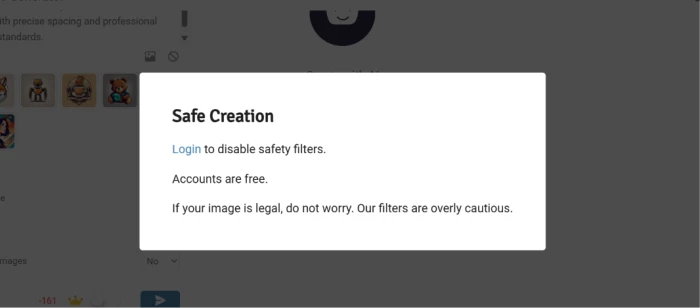
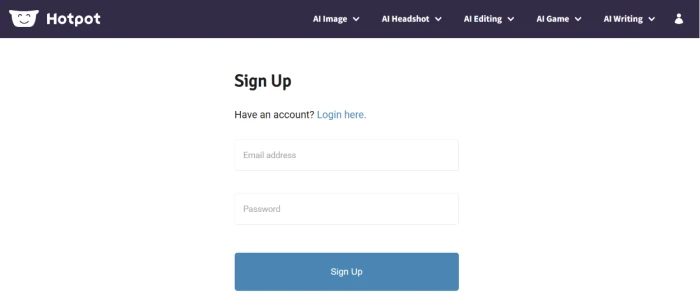
First-hand testing documented a marketing claim discrepancy. The homepage marketing positions the platform as accessible without account creation, "no login required to create" appears explicitly in the homepage messaging documented in Test 01. When the user entered the elaborate VELORA logo prompt and attempted to generate, the platform required login to proceed. The discrepancy between the homepage's no-account-needed positioning and the actual login-required workflow is bait-and-switch pattern. Prospective users who engage based on the homepage messaging discover the account requirement only after committing time to prompt setup. For editorial transparency about platform requirements, the homepage messaging should match the actual creation workflow rather than requiring users to discover account requirements through engagement.
Post-Login Dashboard
Test 04 . Tool catalogue access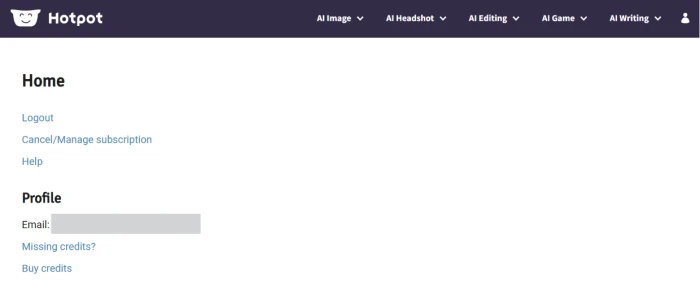
AI Art Generator "Free" Marketing
Test 05 . Second marketing position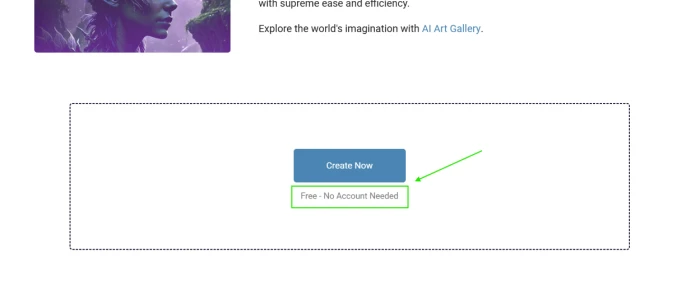
AI Art Paywall Revealed - Pattern Confirmed
Test 06 . Second discrepancy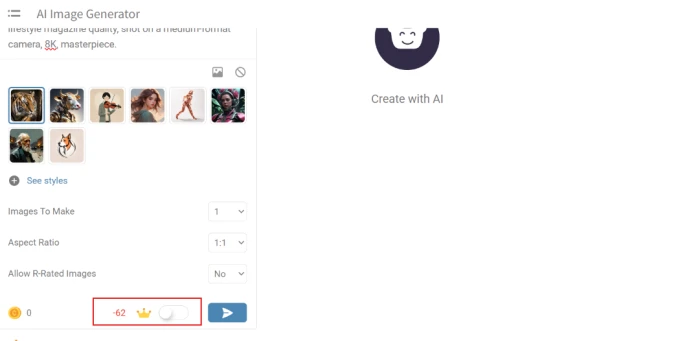
The AI Art Generator was marketed with "free, no account needed" positioning documented in Test 05. When the user attempted to use the tool after creating the account forced by Test 03's login requirement, the AI Art Generator revealed paywall requirements before output generation could proceed. This is the second documented marketing claim violation in the test session, establishing a pattern rather than isolated incident: features marketed as free or no-account-required reveal paywall gates after user engagement. Combined with limited authentication options (email/password only, no Google/Apple SSO), the platform's onboarding experience falls below the consumer-favorable standards set by established competing AI design platforms. Prospective subscribers should treat marketing claims about free tier sufficiency or no-account requirements with skepticism and verify actual paywall positions before committing time to tool exploration.
10-Point Feature Review
Pros and Cons
- The prompt-driven workflow lets a non-designer describe the output in words instead of operating design controls
- Sharing one login across tools means an output from one, like a cleaned background, can feed the next without moving files between apps
- Headshot, logo, and art tools sitting together suit someone whose occasional needs are too varied to learn several specialist apps
- Tools are organized by use case, so a user lands on a purpose-built entry rather than a blank generic canvas
- Signup-stage marketing discrepancies set a distrust tone, so users may reasonably doubt other claims like data handling or output rights
- As a breadth-first suite, its art and logo models likely trail the latest dedicated generators on quality
- Consolidating logo, headshot, and art needs in one place means a single outage or the platform folding takes the whole workflow down at once
- Watermarks on free output mean anything you make to evaluate isn't usable as-is, so you can't test a real deliverable without paying
Pricing Breakdown
| Feature | Free Tier | Premium Subscription |
|---|---|---|
| Homepage Browsing | ✓ Without login | ✓ Full access |
| Account Creation | Required after prompt entry | ✓ Required |
| Logo Maker | Paywalled at generation | ✓ Full access |
| AI Art Generator | Marketed free, paywalled in use | ✓ Full access |
| Headshot Generator | Limited preview | ✓ Full access |
| Image Editor Tools | Basic only | ✓ Advanced features |
| Authentication Options | Email + password only | Email + password only |
| SSO (Google/Apple) | ✗ Not available | ✗ Not available |
| Watermarks | Applied to outputs | Removed on premium |
| Best For | Browse and explore platform only | Users committed to platform after paid trial |
The pricing reality: Hotpot.ai operates on a freemium model where homepage browsing and basic exploration are free, but actual tool use frequently triggers account creation or paywall gates revealed mid-workflow. Premium subscription unlocks tool generation and removes watermarks. Verify current subscription pricing and which specific tools are gated directly on the Hotpot.ai pricing page before committing.
Hotpot.ai vs the Top 4 Alternatives
| HHotpot.ai | CCanva AI | AAdobe Firefly | LLooka AI | MMicrosoft Designer | |
|---|---|---|---|---|---|
| Score | 5.5 | 7.5 | 7.8 | 6.8 | 7.2 |
| Tool Catalogue Breadth | ✓ Multiple AI tools | Comprehensive design suite | AI image specialist | Logo specialist | ✓ Multiple tools |
| Marketing Claims Accuracy | Two discrepancies documented | ✓ Standard | ✓ Clear positioning | ✓ Standard | ✓ Clear positioning |
| SSO Authentication | Email/password only | Google, Apple, email | Adobe ID + SSO | ✓ Multiple options | Microsoft + SSO |
| Pricing Transparency | Paywall post-engagement | ✓ Upfront tiers | ✓ Clear pricing | Standard | ✓ Clear pricing |
| Free Tier Sufficiency | Limited preview only | Functional free tier | Generative credits | Free preview | Free tier functional |
| Established Track Record | ✓ Long history | Mainstream leader | Adobe ecosystem | ✓ Established | Microsoft backed |
| Output Quality | Not validated (paywall) | ✓ Strong | Category-leading | ✓ Solid for logos | ✓ Strong |
| Best For | All-in-one users tolerating marketing gaps | Mainstream design + AI workflow | Adobe ecosystem creators | Logo-focused workflow | Microsoft 365 users |
The picture: Hotpot.ai's structural advantage is the comprehensive tool catalogue under one platform, but the marketing claims discrepancy pattern and limited SSO push the user experience below consumer-favorable category peers. Canva AI offers similar all-in-one positioning with materially better marketing accuracy, SSO options, and free tier sufficiency at the trade-off of less specialized AI capabilities. Adobe Firefly delivers category-leading output quality for users within the Adobe ecosystem. For all-in-one AI design platform selection in 2026, consumer-favorable alternatives outperform Hotpot on the transparency and onboarding dimensions documented here.
Discussion
Join the discussion and share your perspective.
Shubham Sharma
Jun 23, 2026Decent tool, handy for quick edits. I’ve been using Hotpot AI for a few weeks now, mostly for restoring old family photos and playing around with the AI image generator. Overall, it gets the job done. The colorizer and photo restoration tools are actually pretty impressive for how fast they work. However, the UI feels a bit dated compared to some other platforms, and the results with the text-to-image generator can be hit or miss—sometimes it takes a few tries (and credits) to get exactly what I'm looking for. It’s a solid, convenient option if you need a quick edit without opening up complex software, but it might not completely replace dedicated design tools for more advanced projects. Worth a try if you just need casual, everyday AI tweaks.
Matt Schwartz
Jun 23, 2026I totally agree with this. I had the exact same experience with their photo restoration—it's surprisingly good and saved me a ton of time on a retro project last week.