


What InDown Does
InDown is a browser-based Instagram downloader. You paste a post link, it reads the page and hands back the file. The menu reaches across nearly every Instagram format: video, photo, reels, stories, highlights, IGTV, profile pictures and audio, each on its own page but sharing one paste-and-download flow. There is no app to sideload and no account to open.
The pitch rests on two promises. One is breadth, a single site that covers almost every content type and even includes a route for private accounts, which the big-name rivals skip entirely. The other is quality, with the homepage advertising saves up to 4K and 8K without a watermark. The intended user is the casual saver who wants a creator's reel or a profile picture on their phone in seconds, plus the occasional person trying to archive a post from an account they follow but cannot save inside the app itself. Everything on the website runs free, with no paid tier to buy.
What Happened When We Tested It
I ran InDown on the free web tool at indown.ai with no account and nothing installed, saving real public and private Instagram content inside a single browser session. The question was simple: does the paste-and-go promise, and the 4K claim beside it, hold once you move past the marketing copy on the homepage.
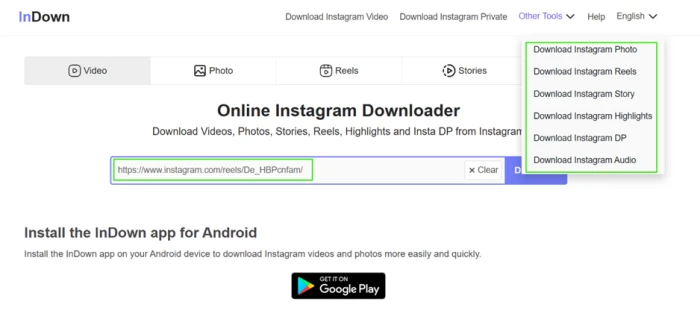
The first reel, with nothing asked of me
Test 01 . Signup friction"https://www.instagram.com/reels/De_HBPcnfam/"
An ad opens before the file does
Test 02 . Ad behavior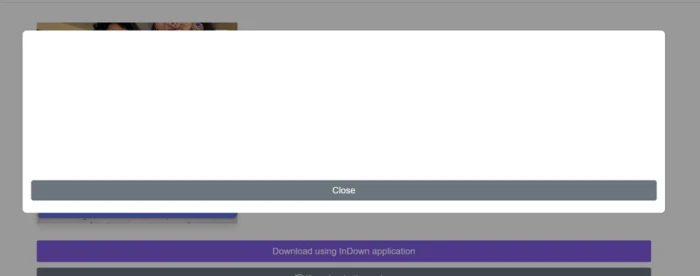
What actually downloads: one button, no choice
Test 03 . Output quality
The private route works, but it is a slog
Test 04 . Private downloads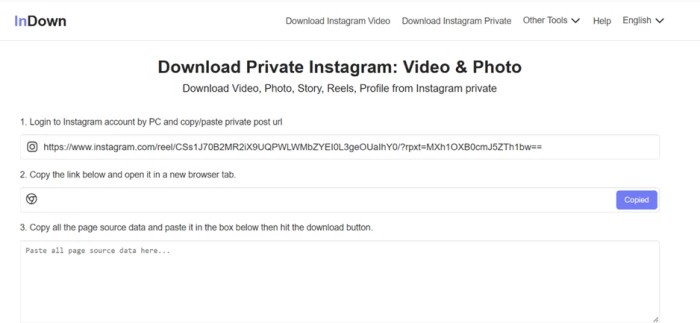
The split into named tools is mostly cosmetic, and that turns out to be its quiet strength. I opened the DP downloader, built for profile pictures, and fed it a reel URL. It returned the reel without complaint. A single flexible engine answers whatever link you give it, which means a wrong turn in the menu rarely breaks the download.
The gap between claim and delivery is the sharpest letdown here. The homepage lists Full HD, 1080p, 4K and 8K plus a quality-and-size option, and a separate audio menu entry sits alongside. In practice the reel produced one video at source resolution, with no picker and no audio-only file. A buyer chasing high-resolution archives or clean audio should not take the homepage numbers at face value.
10-Point Feature Review
Pros and Cons
- No signup: you paste a link and download, with no email or account at any point
- Private-account route: a real, if manual, way to save posts the big rivals will not touch
- Runs anywhere: the same browser flow on a phone and a desktop, nothing to install
- Clean output: the saved video arrived without a watermark
- No details requested: no credentials, email or phone number asked during testing
- Quality claims overreach: 4K and 8K advertised, ordinary Instagram resolution delivered
- No resolution picker: one download button, no size or quality choice despite the stated option
- Ad wall every time: a full-screen pop-up blocks the download on each fetch
- Audio entry underdelivers: the reel path returned no audio-only file
- Private flow is heavy: a login, a follow check and a page-source paste will lose most users
- Labels are cosmetic: the separate tool names route to one engine, so the structure misleads
Pricing Breakdown
Pricing in plain terms: InDown's web tool is free with no paid tier to buy, so the real cost is the ad interstitial on every download and the steady push toward the brand's Android app. There is no subscription and no daily download cap, and nothing on the site charges to remove a watermark. The only place money enters the picture is the brand's separate iOS app, which lists InDown PRO in-app purchases from $4.99 to $34.99, a different product from the browser tool reviewed here.
Pricing checked November 2, 2026 against the tool's own site, which lists the web downloader as free, and the iOS figures against the Apple App Store. Terms shift often, so confirm current details on InDown's own pages before relying on them.
InDown vs the Top 3 Alternatives
| IInDown | FFastDL | SSnapInsta | SSaveInsta | |
|---|---|---|---|---|
| Price | Free | Free | Free | Free |
| Login | Not required | Not required | Not required | Not required |
| Private Accounts | Yes, manual route | No | No | No |
| Quality Options | None | Several | Original only | Up to 1080p |
| Audio Page | Yes | No | No | Yes |
| Best For | Saving from accounts you follow but cannot download in-app | Public downloads where resolution choice matters | Quick, no-frills public reel and photo grabs | Public saves with a built-in audio extractor |
Who should pick which: InDown is the only one of the four with any route into private content, so if that is why you are here, nothing else on this list competes. If you instead want to choose a resolution, FastDL hands you several options the others do not. SnapInsta is the leanest public grab when you just need a reel fast, and SaveInsta is the pick when pulling the audio out of a post matters more than the private route.
Discussion
Join the discussion and share your perspective.