

What JungleAI Does
JungleAI is a study platform aimed at students in high-stakes fields such as medicine, nursing, and law. You feed it your own source material, slide decks, PDFs, lecture videos, audio, and more, and it converts that into study content: multiple-choice, free-response, and case questions, plus flashcards and summaries. It positions itself as a more accurate alternative to Quizlet, generating a large batch of targeted questions from a single upload.
What separates it from a basic flashcard generator is a handful of features built for serious study. AI Image Occlusion hides labels on diagrams to test visual recall, which suits diagram-heavy subjects like anatomy. A built-in spaced-repetition system, surfaced through a gamified "Tree Growing" progress display, tracks long-term retention. Anki export then lets power users pull generated cards into the study workflow they already keep. The full run through upload, practice, and progress tracking is documented in the test section below.
JungleAI is the rebranded version of Wisdolia, the AI flashcard tool that gained traction with medical and nursing students across 2023 and 2024. The rebrand retained the core feature set while expanding multimodal capabilities. For prospective subscribers reading older "Wisdolia" reviews, that content applies to JungleAI today, the underlying product is the same. The rebrand is not always surfaced clearly in current marketing, worth flagging editorially since some readers will recognise Wisdolia by name.
What Happened When We Tested It
The test session ran on a JungleAI account in June 2026 and exercised the complete student workflow end-to-end: dashboard navigation, file upload and AI question generation, summary review and question practice, and the supplementary features (lecture recording, statistics tracking). Each test validates a stage in the typical study session, from material upload through active practice to performance analysis. The screenshots below document each stage with the actual UI surfaces tested.
Dashboard (Pre and Post Login)
Test 01 . Entry experience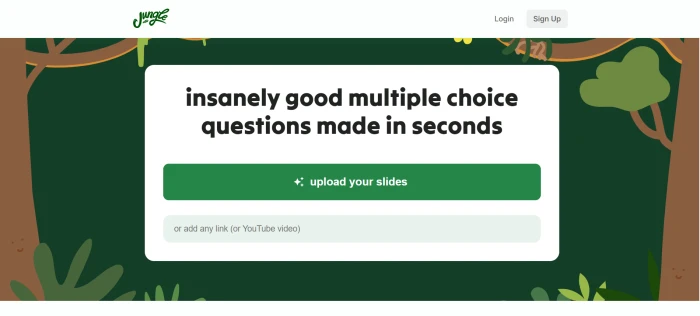
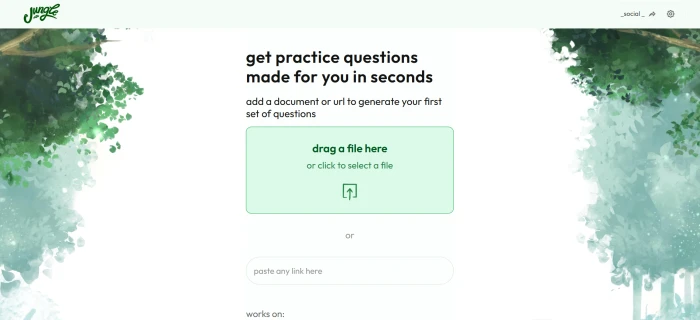
File Upload and Question Generation
Test 02 . Core workflow validated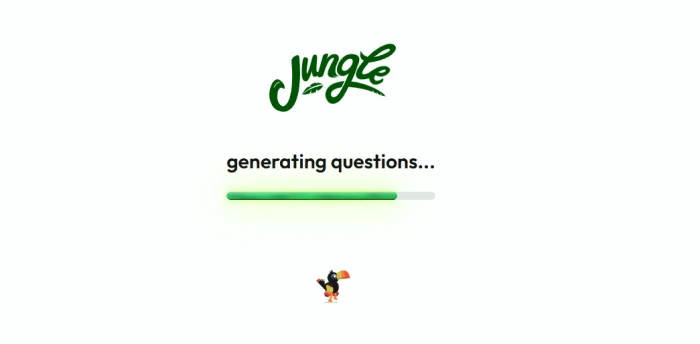
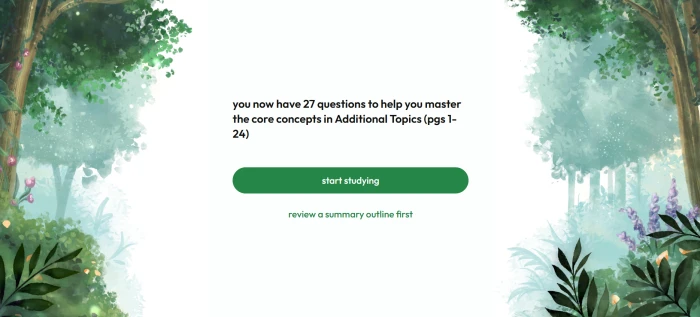
Summary Review and Q&A Practice
Test 03 . Study modes validated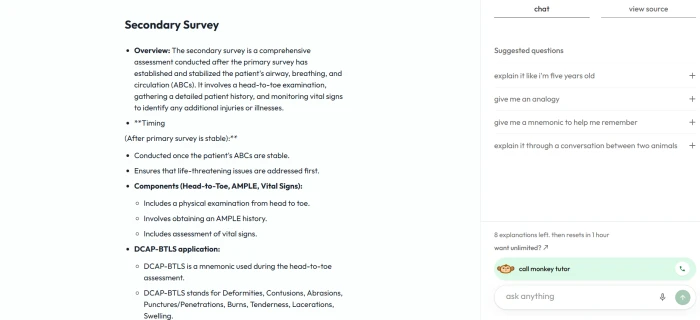
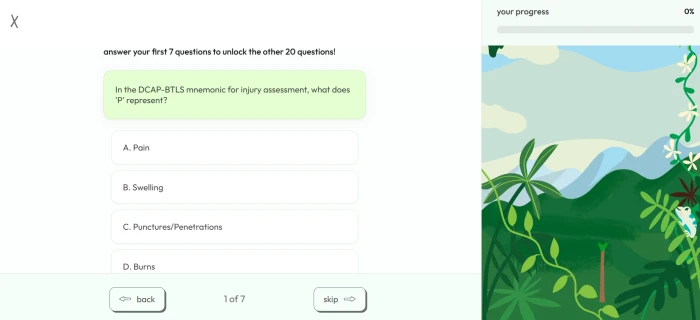
Lecture Recording and Stats Tracking
Test 04 . Supplementary features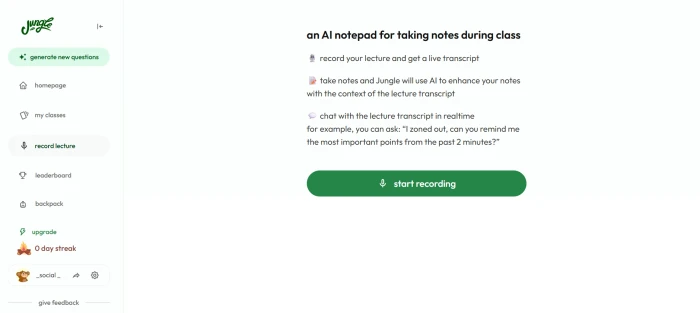
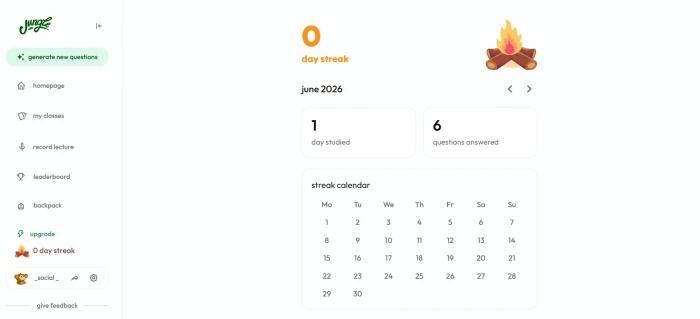
10-Point Feature Review
Pros and Cons
- 10+ input formats supported: PDFs, Word, PowerPoint, lecture slides, YouTube, audio, Google Drive, webpages, textbooks, notes
- AI Image Occlusion automatically hides diagram labels, unique feature valuable for medical, anatomy, biology students
- Lecture recording captures live classes into study material via same question generation pipeline
- Document chat for follow-up questions about uploaded materials
- Mega Mind tier limits AI explanations and chats to 8 per hour per published evaluations
- Initial learning curve, some users may need time to get accustomed to the tool's features and interface
- No native mobile app, web-only access with mobile responsiveness
Pricing Breakdown
| Tier | Free | Mega Mind | Super Learner |
|---|---|---|---|
| Monthly Price | $0 | $7.99/mo | $19.99/mo (or $12/mo per some sources) |
| Source Variance | $0 | Most commonly cited | Tier name and price varies by reporting date |
| File Uploads | Limited daily | ✓ Standard | ✓ Unlimited |
| Question Generation | Capped per day | ✓ Standard volume | 3x more questions |
| Multi-Format Inputs | ✓ | ✓ | ✓ |
| AI Image Occlusion | Limited | ✓ | ✓ |
| AI Explanations & Chat | Limited | 8 per hour | ✓ Unlimited |
| Diagram Questions | No | Limited | ✓ Unlimited |
| Spaced Repetition | ✓ | ✓ | ✓ |
| Anki Export | Standard | ✓ | ✓ |
| Lecture Recording | Limited | ✓ | ✓ |
| Statistics Dashboard | ✓ | ✓ | ✓ |
| Best For | Casual learners testing the platform | Regular students | Heavy users + medical/law students |
The tier decision: The Free tier is genuinely useful for evaluation, students can upload a single PDF, generate questions, validate accuracy on their specific subject matter, and decide whether the platform's depth justifies paid subscription before committing. Mega Mind at $7.99/month is the right entry point for regular students who hit free tier limits, the 8-explanations-per-hour cap on this tier is real friction for users who chat extensively with the document AI but acceptable for question-focused workflows. Super Learner at $19.99/month (or $12 per some sources, verify on current pricing page) is justified for heavy users (medical, nursing, law students preparing for rigorous board exams) who need unlimited generations, 3x more questions per session, and unlimited AI explanations.
JungleAI vs the Top 4 Alternatives
| JJungleAI | QQuizlet | AAnki | SStudyBuddy | RRevisely | |
|---|---|---|---|---|---|
| Score | 7.6 | 7.4 | 7.5 | 7.2 | 7.0 |
| Starting Price | $7.99/mo Mega Mind | Free / $7.99/mo Plus | Free (open source) | Free / $9.99/mo | Free / $8/mo |
| Free Tier | ✓ Capped | Broad free tier | Fully free | ✓ | ✓ |
| AI Generation | 10+ format inputs | ✓ AI Magic Notes | ✗ Manual | ✓ | ✓ |
| AI Image Occlusion | Automated | ✗ | ✓ Add-on | ✗ | ✗ |
| Case Questions | ✓ Yes | ✗ | ✗ | Limited | Limited |
| Spaced Repetition | ✓ | ✓ | Gold standard SRS | ✓ | ✓ |
| Anki Export | ✓ | ✗ | Native format | ✓ | ✗ |
| Lecture Recording | ✓ | ✗ | ✗ | ✓ | ✗ |
| YouTube Video Input | ✓ | ✗ | ✗ | ✓ | ✗ |
| Best For | Medical, nursing, law | General learners | Power users (manual) | Multi-format study | UK-focused exam prep |
The picture: JungleAI wins on AI Image Occlusion (automated versus Anki's manual add-on), case question generation, and multi-format input including YouTube and Google Drive. Quizlet leads on free tier breadth and brand recognition but lacks AI Image Occlusion and case questions. Anki is the gold-standard spaced repetition platform with the strongest SRS algorithm but requires manual card creation that JungleAI automates. StudyBuddy and Revisely compete on multi-format input but lack JungleAI's specific Image Occlusion and case question strengths. For medical, nursing, and law students specifically, JungleAI's feature combination is purpose-built; for casual learners, Quizlet remains the broader choice.
Discussion
Join the discussion and share your perspective.
Madison Hayes
Oct 8, 2026It is a good app, especially for learners who want to evaluate their understanding and test themselves immediately after studying a topic.
Brooke Ellison
Oct 3, 2026I’d definitely pay for this app if it had offline access and a feature to create custom files by subject, save quizzes, and repeat them for revision. It would also be helpful to have more question formats like true/false, ABCD multiple choice, enumeration, and fill-in-the-blanks.
Natalie Brooks
Oct 1, 2026The questions are well presented, and the user interface is interactive and engaging. However, some questions are not always clearly worded, and I have noticed that a few answer choices and solutions appear to be incorrect. The positive aspect is that when you encounter an incorrect answer or an ambiguous question, you can report the issue immediately and earn XP points for your feedback. I appreciate that the platform encourages users to help improve the quality of its content. I currently use another app for my core studies, but this can be a useful supplementary tool for practice and revision.
Nolan Mercer
Sep 30, 2026I’m quite disappointed with the experience. Whenever I try to upload a PDF, it redirects me back to the main screen and nothing happens. The same issue occurs when I try using a link, the process doesn’t move forward or provide any result.
Dylan Bailey
Sep 25, 2026An excellent study and self-evaluation tool for students and professionals preparing for exams. I highly recommend it to anyone looking to improve their preparation strategy. The premium plan is also worth the investment, especially with the yearly subscription, it costs roughly the same as a one-time dinner and provides valuable features that can genuinely help you perform better in exams.
Ethan Miller
Jul 3, 2026As a college student, Jungle AI has been a huge time saver. I upload my lecture slides and it turns them into flashcards and quizzes in a few minutes. It's not perfect, and I still double-check some answers, but it makes studying way less stressful. The app is easy to use, and the study streaks keep me motivated. Definitely worth trying if you're taking multiple classes.