


What Kling AI Does
Kling's reputation rests on a single claim: that its generated motion obeys real physics. A dribbled ball carries weight, a face holds its shape as the camera moves, and that physical plausibility is the reason creators pick it over a more polished editing suite.
The toolset is wider than the two core generators, Text-to-Video and Image-to-Video. It adds Motion Control for directed camera moves, a Motion Brush for painting movement paths, native 4K output, and Kling Canvas, a workspace that turns a prompt into storyboards or finished ad sequences. It is aimed at creators and short-film makers who want cinematic movement without a crew, and who are willing to work inside a credit economy to get it.
What Happened When We Tested It
I approached Kling the way a first-time user in the United States would. I created a free account, claimed the starter credits, and ran prompts across every generation surface the free plan opens up, logging what the tool produced before paying a cent. I ran the session during normal daytime hours. What came back was not a folder of sample clips. It was a consistent read on how the free plan behaves when demand is high, and that behavior became the finding.
The Credit Grant Lands Instantly
Test 01 . Sign-up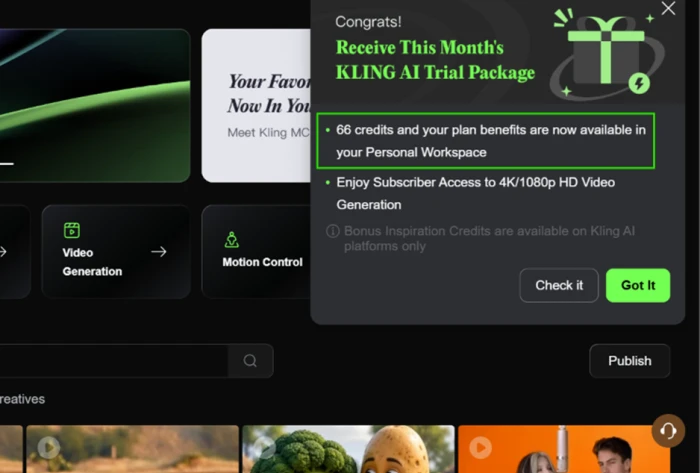
Video Generation Stopped at Submit
Test 02 . Text to video"A basketball player dribbles, jumps, and dunks on an outdoor court in Brooklyn, the net swings and the ball bounces realistically, late afternoon sunlight, slow motion."
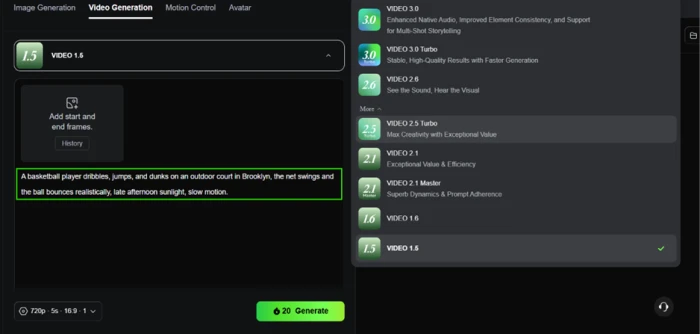
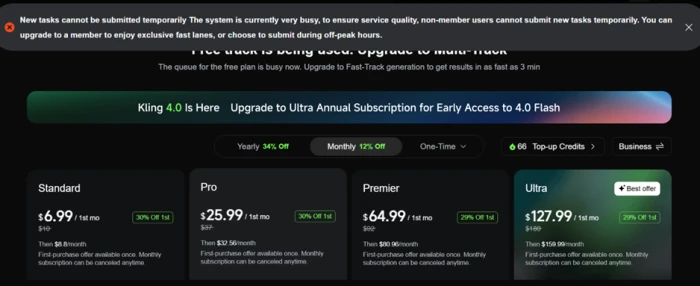
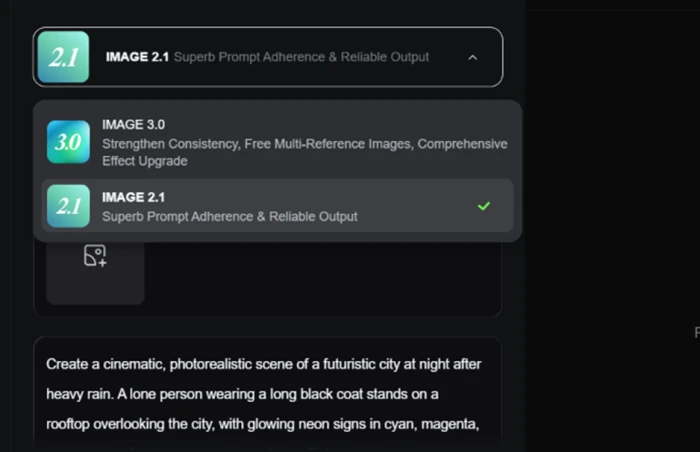
Image Generation Hit the Same Wall
Test 03 . Text to image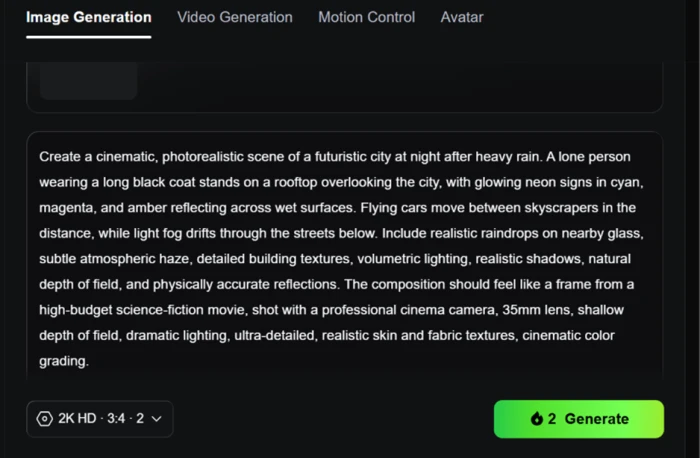
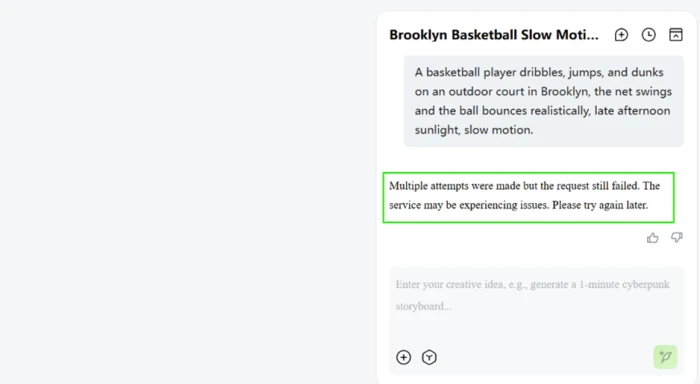
Kling Canvas Failed After Several Tries
Test 04 . Guided workspace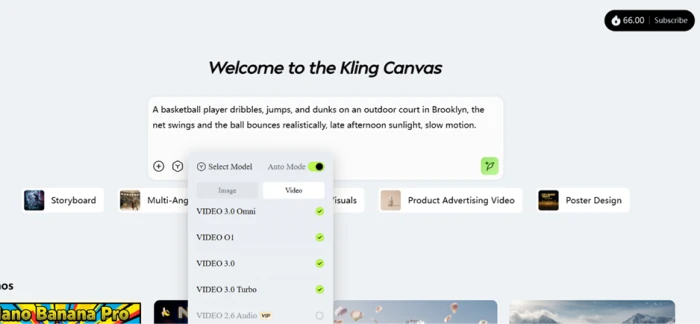
Every generator priced each job on the button before I clicked: 20 credits for a 720p video clip, 2 credits for a 2K image. The cost scales visibly with model and quality, so you always know what a generation will draw down. Of everything the free plan put in front of me, this was the part that worked exactly as it should.
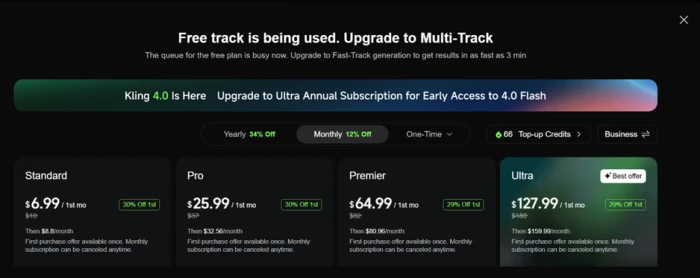
This is not a slow lane. During a normal daytime window, non-member accounts could not submit a task at all. Both standard generators and Canvas fed the same blocked lane. Every block screen doubled as an upgrade prompt pointing at the $6.99 Standard plan and the tiers above it. A buyer expecting to trial the model for free should plan for off-peak hours or expect to pay to evaluate it.
10-Point Feature Review
Pros and Cons
- Motion that carries weight: human movement and physics hold together better than almost any rival on realistic subjects
- Native 4K and longer clips: up to fifteen seconds in a single native 3.0 generation, beyond where Sora and Veo hold composition
- Image-to-video that is production-useful: animating a strong still is where creators get the cleanest commercial results
- Credits that move without warning: users report balances shrinking mid-cycle with no notice and no clear explanation
- Support is effectively absent: billing and account problems routinely go unanswered across the user base
- Inconsistent prompt following: misses are frequent enough that retries eat into a paid balance
Pricing Breakdown
| Feature | Standard$6.99/1st mo | Pro$25.99/1st mo | Premier$64.99/1st moBest Rate Jump | Ultra$127.99/1st mo |
|---|---|---|---|---|
| Renewal price | $8.80/mo | $32.56/mo | $80.96/mo | $159.99/mo |
| Monthly credits | 660 | 3,000 | 8,000 | 26,000 |
| Cost per 100 credits | $1.06 | $0.87 | $0.81 | $0.49 |
| First-month discount | 30% off | 30% off | 29% off | 29% off |
What you're actually paying: The sticker prices are a trap worth reading twice. Every headline figure is a first-month promotion. Standard jumps from $6.99 to $8.80 at renewal, Pro from $25.99 to $32.56, and Ultra from $127.99 all the way to $159.99. The real story is further down the table: the per-credit rate more than halves as you climb, from $1.06 on Standard to $0.49 on Ultra. Kling is cheap only at volume. A light user on Standard is paying the worst rate in the lineup, and the free plan, as the testing showed, is not a usable path to any output during peak hours.
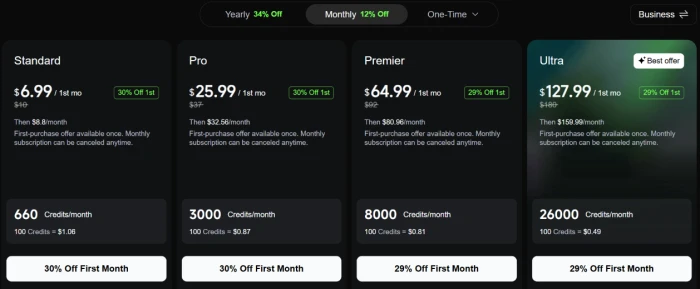
Pricing confirmed October 6, 2026 on Kling's in-app purchase screen. Promotional rates shift frequently, so confirm the current terms on the official site before you subscribe.
Kling AI vs the Top 4 Alternatives
| KKling AI | RRunway | PPika | LLuma | VGoogle Veo | |
|---|---|---|---|---|---|
| Entry paid plan | $6.99 1st mo, then $8.80 | $15/mo | $10/mo | $30/mo | Via Google AI Pro |
| Free tier | 66 credits, queue-gated | 125 one-time credits | Packs only, no monthly | Yes, trial credits | Daily Gemini allowance |
| Standout strength | Motion physics | Mature editing suite | Low entry price | Agent-driven workflow | Native audio |
| Best For | Realistic human movement on a budget at scale | Editors who want a full toolset around the model | Beginners testing AI video for the least money | Teams running many variations in parallel | Google users who need sound baked in |
How to choose: Pick Kling when believable motion on human subjects is the priority and you can feed it volume to unlock its per-credit economics. Runway is the better home if you want a settled editing environment and are less sensitive to price. Pika is the cheapest door into AI video for anyone just testing the water, Luma suits teams generating many variants at once, and Veo earns its place when native audio matters more than raw motion fidelity.
Discussion
Join the discussion and share your perspective.