
What Krea AI Is and Who It Is For
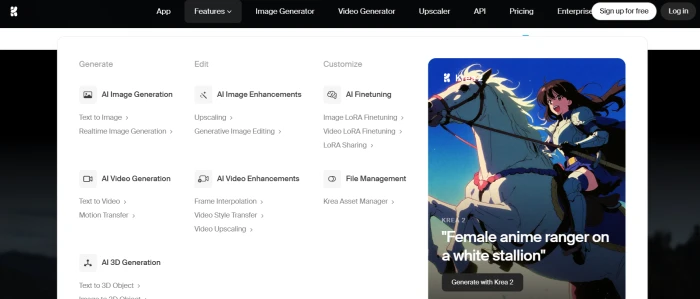
Krea AI is a browser and iOS creative suite that does two things at once. First, it acts as a single front end to the best generative models on the market, so one subscription reaches Krea 2, Flux, Ideogram, Veo, Kling, Runway, Luma, Nano Banana, Seedance, and more without separate logins or billing. Second, it adds workflow tools those individual models do not ship with: a real-time canvas, upscaling to 22K, generative editing, LoRA fine-tuning, and an automation layer called Nodes.
The company calls itself a creative suite, and the framing fits. Founders Victor Perez and Diego Rodriguez started Krea in 2022 after meeting as engineering students in Barcelona, built the first version through the HF0 residency, and have since raised $83M across seed, Series A, and a $47M Series B led by Bain Capital Ventures with Andreessen Horowitz participating. The purpose has stayed consistent through that growth: let designers create visually instead of writing increasingly elaborate text prompts, and spare them the work of tracking which model is currently best for which task.
That purpose defines the audience. Krea is built for designers, concept artists, marketers, and small studios who want production-capable output and fast iteration, not for someone who needs a single image once a month. Brands including Lego, Samsung, and Nike appear among its enterprise users, and the platform reports more than 30 million users across 191 countries.
What Happened When We Tested It
To judge Krea on production work rather than demos, we ran it against a brief a marketer would actually receive: a set of Instagram promo images for a coffee shop launching an iced caramel latte, cozy aesthetic, warm lighting, premium feel, sized for a vertical feed. We generated variations on Krea 2, adjusted the prompt between rounds, and pulled four candidates worth keeping.




The takeaways matched what the product promises and where it strains. Lighting, composition, and the overall premium mood came through on the first or second attempt, and the vertical aspect ratio held without cropping tricks. Where it needed coaxing was specificity: getting the latte to read clearly as caramel rather than generic coffee, and keeping the cafe background from drifting into stock-photo sameness, took prompt revisions rather than a single shot. Hands and any incidental text were the usual weak points and would need an editing pass before publishing. None of this is unique to Krea, but it confirms the practical rule for the tool: it gets you to a usable, on-brief draft fast, then asks for a human eye on the details.
Feature Review: Eight Areas Scored
Pricing and the Compute-Unit Math
Krea does not charge per generation or per word. It charges in compute units, a shared currency you spend across every tool. That design is flexible, since the same balance covers images, video, upscaling, and training, but it also makes cost hard to forecast because a quick image and a few seconds of top-tier video draw from the same pool at very different rates.
| Plan | Price | Monthly Units | Highlights |
|---|---|---|---|
| Free | $0 | 100 / day | Realtime models, limited image/video/3D, no commercial license |
| Basic | $9/mo | 5,000 | Krea 2, commercial license, full image and 3D models, 4K upscaling, LoRA up to 50 images |
| Pro | $35/mo | 20,000 | All video models, Nodes automation, AI Nodes agent, 8K upscaling, bulk unit discounts |
| Max | $105/mo | 60,000 | Unlimited fine-tunes, unlimited concurrency, relaxed generations, 22K upscaling |
| Business | $200/mo | 80,000 | Up to 50 seats, shared Node apps, roles and permissions, LoRA up to 20,000 images |
| Annual billing | 40% off | — | Same tiers, paid yearly |
How to read it: the $9 Basic plan is the real entry point, because it is where the commercial license and Krea 2 unlock. Treat the unit count as a soft ceiling rather than a guarantee. If your work is mostly stills and upscaling, even Basic stretches a long way. If you lean on premium video models, units evaporate and Pro becomes the practical floor. Two cautions worth setting against the convenience: unused units do not roll over and are forfeited if you cancel, so do not stockpile a balance you plan to walk away from, and the annual 40% discount is only worth taking once you are confident the tool fits your workflow, since the savings are locked behind a year of commitment.
Pros and Cons
- One subscription replaces several, consolidating image, video, 3D, upscaling, and fine-tuning into a single bill and interface
- Day-one access to new models means you are never stuck on yesterday's best option while waiting for another tool to integrate it
- The realtime canvas is a genuinely different workflow, swapping prompt guesswork for direct visual control that no major competitor matches
- Krea 2 is owned, not rented, giving the platform a proprietary aesthetic engine rather than a thin wrapper over other models
- Licensed Topaz upscaling and a commercial license arrive at the $9 tier, folding two normally separate costs into the base plan
- Serious financial backing and adoption, with a16z and Bain behind it and brands like Lego and Samsung using it, point to staying power and steady updates
- Costs are hard to predict because compute units are spent at different rates per model with little warning before you commit
- Unused units are forfeited on cancellation, a recurring Trustpilot grievance that turns leftover balance into wasted money
- The free tier is a demo, not a workspace, with the daily allowance gone after a handful of generations
- No asset organization, since outputs pile into one feed without folders, tags, or search
- Output leans on prompt skill, and human figures plus small targeted edits remain inconsistent enough to need a finishing pass
- Support is uneven, with billing and renewal problems sometimes slow to resolve despite strong product sentiment elsewhere
Krea AI vs. the Alternatives
| KKrea AI | MMidjourney | FFirefly | LLeonardo | FFreepik | |
|---|---|---|---|---|---|
| Score | 8.2 | 8.4 | 7.6 | 7.7 | 7.5 |
| Starting Price | Free / $9 | $10/mo | $9.99/mo | Free / $12/mo | Free / $9/mo |
| Approach | Aggregator + own model | Single house model | Single house model | Mostly own models | Aggregator |
| Realtime Editing | ✓ Best in class | ✗ | ✗ | Limited | ✗ |
| Max Resolution | 22K upscale | ~2K native | High res | Upscale add-on | Upscale add-on |
| Video | ✓ Many models | ✗ | ✓ Own model | Motion only | ✓ |
| Commercial License | ✓ From $9 | ✓ | ✓ | ✓ | ✓ |
| Best For | Visual iteration, one bill | Pure image quality | Adobe ecosystem | Game and concept art | Stock plus AI |
How it shakes out: Midjourney still edges Krea on the raw beauty of a single still and is the pick if image quality is the only axis that matters. Firefly wins for teams already living inside Photoshop and Creative Cloud. Leonardo is the specialist's choice for game and concept art. Freepik competes most directly as the other aggregator, trading some polish for a deep stock library. Krea's distinct claim is the combination no rival offers at once: a real-time canvas, an aggregator's model spread, and a proprietary model, under a single subscription. The price of that breadth is the credit meter, which is exactly where the cheaper single-purpose tools feel simpler.
What Users Are Saying
The pattern: sentiment splits cleanly by what a user touched. People judging the canvas, the model quality, and the speed tend to rate Krea among the best tools they have used, which is why its Product Hunt and App Store feedback runs warm. People who hit the billing system, tried to cancel, or lost a unit balance rate it harshly, which is what pulls the Trustpilot average down to roughly 2.7. The product is not the problem. The meter and the support around it are.
Discussion
Join the discussion and share your perspective.