

What Pica AI Does
Pica AI is a browser-based photo platform built around four tools its own navigation names: photo enhancement, old photo restoration, face swap, and a headshot generator called Headshot+, with an image generator alongside them. All of them draw from one credit balance, so a single account covers work that would otherwise mean signing up to a face swap service, an upscaler, a restoration tool, and a portrait generator separately. It is run by Wegital HK Limited, a Hong Kong company operating since 2023, and reaches an unusually global audience through 21 localised site versions.
Two of those tools, enhancement and restoration, no longer run on Pica's own models. They are now handled by Artguru, a sister product from the same developer, and the interface says so openly. Paid access comes as a low-cost monthly or annual subscription plus a small daily free tier, with everything metered by the shared credit pool. What those credits actually buy, and where the terms get tight, is covered in the Pricing and Feature sections.
What Happened When We Tested It
The session ran on a Pica AI account in June 2026, with pricing and policy surfaces re-verified in September 2026. We walked the platform in the order a new user would: open the dashboard, run a face swap with a real source image, click into Enhance Photo, then look at the headshot generator and the restoration tools. The face swap produced output we can show you. Enhance Photo produced something more interesting.
Dashboard and Face Swap Interface
Test 01 . Entry experience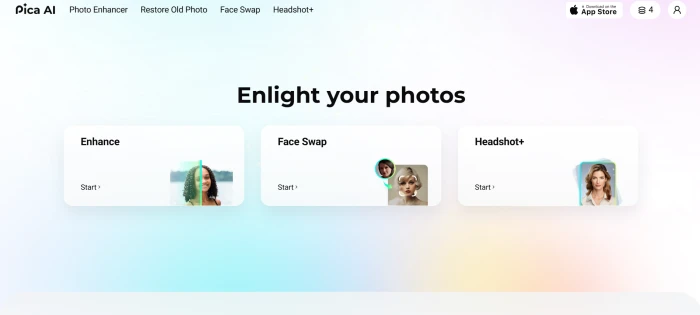
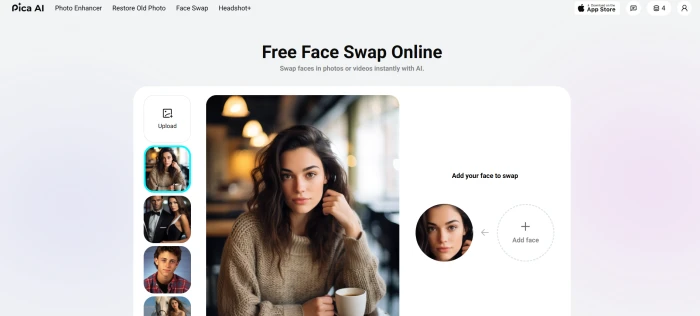
Face Swap, Source to Output
Test 02 . Core capability
Pica AI's face swap engine produced this output:

"This Feature Is Provided by Artguru"
Test 03 . The engine handoff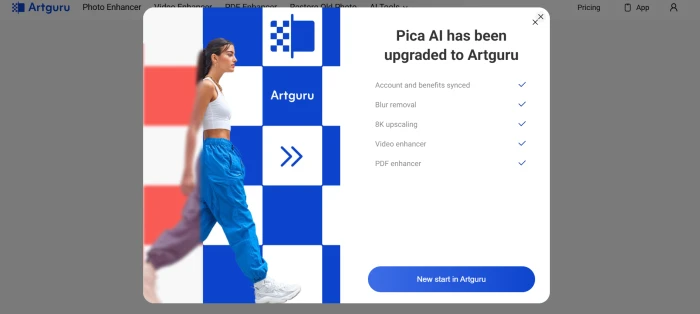
The combination that held up under testing is the bundle argument itself. A face swap, a headshot batch, a restoration job, and an upscale all draw from the same credit pool on the same login, and the upscaler you get after the Artguru handoff reaches 8K rather than the 4K ceiling Pica's own enhancer topped out at. For a casual creator, that removes two signups and a second billing relationship. The catch is that the credit pool is shared rather than generous, which is where the Pricing section picks up.
Headshot Generator and Supporting Tools
Test 04 . Marketed surfaces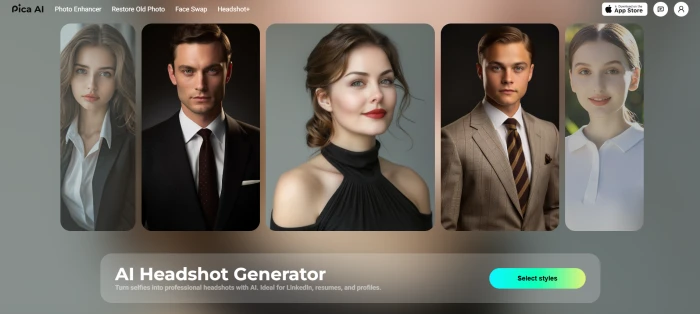
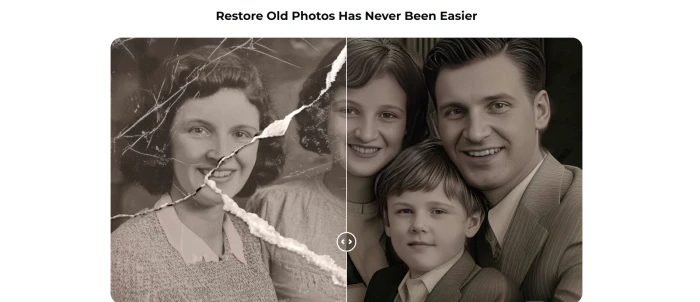
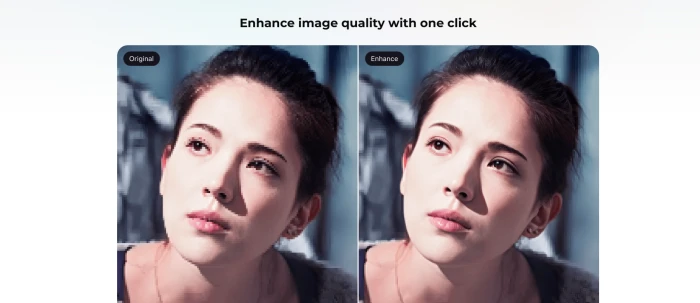
Two clauses deserve attention before anyone subscribes for professional portraits. The published refund policy states that the AI Headshot Generator service is non-refundable under any circumstances, and that refunds generally apply only in three narrow situations. An auto-charge with no usage in the new cycle qualifies. So does a payment made in error with no usage, or a technical failure that returned no result. Change of mind is explicitly excluded. Separately, the terms grant a licence for non-commercial, personal use. That sits awkwardly against a headshot tool marketed for job hunting and personal branding. Anyone planning commercial use should get written confirmation from support before paying, because the policy as published does not cover it.
10-Point Feature Review
Pros and Cons
- Upscaling now reaches 8K through the Artguru engine, with blur removal added
- Account history and membership carried over when enhancement moved to the sister engine
- Interface ships in 21 locale routes, well beyond the usual English-plus-a-few
- Web and app accounts hold credits separately, with syncing still listed as coming soon
- Unused credits do not roll over and reset at every renewal
- Licence covers non-commercial personal use despite a headshot tool aimed at professional profiles
- Video swaps are slow and consume far more of the balance than stills
Pricing Breakdown
| Feature | FreeUS$0 | Monthly$9.99 /monthMost Popular | Annual$59.99 /year |
|---|---|---|---|
| Credit Allowance | 4 per day | 1,000 per month | 8,000 per year |
| Advertised Discount | None | None | 25% OFF |
| Effective Monthly Cost | $0 | $9.99 | $5.00 |
| Credits Per Month | About 120 | 1,000 | About 667 |
| Fast Processing | ✗ | ✓ | ✓ |
| Watermark Removed | ✗ | ✓ | ✓ |
| Image Retention | Saved for 24h | Standard | Standard |
| Credit Rollover | None | None | None |
| Headshot Packs | Sold separately: $2.99 for 4 portraits, $9.99 for 20 | ||
| Extra Credits | Purchasable anytime, cleared if the subscription expires | ||
| Best For | Forming an opinion | Bursts of heavy use | Steady low-volume use |
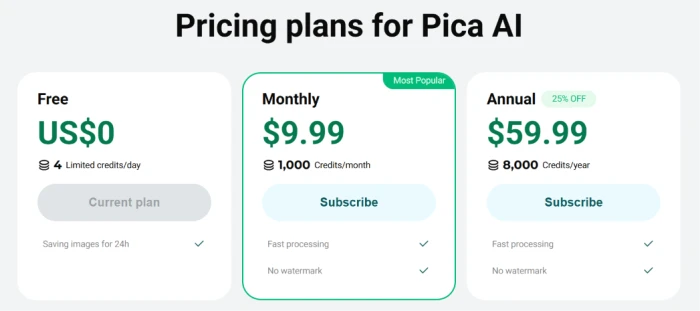
What you're actually paying: The annual badge says 25% off, and against twelve monthly payments the headline looks like a far bigger cut than that. Both statements are true, and reconciling them is the most useful thing on this page. Twelve monthly payments cost $119.88 and deliver 12,000 credits, which works out to roughly one cent per credit. The annual plan costs $59.99 and delivers 8,000, or about three quarters of a cent per credit. That is the 25%. The discount is per credit, not per dollar, and the annual plan hands you a third fewer credits across the year than paying monthly would.
Which means the cheaper plan is the wrong plan for anyone with a busy month. Annual works out to roughly 667 credits a month against 1,000 on the monthly plan, and since nothing rolls over, a quiet January cannot fund a heavy February. Buy monthly if your usage arrives in bursts. Buy annual if it trickles.
Two costs sit outside the table. Headshot batches have their own packs because a portrait run would otherwise swallow a month's allowance in one sitting, and extra credits can be topped up at any time but are wiped if the subscription lapses. Purchases made inside a mobile app are billed by Apple or Google rather than by Pica, and the operator states it cannot issue refunds on those, so where you subscribe determines who you have to ask.
Pricing verified September 15, 2026. Credit allowances and promotional badges change without notice, so check the official pricing page before you subscribe.
Pica AI vs the Top 4 Alternatives
| PPica AI | AArtguru | DDeepSwap | FFaceApp | MMioCreate | |
|---|---|---|---|---|---|
| Relationship | Wegital HK Limited | Sister product, shared engine | ✗ Unrelated | ✗ Unrelated | ✗ Unrelated |
| Primary Strength | Tool bundle on one balance | Upscaling and restoration | Face swap resolution | Aging and style filters | Free video swap tier |
| Official iOS App | Listing not resolving | ✓ Live | ✗ Web only | Live, 1.7M+ ratings | ✗ Web only |
| Official Android App | Redirects to Artguru | ✓ 50K+ installs | ✗ | ✓ | ✗ |
| AI Headshot Generator | ✓ Plus one-off packs | ✓ | ✗ | ✗ | ✗ |
| Old Photo Restoration | ✓ Artguru engine | Native | ✗ | Limited | ✗ |
| Free Tier | 4 credits daily, watermarked | ✓ | Limited | ✓ | Free video swap |
| Best For | Several tools, one bill | Rescuing damaged photos | Highest-resolution swaps | Playful portrait edits | Trying video swap free |
How to choose: If any single job dominates your usage, a specialist wins. DeepSwap pushes swap resolution further than anything here, FaceApp owns playful portrait editing with a mobile install base no independent tool touches, and MioCreate lets you test video swapping without paying. If your usage spans all four jobs, Pica is the only one of the five that covers swapping, portraits, restoration, and upscaling on a single bill. One wrinkle worth noticing: Artguru already supplies two of Pica's four tools and has the healthier mobile presence, so if enhancement and restoration are what you came for, going to the sister product directly gets you the same engine with apps that are live on both stores today.
What Users Are Saying
Public feedback on Pica AI is scarce. Trustpilot holds 7 reviews at a 2.4 out of 5 average, and G2 lists the product with no reviews at all. That is a small enough base that no percentage means much, and a handful of new entries would move the score substantially in either direction. It is still the record a buyer has, and the complaints cluster tightly around billing and credit mechanics rather than around whether the tools work. Every quote below comes from that Trustpilot profile.
Three of those four are about the credit ledger rather than the pictures, and the published policy confirms the mechanic each reviewer ran into: purchased credits are cleared when a subscription expires. The complaint is not that the rule is hidden. It is that nobody reads it until the balance is gone. Whatever you spend here, spend it in the period you bought it.
Discussion
Join the discussion and share your perspective.
Daniel Foster
Sep 28, 2026Easy to use and pretty fun 📸✨ Some results look amazing, while others need a retry.
Brooklyn Edwards
Sep 25, 2026Pica AI is kinda cool when it works 😭. You upload a photo, choose what you want, and the AI pretty much does the heavy lifting. Face swaps can be fire, and some of the enhanced pics look way better than expected. But ngl, certain generations can look a bit too AI-ish, and waiting for a render can get annoying.
Laura Sullivan
Sep 24, 2026It started off okay, but over time it began to feel increasingly money-focused. The “Speed Up” option was especially frustrating, as regular image generation became extremely slow, making it feel like you were being pushed to pay extra just to get reasonable rendering times.
James Anderson
Sep 23, 2026The app is very easy to use and delivers great-quality results. What impressed me most was the support team, they were extremely helpful and treated me really well when I needed assistance.
James Smith
Sep 22, 2026I was looking for professional-looking, varied profile pictures, but the results were disappointing. The images looked very artificial and were not usable at all. Unfortunately, it felt like a complete waste of money.
Olivia Moore
Sep 21, 2026I was looking for professional-looking, varied profile pictures, but the results were disappointing. The images looked very artificial and were not usable at all. Unfortunately, it felt like a complete waste of money.
Mohmd Din
Aug 20, 2026I have also tried face swap and it is good but i have problem with it's big watermark!!!!!!!!! either they should minimize the size of watermark or remove it. What's your thought?
Michael Brown
Jun 27, 2026The app is easy to use and produces impressive results, and I had a great experience with customer support when I needed help. However, over time the platform has become less enjoyable. Image generation has slowed down significantly, making the "Speed Up" feature feel like a push toward paid upgrades. In some cases, images take far too long to render or fail to generate, which hurts the overall experience.
Mohmd Din
Aug 20, 2026Oooh!