


What PixAI Does
PixAI is an anime-first AI image generator and creative community run by Mewtant Inc. It sits on a sprawling library of community models and LoRAs, the kind of open style catalog that artists usually only reach by running Stable Diffusion on their own hardware. PixAI moves that whole catalog into the browser and the phone, then layers a guided workflow on top so a newcomer can generate without learning tag syntax first.
The audience is specific. Anime illustrators, VTubers, original-character designers and hobbyists who want stylized art fast are the core, not photographers chasing realism. PixAI leans into that identity. A built-in agent called Mio drafts prompts for you. A daily free-credit grant lets casual users create without paying, and template tools assemble character sheets or quick edits from a single image. Paid membership spans three monthly tiers. The entry Starter plan is $10 a month and the top Premium plan is $50, with Plus in the middle, and annual billing cuts each rate roughly in half.
What Happened When We Tested It
I ran PixAI on a fresh free account for a full session, touching the parts a new user hits first and the paid gates they run into. No settings were tuned beyond the defaults, because the point was to see what the platform hands a beginner out of the box. Every image and the one video below came from that account, with the prompts shown exactly as typed.
Sign-up and the daily credit grant
Test 01 . Onboarding

|

|
The first image
Test 02 . Image quality"1girl, silver hair, detailed eyes, cherry blossom background, soft lighting, anime style, high quality"

Handing the job to Mio
Test 03 . AI agent"make me a cute anime girl sitting in a coffee shop in the morning"

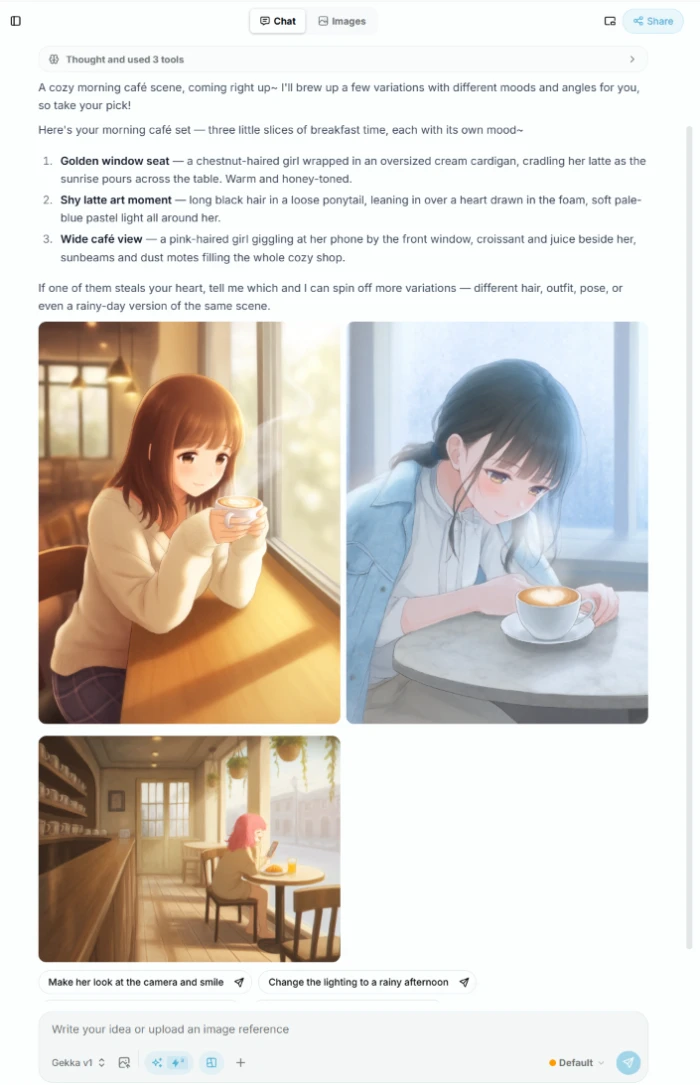

Browsing the model and LoRA library
Test 04 . Library
Template tools and the first wall
Test 05 . Paywall

|

|
Running video on the free plan
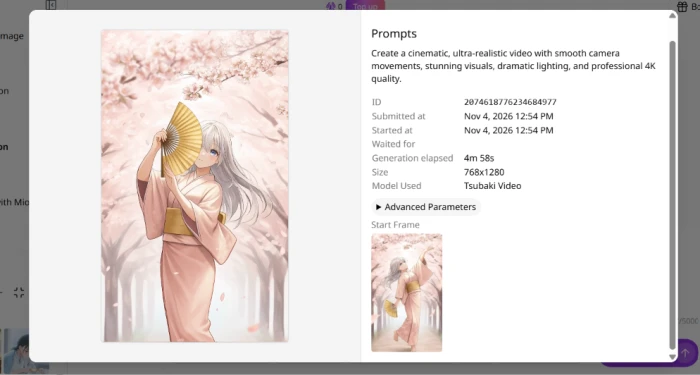
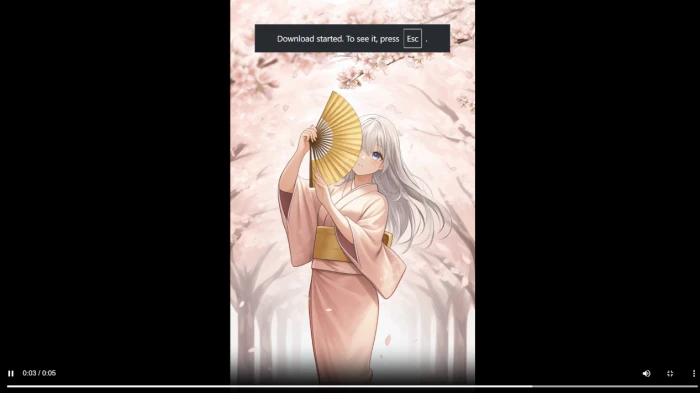
Test 06 . Video"Create a cinematic, ultra-realistic video with smooth camera movements, stunning visuals, dramatic lighting, and professional 4K quality."

|
|
The agent writes a competent, detailed prompt from one sentence and points it at a style catalog whose top entries run into the tens of millions of uses. A beginner reaches polished anime output with no prompt skills and no local Stable Diffusion setup, which is the pairing that justifies PixAI over a bare generator.
That 4K request returned a stylized anime clip. The engine bends hard constraints toward its house style, so anyone who needs photorealism or a specific non-anime look will not get what the prompt plainly asked for.
10-Point Feature Review
Pros and Cons
- Deep anime catalog: community styles run into the tens of millions of uses, so niche looks are a search away
- Mio writes the prompt: one plain sentence becomes a detailed, usable generation prompt
- Clean default output: Tsubaki.3 renders sharp line work and correct costume detail without touch-ups
- Watermark-free video: short clips export clean, and animation runs on the free tier at all
- Natural motion: falling petals and fabric move believably with smooth camera easing
- Anime bias wins: asking for photoreal or 4K still returns a stylized anime look
- Costs surface late: you learn an action's credit price only after opening the panel
- Presets get gated: parts of the Character Sheet Generator trigger a membership popup
- Credit maths confuses: the daily grant looks large until one high-res job eats most of it
Pricing Breakdown
| Feature | Starter$5/mo · $60/yr | Plus$15/mo · $180/yr | Premium$25/mo · $300/yrMost Popular |
|---|---|---|---|
| Image and text to video | ✓ | ✓ | ✓ |
| Unlimited Turbo Mode, 7.6× faster | ✓ | ✓ | ✓ |
| Early access to new models | ✓ | ✓ | ✓ |
| Private Mode in video generation | ✗ | ✓ | ✓ |
The tier math: The table carries the annual-billing rates, the same ones the screenshot leads with. Pay month to month and every tier costs double, so the advertised 50% saving only lands on a yearly commitment. At the annual rate Starter works out to roughly sixteen cents a day. The one gate that bites on the cheapest plan is Private Mode: Starter cannot generate privately in video, while Plus and Premium both can. Credits you buy or leave unspent roll over when the plan renews, so pack buyers lose nothing on an idle month.

Pricing verified November 4, 2026. Figures shift often on this one, so confirm the current rates on the official pricing page before you subscribe.
PixAI vs the Top 3 Alternatives
| PPixAI | NNovelAI | TTensor.Art | SSeaArt | |
|---|---|---|---|---|
| Free access | Daily credits, ongoing | Trial, then subscription | Free daily credits | Daily free stamina |
| Model & LoRA library | Large community | Proprietary only | Large community | Large community |
| On-platform LoRA training | Yes, member slots | No | Yes | Yes, paid tiers |
| Free-plan video | Yes | No video | Credit-limited | Paid tiers |
| Best For | Anime art with guided prompting | Anime art plus private storytelling | ControlNet and model training | Highest free daily volume |
How to choose: NovelAI is the closest match on anime quality, but it skips the community LoRA marketplace and asks for a subscription from day one, starting at $10 a month and reaching $25 for its Opus tier. Tensor.Art and SeaArt mirror PixAI's community-catalog model and both lead with free daily credits, so they fit tinkerers who want ControlNet depth or the largest daily free allowance. PixAI's edge is the middle ground. It pairs a deep anime catalog with Mio holding a beginner's hand, and it lets you test video before paying anything.
Discussion
Join the discussion and share your perspective.
david_cooper101
Nov 7, 2026If you're comparing HVAC companies in Apache Junction AZ, here's the honest rundown of what matters. First, licensing. Any contractor touching your AC in Arizona needs an ROC license — ask for the number, don't take their word for it. Second, make sure they actually work on your system type. Lots of shops here specialize in residential only, so if you own a commercial space on the Apache Trail, confirm upfront. Third, get the estimate in writing. Reputable companies do free estimates for replacements and quote repairs before touching anything. Watch out for anyone who quotes a full replacement the second they see a capacitor issue. Local experience counts more here than in most towns. Apache Junction gets brutal summers, and units that run hard from May through September fail differently than the manuals suggest. Ask how long a company has actually worked in the East Valley, not just how long they've existed. One option worth a look is Global Comfort's HVAC Apache Junction. They've got 25 years in the industry, they're licensed and insured, and they handle both residential and commercial work — install, repair, and maintenance. They do free estimates, offer financing directly instead of pushing you to a third-party lender, and someone answers the phone around the clock, which matters when your compressor dies at 9pm in July. They're at 3061 W Apache Trail, Apache Junction, AZ 85120, and you can reach them at +1 480 690 2798 or check details at https://globalcomfortaz.com. Whatever you do, get two or three quotes on any big job, ask about warranty terms on both parts and labor, and skip anyone who won't put the scope in writing. That alone filters out most of the headaches.