Home / Reviews / Business Tools / Sejda PDF
Sejda logo
PDF Editor Web + Desktop

Sejda PDF Review

sejda.com · by Sejda BV, Amsterdam

Sejda has been making browser-based PDF tools since 2010, and its pitch is restraint: 30-plus tools on one page, no account to create, and the free-plan caps printed in plain sight before you upload a thing. It runs on the web or as a desktop app, which puts it in front of anyone who needs to edit or convert a PDF right now without buying into Acrobat.

Reviewer Score
6.8
/10
Mixed Results
Honest and wide-ranging,
held back by its free limits.
Tool Breadth8.5
Privacy & Honesty8.0
Ease of Use8.0
Conversion Fidelity5.0
Free-Plan Limits5.0
Platform
Web + Desktop
PDF Tools
30+
Free Tasks
3 /hour
Max File
500 MB paid
Entry Price
$5 /7 days
File Retention
2 hours

What Sejda Does

01 . Overview

Sejda is a PDF utility suite rather than a single editor. The web app opens to a grid of tools for merging, splitting, compressing, converting, signing, and organizing pages, each one its own single-purpose screen. You pick the job, upload the file, and the tool does that one thing. There is no workspace to learn and nothing to install unless you want the desktop build.

That design aims at the person with an occasional PDF problem, not the daily power user. A student flattening a scan, a freelancer signing a contract, an admin merging invoices, a teacher splitting a worksheet: the jobs are quick and self-contained, and Sejda treats them that way. It positions itself as the honest free option, upfront that files are processed on its servers and deleted after a couple of hours, and it leaves the heavy professional editing to Acrobat and its paid peers.

What Happened When We Tested It

02 . 7 tests covering editing, compression, conversion and free limits

We ran Sejda on the free web plan in a single sitting, moving from editing to compression to file conversion until the free limits shut the session down. The tools are honest about those limits, but the limits themselves move around. Here is each job in order.

Uploading a file

Test 01 . Getting in
Sejda upload screen with options to pull from computer, cloud storage or a web address, and free-plan limits shown below
Sejda's upload options and the free-plan limits shown before you start.
What we observed: Sejda opened straight into the tool with no login screen in the way. The upload button accepted a local file or anything already sitting in cloud storage or at a web address, so a file in Dropbox goes in without downloading it first. The note under the button stated the rules before we committed: files stay private and are deleted after two hours, with free use capped at three tasks per hour. Most tools hide that cap until you hit it.

Editing text on the page

Test 02 . Editing
Sejda editor toolbar with text, links, forms, images, signing, whiteout, annotation and shapes
The editor toolbar packs text, forms, signing, whiteout, annotation and shapes into one bar.
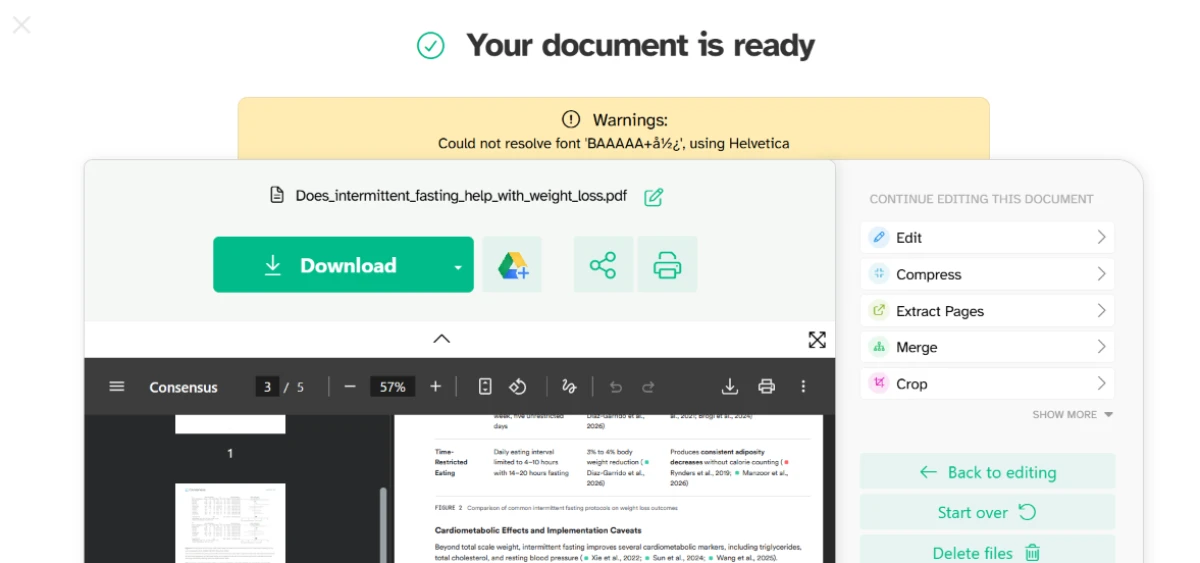
Sejda download warning stating it could not keep the original font and used Helvetica instead
On download, Sejda warned it could not keep the original font and used Helvetica.
The key finding: The editor carried more than a free browser app usually does, with text, links, forms, images, signing, whiteout, annotation, and shapes in one bar. We clicked into an existing paragraph and added two words, and two problems showed at once. The new words ran past the right edge instead of wrapping, and the edited line looked slightly sharper than the ones above and below it. The download screen named the cause in a yellow warning: Sejda could not resolve the original font and fell back to Helvetica. Editing the text works. Matching it to the rest of the page does not.

Compressing a document

Test 03 . Compression
Sejda compression settings for image quality, resolution in ppi, color conversion and font optimization
Compression settings for image quality, resolution, color and fonts.
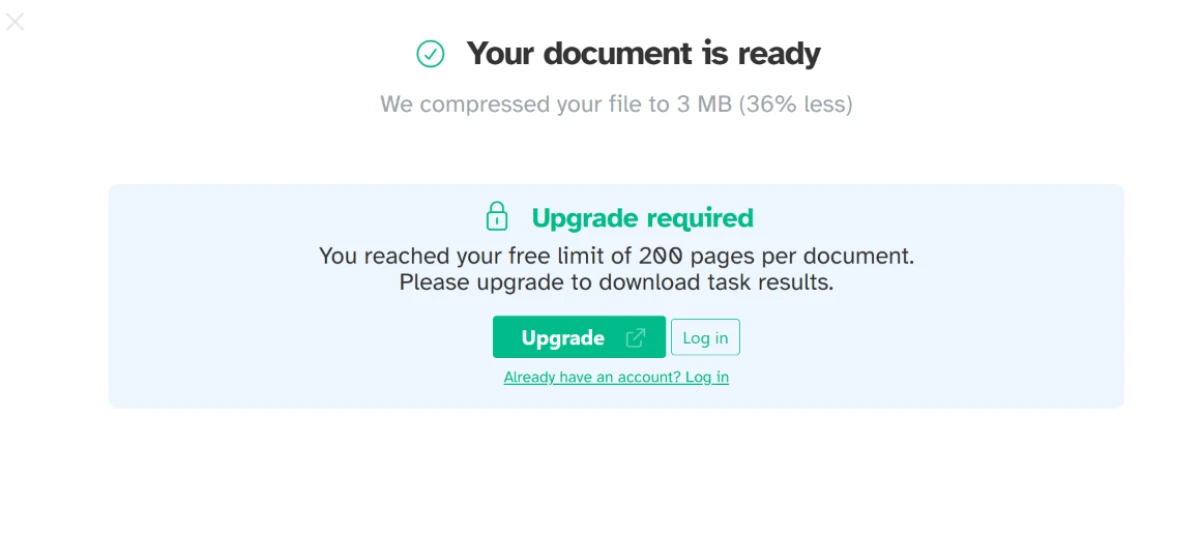
Sejda showing a file compressed to 3 MB with the download locked behind a 200-page free limit
The file compressed to 3 MB, then the download locked behind the 200-page limit.
Under the surface: The compress tool handed over real control before running anything, with settings for image quality, resolution in ppi, color conversion, and font optimization. We ran it on a course PDF and Sejda reported the file dropped to 3 MB, about 36 percent smaller. Then it stopped us cold. The download sat behind an upgrade notice saying we had passed the free limit of 200 pages per document. The compression itself had already finished. The output just sat there, locked, on a plan that had done the work.

The full toolset

Test 04 . Range
Sejda's full tool menu on a single page, grouping merge, split, compress, convert, OCR, security and organize tools
Sejda's full tool menu laid out on a single page.
What matters here: Sejda's menu is wide for a single free site. It groups tools for merging, splitting, compressing, converting both directions, OCR on scans, security, page organizing, and a workflow automation entry, with nothing to install. For a browser tool, the range reads closer to a desktop suite than to a one-trick converter.

Converting a PDF to Word: the limits

Test 05 . Conversion caps
Sejda PDF to Word page showing the privacy note and a 50-page or 50 MB free cap
The PDF to Word page, with the privacy note and a 50-page or 50 MB cap.
Sejda message holding free users to a single file per task
Free users are held to a single file per task.
Sejda result screen stating the converted file could not be previewed before download
The converted file could not be previewed before download.
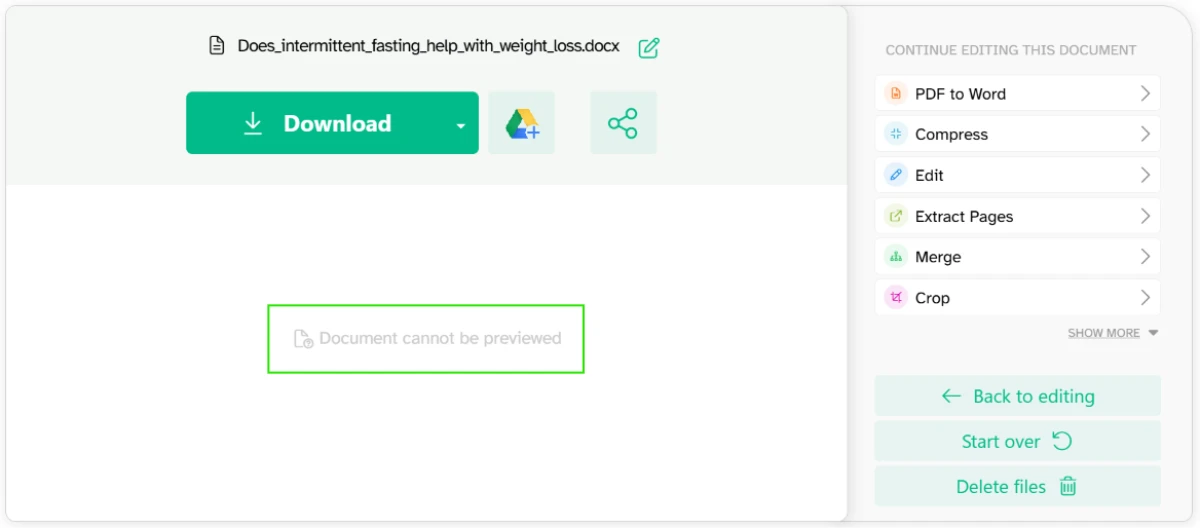
The evidence: This is where the free plan pushed back hardest. The PDF to Word page repeated the limit, and here it read 50 pages or 50 MB, well below the 200 pages the compress tool had allowed. The caps shift from one tool to the next, so the ceiling you get depends on the job in front of you. We tried to load two files together and Sejda blocked it, holding free users to a single file per task and pointing at an upgrade for batch work. After the conversion ran, the result screen said the document could not be previewed, so there was no way to check the output before pulling it down.

Converting a PDF to Word: the fidelity

Test 06 . Conversion quality
Original PDF with a header, a colored consensus bar, a figure and reference links
The original PDF, with header, colored consensus bar, figure and links.
The same file after conversion to Word, reduced to mostly plain text with the design gone
The same file after conversion to Word, reduced to mostly plain text.
The real story: The conversion itself is where the gap showed. Our original PDF carried a header, a colored consensus bar, a figure, and reference links. The Word file came back as mostly plain text. The colored bar and the figure were gone, and the header branding went with them. The words and the references survived. The layout did not.

Converting to images, and hitting the wall

Test 07 . Hourly limit
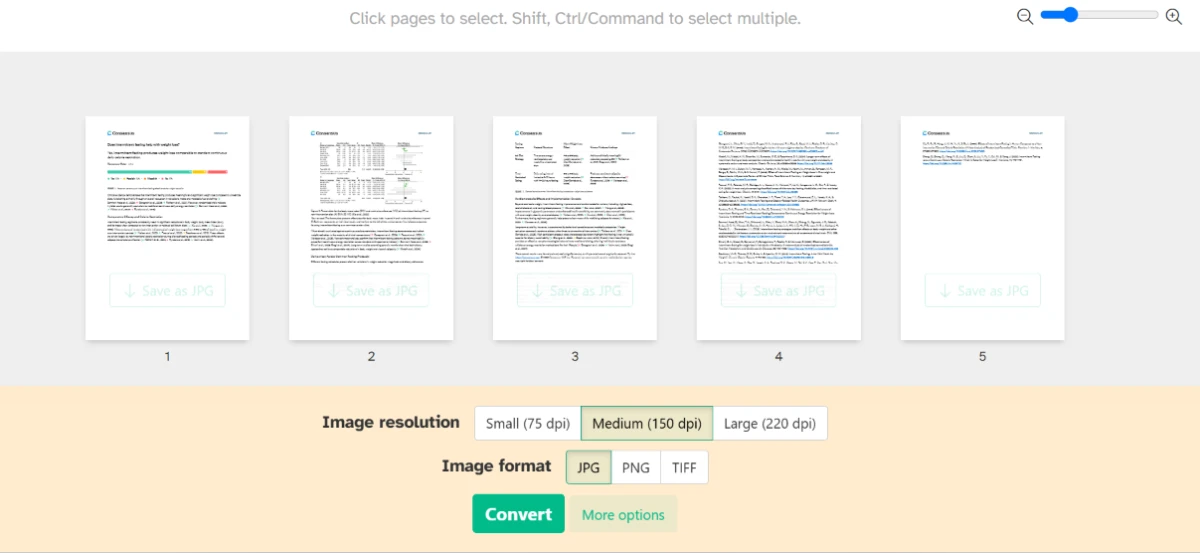
Sejda PDF to JPG tool with per-page save buttons and resolution options
The PDF to JPG tool, with per-page save and resolution options.
Sejda message that all 3 tasks for the hour were used, with a 37-minute countdown
The 3-tasks-per-hour wall, with a 37-minute countdown.
Where it lands: The last job was PDF to JPG. The tool loaded every page with its own save button and offered resolution and format choices before export. We set it up, ran it, and this is the task that hit the ceiling. Sejda stopped us with a message that all three tasks for the hour were used, beside a countdown of roughly 37 minutes until the next one. Four jobs into one session on a single document, the free plan put us on a timer.
★
Honest, and open without an account

Sejda states its terms before you upload: files are processed on its servers and deleted after two hours, with three free tasks an hour shown upfront. You start with no signup and no email, and the cloud-import options mean a file already in storage never touches your downloads folder. The transparency is real, and rare for a free tool.

!
It finishes the work, then locks it away

The hardest friction was not a tool failing, it was a tool succeeding and then gating the result. Compression ran, reported a 36 percent smaller file, and parked the download behind a 200-page limit we had not been warned about. The caps also change per tool, 200 pages here and 50 there, so you cannot predict where the wall sits until you are standing at it.

How this review was put together. Testing ran in November 2026 on the free Sejda Web plan, covering text editing, compression, PDF to Word, and PDF to JPG, and stopping when the three-task hourly limit locked us out. We used single documents throughout, since the free plan allows only one file per task. Pricing was verified the same month on the official page at sejda.com/pricing.

10-Point Feature Review

03 . Strong tools, a free plan that fights back
Feature Scores at a Glance
PDF editing
6.5
Tool breadth
8.5
Ease of use
8.0
Compression control
7.5
PDF-to-Word fidelity
5.0
Privacy & transparency
8.0
Font matching
5.5
Free-plan limits
5.0
Multi-file handling
5.5
Output preview
6.0

Pros and Cons

04 . What a real user notices
+What works
  • No account, no install: the web tools open and run without a login or download.
  • Upfront about privacy: files auto-delete after two hours, with limits shown early.
  • Real compression controls: quality, resolution, and font settings before it runs.
  • Cloud and desktop options: import from storage online, or run it offline on the app.
−What grates
  • Fonts don't match: edited text falls back to Helvetica and stands out.
  • Conversion flattens layout: PDF-to-Word strips figures and colored design.
  • Caps move per tool: the page limit you can process changes from one job to the next.
  • No output preview: conversions download blind, with no on-screen check first.

Pricing Breakdown

05 . A cheap week pass and a familiar free-tier squeeze
Feature Free$0 forever Web Week Pass$5 /7 days Web Monthly$7.50 /month Desktop+Web Annual$63 /yearBest value
Sejda Web access ✓ ✓ ✓
Sejda Desktop access ✗ ✗ ✗
Tasks per hour 3 Unlimited Unlimited
Page and size caps Yes Removed Removed
Multiple files per task ✗ ✓ ✓
Signup to start Not required Account Account

How the tiers break down: The structure is unusual for a PDF tool. The cheapest paid option is a one-time week pass, built for a single deadline rather than a subscription you forget to cancel. Monthly billing covers the web tools only; the desktop app is reserved for the annual plan, which works out close to a monthly web rate spread across the year. Teams get volume discounts that scale with headcount, from a tenth off at a couple of seats to well over half off at fifty. The free plan is the real decision point, since its shifting caps and single-file rule are what push occasional users toward the week pass.

Sejda Personal pricing with Web Week Pass, Web Monthly and Desktop+Web Annual plans
Sejda's Personal plans, from a one-time week pass up to the annual desktop bundle.

Pricing verified November 2026 on Sejda's own plans page. Rates can change, so check the official pricing page before you buy.

Sejda vs the Top 4 Alternatives

06 . Where each one pulls ahead
SSejda SSmallpdf iiLovePDF AAdobe Acrobat PPDFgear
ModelWeb + desktop, no loginWeb + mobile suiteWeb, mobile, desktopDesktop-first editorOffline desktop app
Core strengthTransparency, no accountPolished workflowBreadth across devicesProfessional editing fidelityFree and offline
Best ForHonest quick jobsEveryday clean editingMany tools, many devicesBrand-critical documentsNo-cost offline work

Picking between them: Sejda's edge is trust and access. The tools open without an account and tell you the rules first, which suits a one-off job you want done now. Smallpdf and iLovePDF cover similar ground with slicker workflows, and in iLovePDF's case a wider spread across phone and desktop. Adobe Acrobat is the step up when layout fidelity and professional editing actually matter, which is where Sejda's conversion fell short. PDFgear is the one to try if you want everything offline, with AI features Sejda does not offer.

What Users Are Saying

07 . Four voices from Trustpilot
"It does everything that the major competitor does for free."
Melissa Menier
On free-tier value
★★★★★
trustpilot.com
"It just works. No email, no info needed."
Azamat Sobirov
On the no-login start
★★★★★
trustpilot.com
"Very easy to use UI and all the editing features are very useful."
Shuqing Chen
On the editor
★★★★★
trustpilot.com
"A money grab for a very VERY basic application."
Dom
On paying for the upgrade
★☆☆☆☆
trustpilot.com
· The Verdict ·
6.8/10
A genuinely free, genuinely limited set of PDF tools

Use Sejda if you want quick PDF jobs done in a browser with no account to make and clear rules about what the free plan allows. The one-time week pass is a smart buy for a single deadline.

Skip Sejda if you need edited text to match the original font or conversions that keep their layout. Adobe Acrobat holds design and typography where Sejda drops them, and PDFgear gives you an offline toolset at no cost.

Category RankMixed Results
Compared To4 Alternatives
Entry Price$5 / 7 days
Free TierYes, capped

Discussion

Join the discussion and share your perspective.