
Home / Reviews / AI Presentation Maker / Sllidesgo AI
Slidesgo logo
AI Presentation Maker Template Library

Slidesgo Review

slidesgo.com · by Freepik

Slidesgo bolts an AI Presentation Maker onto a 30,000-plus template library, and the pairing is the whole pitch: type a topic, pick a designer-made theme, and the tool fills that theme with structured slides in under a minute. The draft arrives as editable text on a finished layout instead of a blank page, which is why teachers and students reach for it first.

Reviewer Score
7.0
/10
Capable Pick
Great templates, honest free trial.
You supply the polish.
Template Design8.5
PPTX Export8.5
Ease of Use8.5
AI Editor Freedom5.0
Layout Reliability5.5
Platform
Web app
Templates
30,000+
Free AI Decks
3 /month
Export
PPTX + Slides
Premium
$3 /mo annual
Premium AI Cap
150 /month

What Slidesgo Does

01 . Overview

The engine behind the draft is template matching, not freeform writing. You hand it a topic and a tone, it builds an outline, then it maps that outline onto one of its existing theme designs. Slides come out with section dividers and body copy already placed under each heading. What you steer is the wording and the theme choice, while the visual system stays fixed to whatever design you picked.

That places Slidesgo closer to a template marketplace with an AI front door than to a true generative deck builder. The audience it fits is anyone who already knows what they want to say and would rather not design it from scratch, which in practice means teachers and students more than brand teams. It also assumes you finish the deck somewhere else, since the output is built to leave for PowerPoint or Google Slides.

What Happened When We Tested It

02 . 10 tests covering generation, editing, export and design output

We ran Slidesgo on a free account across a single session, building two decks from prompts and converting one uploaded document. The free plan starts you with three generations and counts every one, so the testing had a hard ceiling baked in. Here is what each stage produced.

Starting from a single prompt

Test 01 . Draft creation
★ Prompt Used

"A 10-slide beginner guide to personal budgeting for college students, friendly tone"
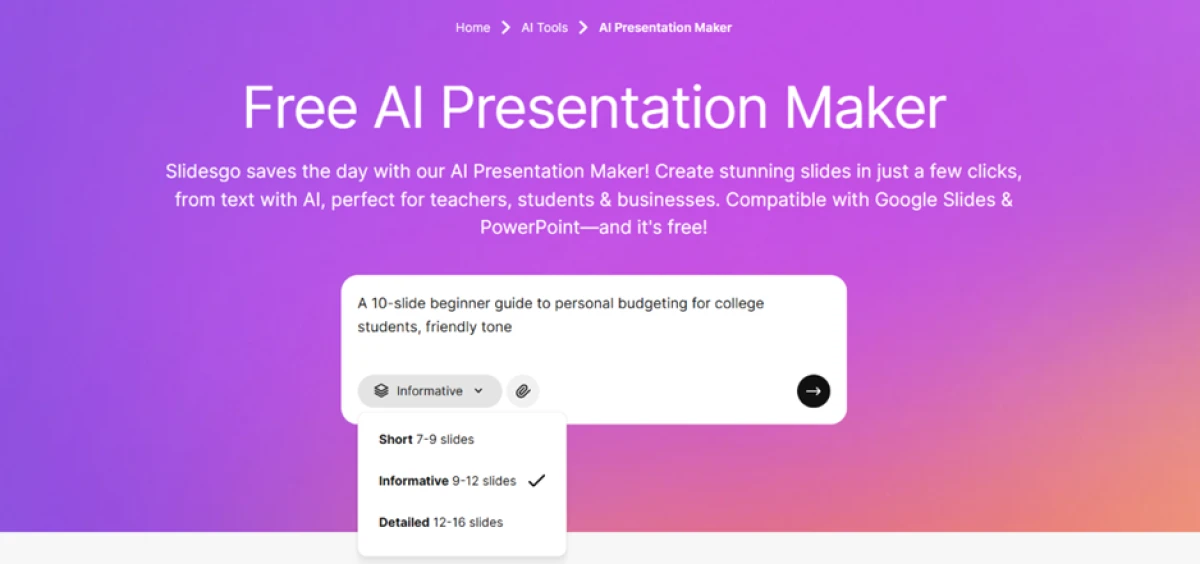
Slidesgo AI Presentation Maker with a budgeting topic typed in and length set to Informative
The whole flow begins in one text box, with a length control beside it.
First impression: We left the length control on Informative, which targets 9 to 12 slides, and handed over the structure entirely. No outline step and no slide-count negotiation, just a topic and a tone before the tool took over.

Picking a theme, and meeting the crown

Test 02 . Theme selection
Grid of finance presentation themes in Slidesgo, several marked with a Premium crown badge
Themes matched to the topic, with crown badges marking the Premium designs.
Worth noting: Slidesgo pre-filled the theme search with our topic and returned a full grid of finance styles. The catch surfaced fast. Several of the sharper layouts carry a crown badge that keeps them locked on the free plan, so the real set of free choices was smaller than the grid first suggested.

Letting it build the deck

Test 03 . Generation
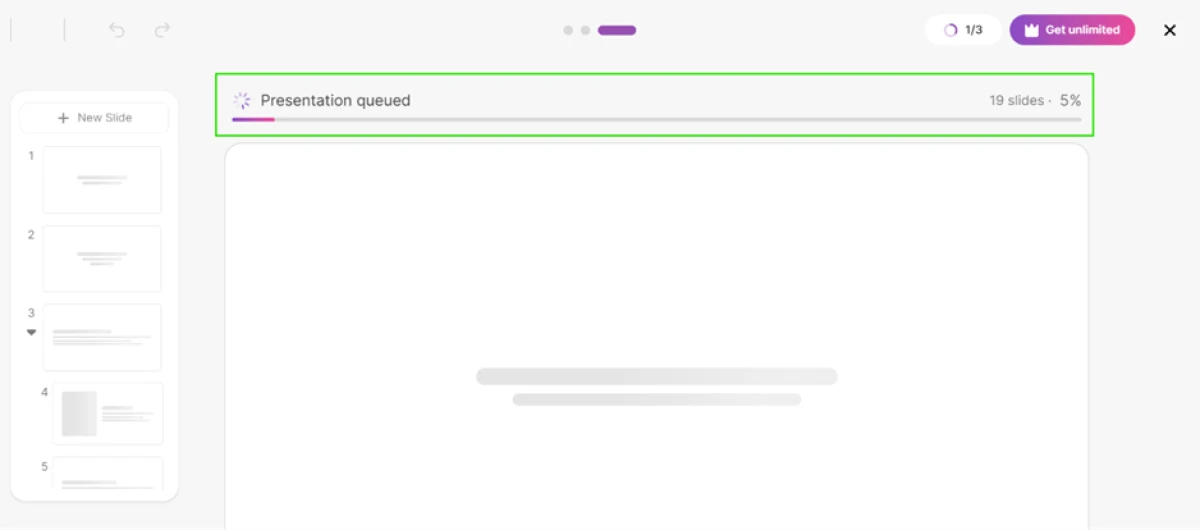
Slidesgo generation screen with a progress bar building each slide automatically
The tool queues the job and assembles each slide on its own.
How it performed: We picked a free theme and let it run. Slidesgo queued the job and built every slide while a progress bar climbed. Under a minute later, a complete draft opened in its editor.

Inside the AI editor

Test 04 . In-browser editing
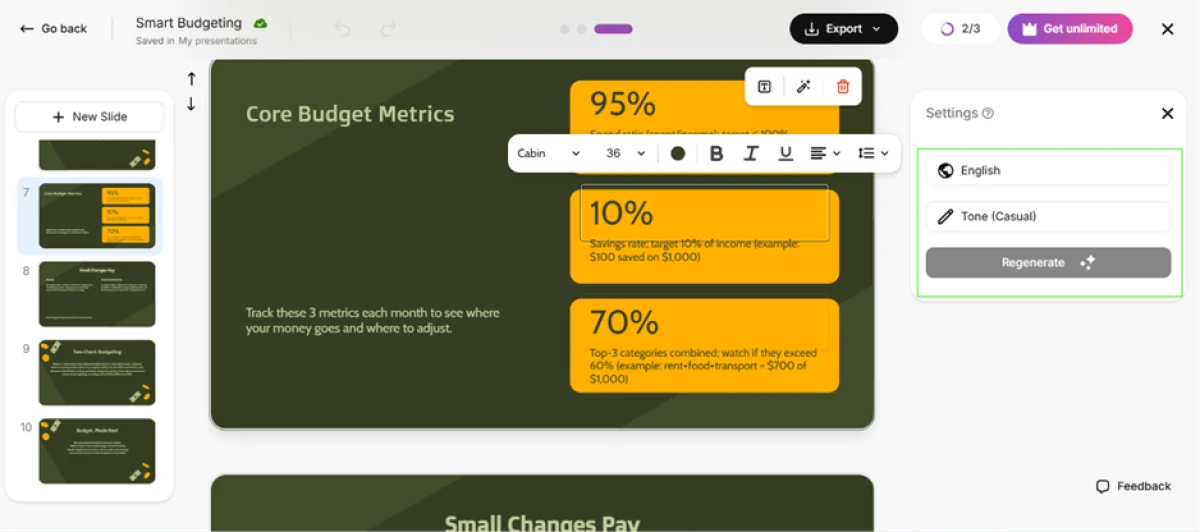
Slidesgo AI editor showing editable text on a budgeting slide with no photos
Text responds to edits and tone changes, but the design does not move.
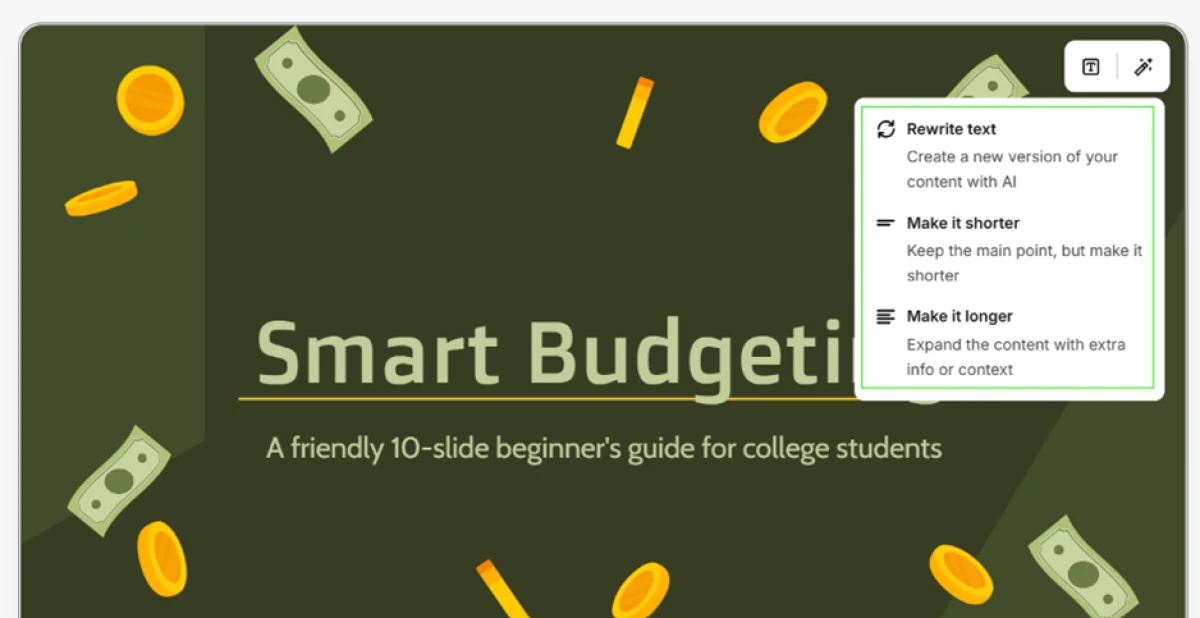
A Slidesgo text block with its own pop-up AI menu to rewrite or resize the copy
Every text block carries its own AI menu to rewrite or resize a line.
The real story: Each text block is live. We rewrote wording directly and flipped one slide's tone to Casual to watch it redraft itself, and every block offered its own menu to rewrite or resize the copy. One wall appeared within a minute though. In this editor only the text responds, so you cannot move a shape or change the layout until the file leaves Slidesgo. The budgeting deck also came back as plain text on colored blocks, with no photos anywhere.

Getting the file out

Test 05 . Export paths
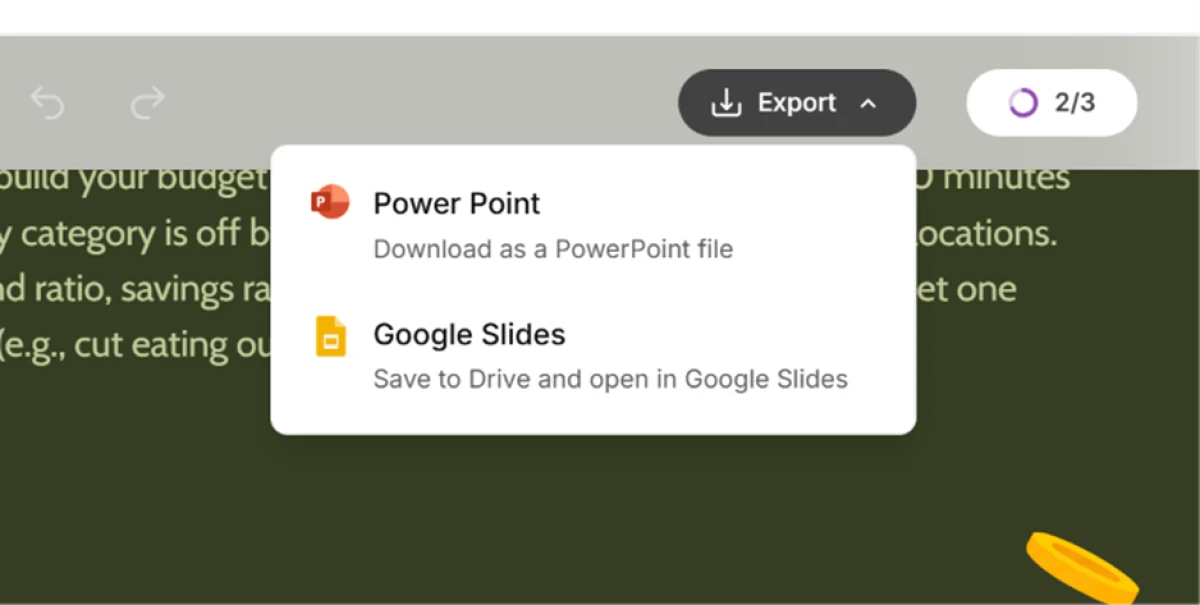
Slidesgo export menu offering a PowerPoint download or a save into Google Slides
Two working routes out: a PowerPoint download or a save into Google Slides.
What stood out: Export offered two routes that both worked, a PowerPoint download or a direct save into Google Slides. Each keeps the deck inside tools most people already run, which is the whole premise of the product.

The downloaded deck behaves differently

Test 06 . The PPTX file
Final slide of the downloaded deck in PowerPoint with selection handles and a Slidesgo and Freepik credit line
In PowerPoint every object shows a selection handle, including a self-promo slide.
What this confirms: The PowerPoint download behaved better than the browser editor. Every object in the file showed its own selection handle, so the layout lock from earlier was gone the moment the deck sat on the desktop. The last slide carried a credit line for Slidesgo and Freepik, plus placeholder contact details nobody had entered, an extra promo slide we deleted by hand.

Watching the free counter

Test 07 . Free-plan metering
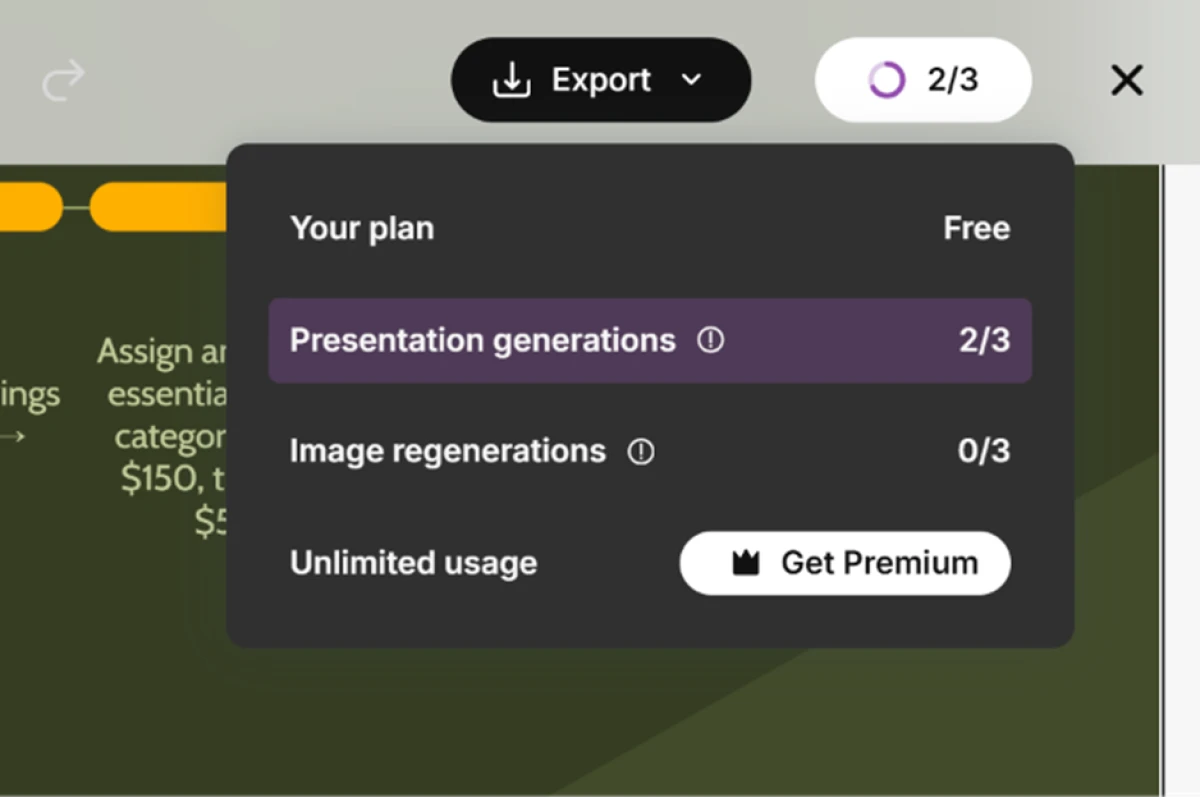
Slidesgo usage panel showing 3 presentation generations with 2 already used
A usage panel tracks generations and image regenerations as you spend them.
The signal here: A usage panel kept score the entire time. The free plan allotted three presentation generations and three image regenerations, and two of the three builds were already spent by this point. Nothing about the counter is hidden, which at least makes the ceiling honest.

Turning a document into slides

Test 08 . File import
Slidesgo screen for building a deck from an uploaded PDF, Word, text or Markdown file
Slidesgo can also build a deck from an uploaded file.
What clicked: Slidesgo also turns an uploaded file into a deck. It accepts PDF, Word, plain text, and Markdown up to 25 MB per file. For anyone sitting on a brief or an outline already, this is the faster door in.

Running out of road

Test 09 . The paywall
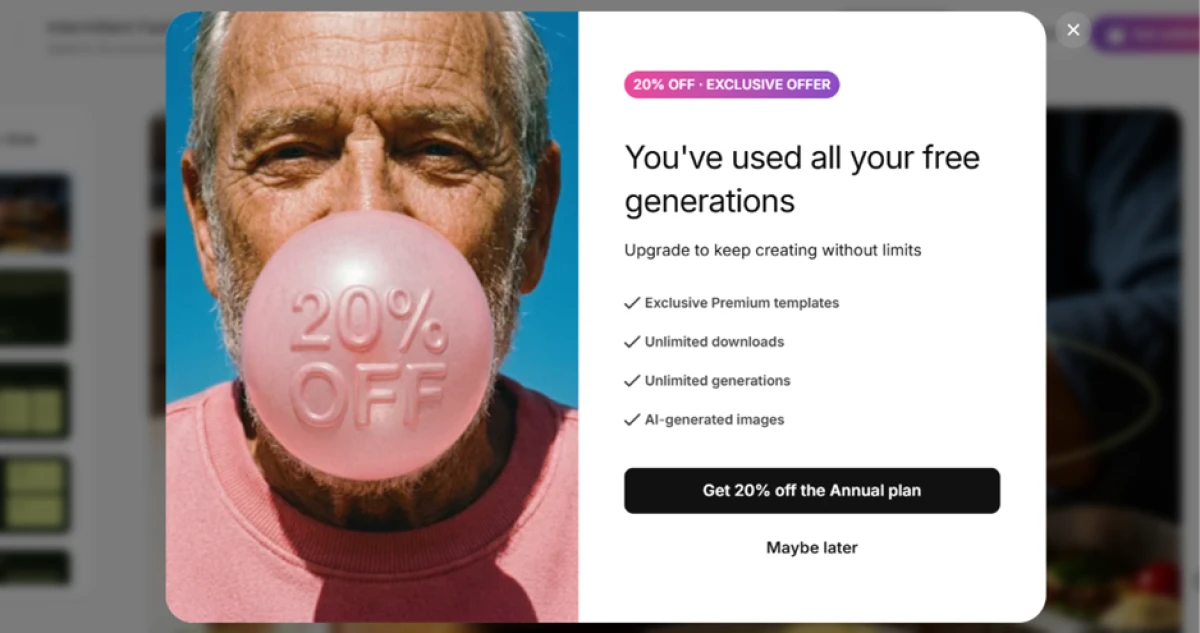
Slidesgo message blocking further builds after three free generations, with a 20 percent annual discount offer
After the third build, the free plan blocks you and offers a discount.
Where it lands: The third build was the last one the free plan allowed. The next attempt hit a wall announcing the generations were gone, followed straight away by a 20 percent cut on the annual plan. The free tier is a trial with three doors, and the third one shuts behind you.

Where the AI design falls down

Test 10 . Output quality
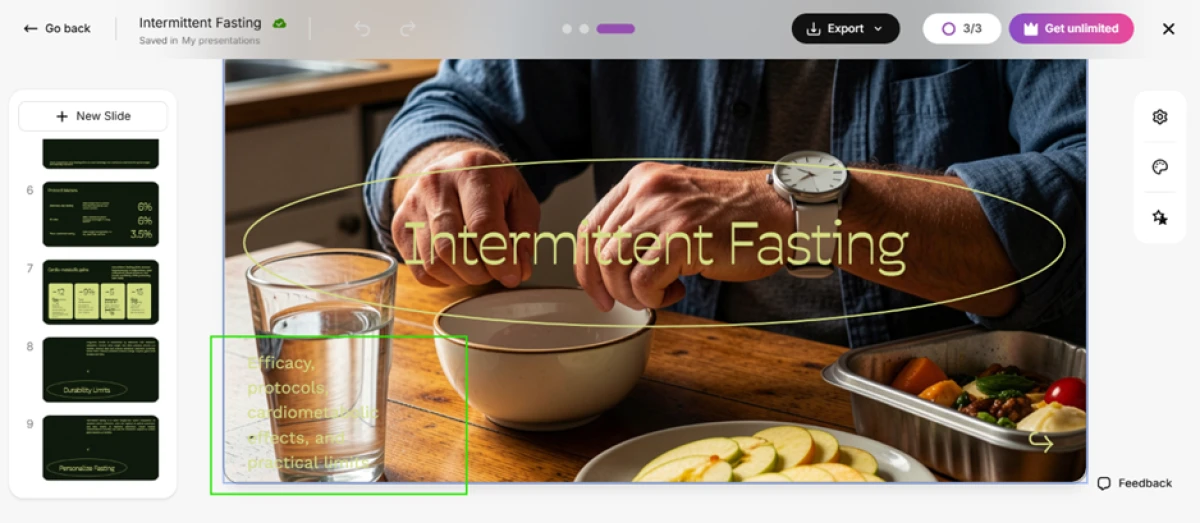
Slidesgo title slide with pale yellow text over a busy kitchen photo, nearly unreadable
A pale title and subtitle nearly vanish into a busy photo the AI chose.
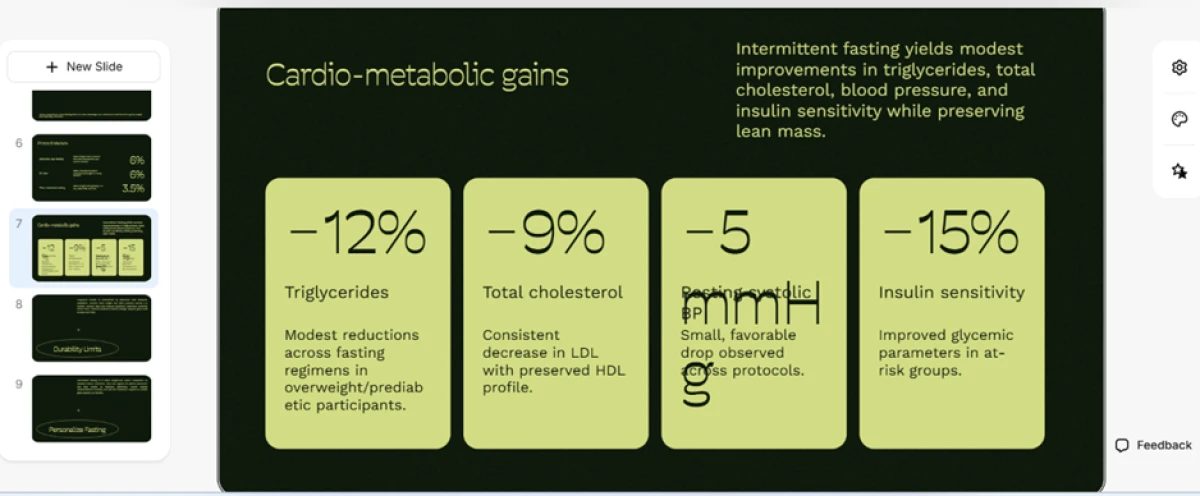
Slidesgo slide where a figure overflows its card and the unit text overlaps the next block
A number overflows its card and the unit text runs onto the block beside it.
The takeaway: A second deck on a health topic showed where the generated design breaks. On one title slide the AI chose a busy kitchen photo and laid pale yellow text across it, and the heading nearly disappeared. A later slide broke its own frame: a number spilled out of its card and the unit label overlapped the block beside it. Recoloring text or nudging a box fixes both, yet the tool should not have shipped either.
★
Editable the moment it downloads

The browser editor locks the layout, but the PowerPoint export does not. Every shape and image in the downloaded file becomes a live object you can move or restyle, which makes PowerPoint the real workspace and Slidesgo the drafting step before it.

!
The AI ships slides it should have caught

Twice in one session the generated design arrived wrong: a pale title sank into a busy photo, and a figure overflowed its card onto the next block. Neither is hard to repair, but both mean no generated slide can be trusted until you have looked at every one. Budget proofing time into any deck you plan to hand off.

How this review was put together. Testing ran in November 2026 on a free Slidesgo account, covering the AI Presentation Maker, the browser editor, the document-to-deck importer, and both the PowerPoint and Google Slides export paths. We generated two decks from prompts and converted one uploaded file, stopping when the free plan's three generations ran out. Pricing was verified the same month on the official page at slidesgo.com/pricing.

10-Point Feature Review

03 . Where the AI helps and where it stops
Feature Scores at a Glance
Deck generation
7.5
Template design
8.5
AI editor flexibility
5.0
PPTX export
8.5
AI content quality
6.5
Image selection
5.5
Layout reliability
5.5
Free-plan value
6.5
Ease of use
8.5
Pricing transparency
6.0

Pros and Cons

04 . What a real user notices
+What works
  • Finished starting point: you get a structured, theme-matched draft instead of a blank deck.
  • Clean PowerPoint handoff: the download is fully editable, every object selectable.
  • Lands in your own tools: output drops straight into PowerPoint or Google Slides.
  • Per-block AI rewriting: each text box can be reworded or resized inside the editor.
−What grates
  • Layout frozen online: the browser editor only lets you touch text, not design.
  • Shaky auto imagery: generated photo picks miss, and some decks arrive with none.
  • Slides that break: generated elements overflow their frames and need cleanup.
  • Bundled promo slide: the download ships with a Slidesgo and Freepik credit slide to delete.

Pricing Breakdown

05 . A free trial and a cheap upgrade with a familiar catch
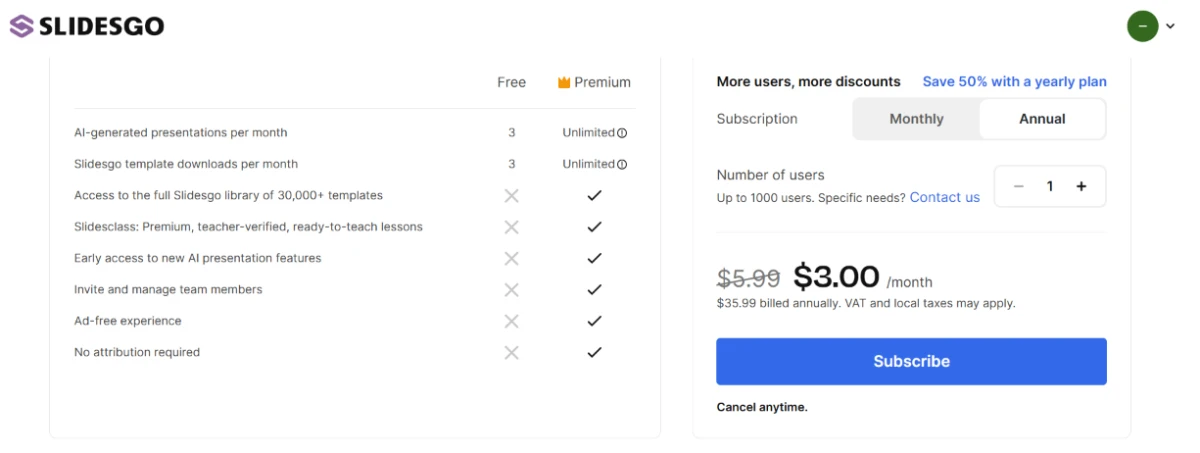
Feature Free$0 forever Premium$3.00 /mo annualBest value
AI-generated decks per month 3
Template downloads per month 3
Full 30,000+ template library ✗
Slidesclass teacher-verified lessons ✗
Early access to new AI features ✗
Invite and manage team members ✗
Ad-free experience ✗
No attribution required ✗

What you're actually paying: The number to watch is the billing cycle. That headline rate is the annual price, charged as $35.99 up front; switch to month to month and it climbs to $5.99, close to double. The free plan works for a single deck, but its three-download limit and the locked premium library push a second project toward the upgrade. Premium's "unlimited" label also carries a stated cap of 150 generations a month, which few individuals will ever reach. And a run of users report that canceling costs more effort than subscribing did, a pattern worth weighing before you hand over a card.
Slidesgo pricing page comparing the Free and Premium plans with the annual rate selected
The free and premium plans side by side, with the annual rate selected.

Pricing verified November 2026 on the vendor's own plans page. Rates shift often, so confirm the current terms on the official pricing page before you subscribe.

Slidesgo vs the Top 4 Alternatives

06 . Where each one pulls ahead
SSlidesgo CCanva GGamma BBeautiful.ai SSlidesAI
AI approachTemplate-matched draftMagic Design from a promptWrites original slide contentAuto-formats to brand rulesGenerates inside your editor
EditingFull in PPTX, locked onlineFull drag-and-dropCard-based, flexibleGuardrailed templatesNative Slides and PPT
Best ForFast themed decksAll-round visual designContent-heavy decks from a briefConsistent team decksEditing existing presentations

Picking between them: The split is about how much writing you want the AI to do. Slidesgo and Canva both begin from a design and pour your words into it, so they suit anyone who values the look and will supply the substance. Gamma leans the other way, drafting fuller slide content from a brief, which helps when you start from a blank brain rather than a finished outline. Beautiful.ai is the call when brand consistency across a team matters more than creative range, and SlidesAI earns its place if you would rather never leave the deck you already keep in Google Slides or PowerPoint.

What Users Are Saying

07 . Four voices from Trustpilot
"This company has made it essentially impossible to cancel a subscription."
Rachel Frontera
On canceling a subscription
★☆☆☆☆
trustpilot.com
"This site is horrible, it told me sign up or buy premium."
Evan
On the free-plan paywall
★☆☆☆☆
trustpilot.com
"Best free powerpoint making app i love it."
Edi Lami
On the free tier
★★★★★
trustpilot.com
"I really appreciate how convenient and efficient slidesgo is."
Camila Reynoso
On everyday convenience
★★★★★
trustpilot.com
· The Verdict ·
7.0/10
A fast route to a decent deck, as long as you bring the polish

Use Slidesgo if you want a designer-looking draft in a minute and plan to finish it in PowerPoint or Google Slides, where every object turns editable. It fits teachers and students who value the template over bespoke AI writing.

Skip Slidesgo if you need the AI to write original, meeting-ready content rather than fit your outline to a theme. Gamma drafts fuller slide copy from a brief, and Beautiful.ai holds a whole team to one brand, both stronger for brand-critical work.

Category RankCapable Pick
Compared To4 Alternatives
Entry Price$3/mo
Free TierYes, 3 decks

Discussion

Join the discussion and share your perspective.