
Home / Reviews / AI Text To Speech / TTSMaker
TTSMaker logo
Text to Speech AI Voice Generator

TTSMaker Review

ttsmaker.com · Free AI voice generator

TTSMaker is a browser-based text-to-speech tool that runs with no account and hands every free user full commercial rights to the audio they generate. The voice library spans more than 600 options across 100-plus languages, with per-paragraph pause control and five export formats available on the free tier. It fits creators who need quick narration for video and audiobooks without paying upfront or signing a usage agreement.

Reviewer Score
7.3
/10
Capable Pick
Strong, open free tier
held back by file handling
No-Signup Access9.0
Voice Library8.5
Voice Naturalness8.0
Character Caps5.5
File Retention5.0
Platform
Browser-based TTS
Voices
600+ 100+ languages
Free Weekly Cap
20,000 chars
Per Conversion
300–2,000 by voice
Export Formats
5 MP3, WAV, OGG, AAC, Opus
File History
30 min browser only

What TTSMaker Does

01 . Overview

TTSMaker converts written text into spoken audio directly in the browser. It leans on neural voice models aimed at video voiceovers and audiobook narration, and it targets people who want finished audio fast without creating an account.

The whole pitch is openness. You get free use and downloadable files, with commercial rights on the result, which is where most paid competitors draw their first paywall. Three paid plans scale the character allowance up from there, starting at $9.99 a month, but the free tier is the version almost everyone meets first.

What Happened When We Tested It

02 . 8 tests covering voices, limits, output, and file handling

We ran the whole session on the free plan, with no account and no payment, to see what a regular visitor actually gets. Testing moved from a casual first line through hard pronunciations, length padding, dialogue mode, and what the site does with your files afterward.

No signup, no email, straight to typing

Test 01 . First-run access
★ Prompt Used

"Hey there, thanks for tuning in. Grab a coffee, get comfortable, and let's get straight into today's story."

TTSMaker editor with a test sentence typed, the Alayna US English voice selected and tagged Unlimited, character counter reading 893 of 1000
The editor on first load, with Alayna tagged Unlimited and the counter already ticking down.
First impression: the site opened straight into a working editor with no wall and no email prompt. Alayna carried an Unlimited tag, but hovering it revealed the catch: these voices skip the weekly character limit, yet free users still get only 10 fast conversions a day before they wait.

What the free settings panel hands over

Test 02 . Output controls
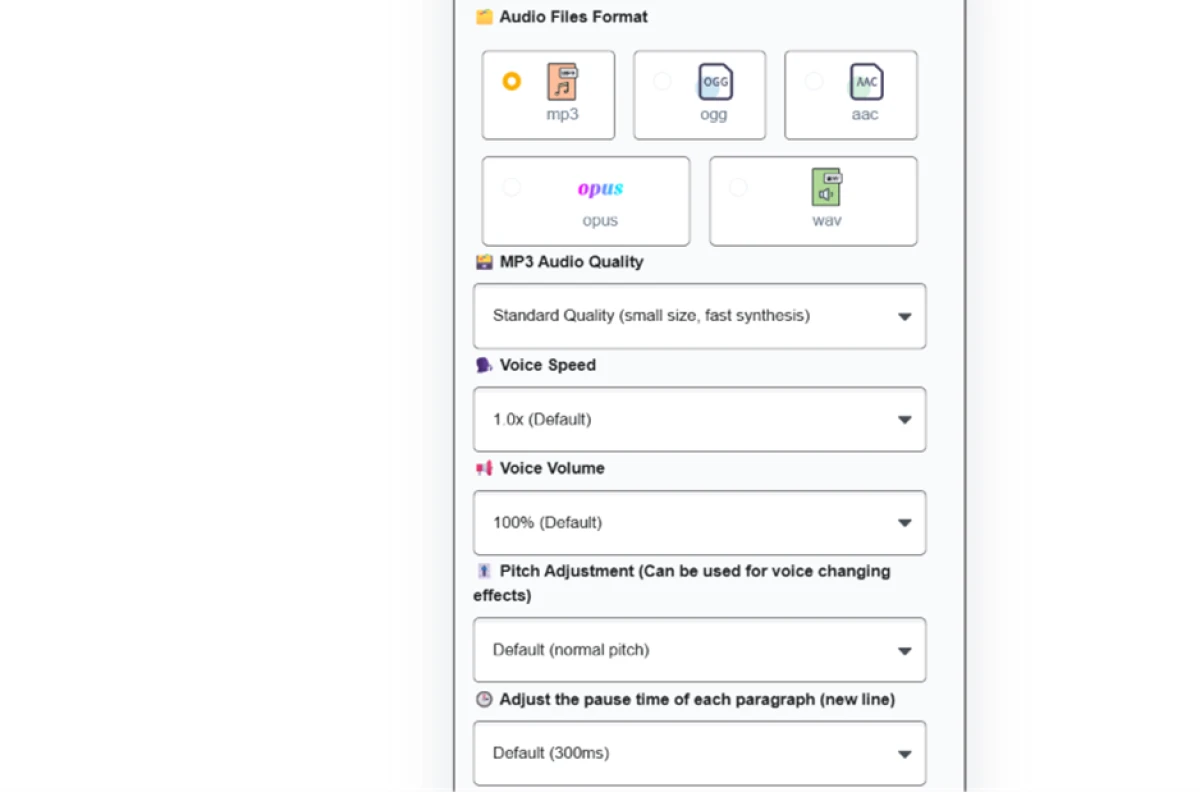
TTSMaker More Settings panel on the free plan showing five export formats and sliders for voice speed, volume, pitch and paragraph pause length
The free More Settings panel, with five formats and controls for speed, volume, pitch, and pauses.
Under the surface: the panel offered five audio formats (MP3, OGG, AAC, Opus, WAV) plus sliders for speed, volume, pitch, and paragraph-pause length. That pitch slider on a free tier is the detail that stands out, since most rivals gate it.

A one-time human check on first convert

Test 03 . Verification gate
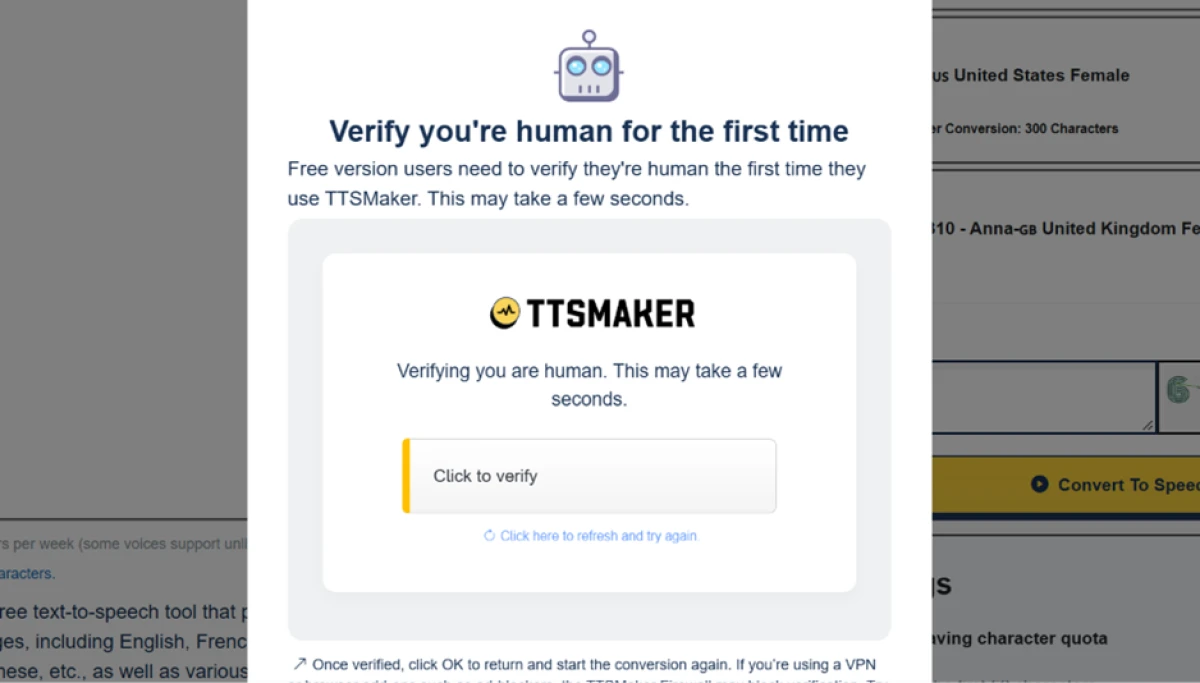
TTSMaker popup asking the user to verify they are human, with a note that this check only appears on first use
The one-time human verification that appears on your first conversion.
Worth noting: the first convert triggered a human check, with the box stating it only happens on first use. It cleared in a few seconds and did not return on the next conversion.

The output panel, useful and irritating at once

Test 04 . First conversion
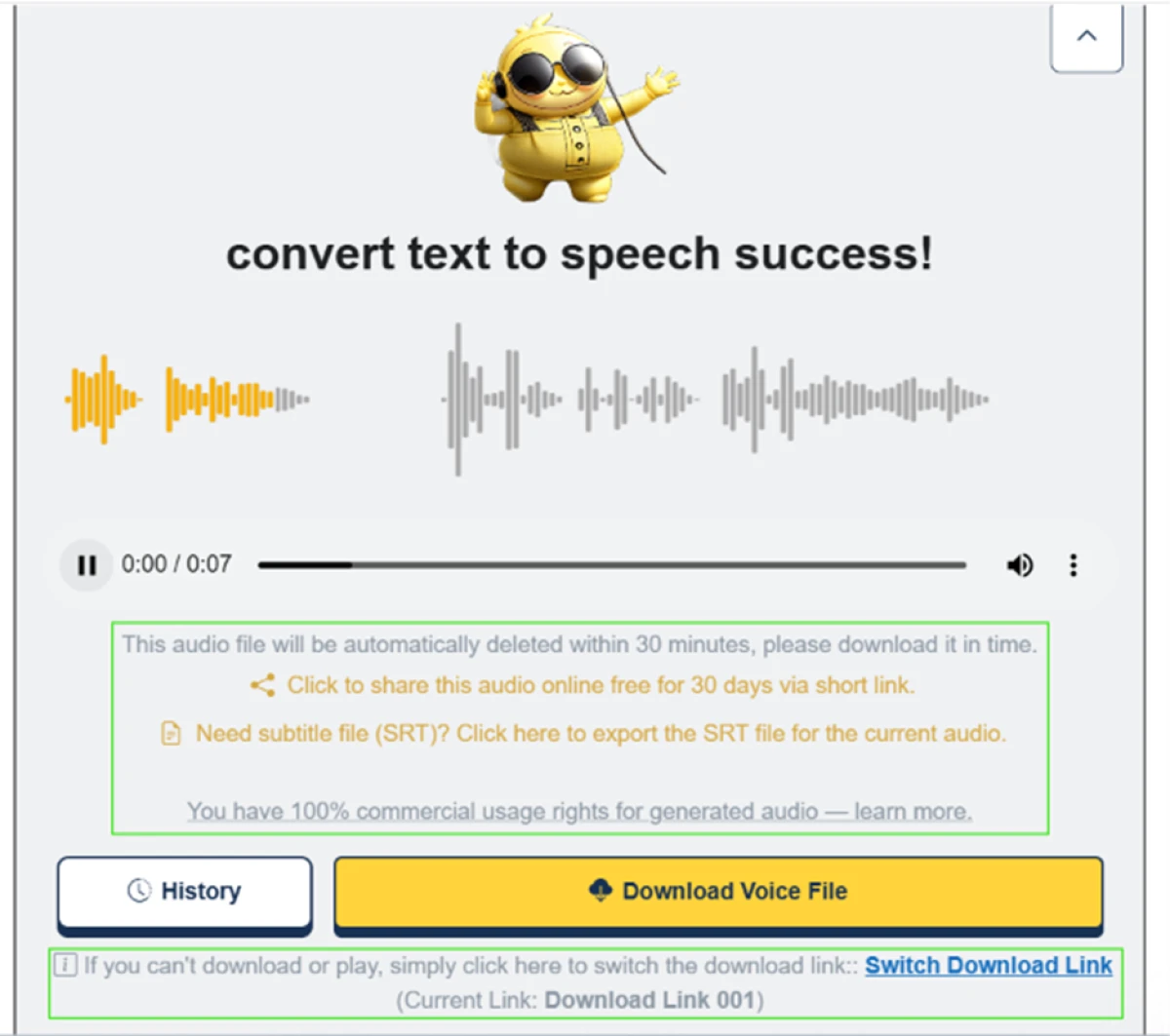
TTSMaker result panel after a conversion showing an SRT subtitle export option, a 30-day share link, commercial rights, and a warning that the file will auto-delete in 30 minutes
The result panel: SRT export and a 30-day share link, beside a 30-minute delete warning.
The key finding: the seven-second clip came out clean, with natural rhythm and pauses close to a real narrator reading a podcast intro. The panel then offered an SRT subtitle export and a share link good for 30 days, and the audio carried full commercial rights. The sour note sat right beside it: a warning that the file would be deleted in 30 minutes.

Throwing hard names at the engine

Test 05 . Pronunciation and caps
★ Prompt Used

"Dr. Siobhan Nguyen from Worcester tested the GPT-4o API and found an SQLi flaw in Kubernetes."
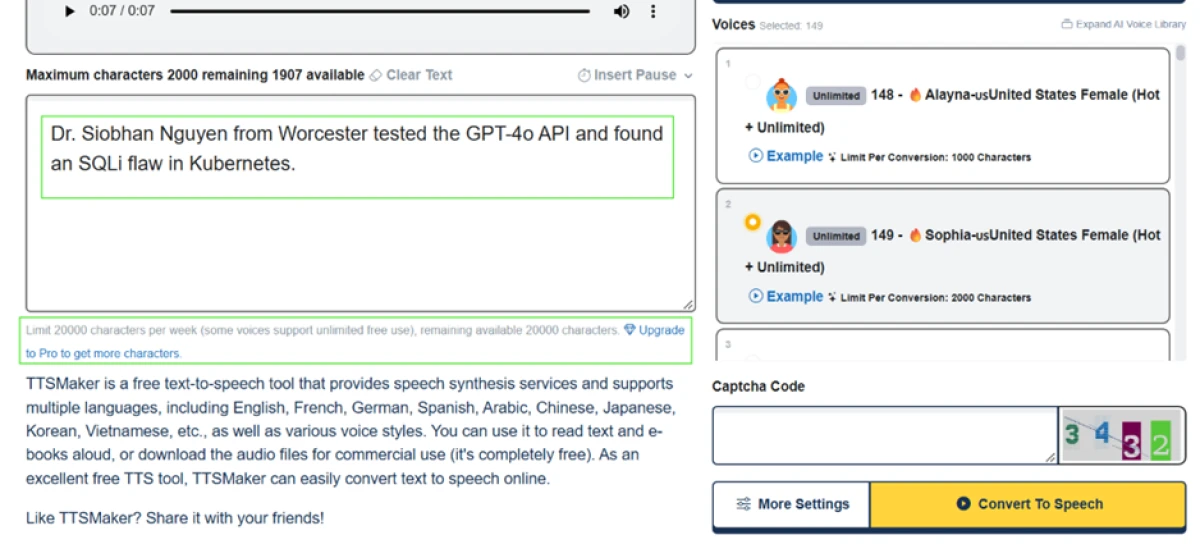
TTSMaker editor with a pronunciation stress-test sentence on the Sophia voice, showing a 2000-character cap, a 20,000 weekly limit note, and a captcha code field beside the convert button
The Sophia voice carried a 2,000-character cap, with a captcha code sitting next to convert.
What stood out: the per-conversion cap moved with the voice. Sophia allowed 2,000 characters, where Alayna had shown 1,000 and a British voice only 300, so the ceiling depends entirely on which voice you pick. A captcha code also sat beside convert and had to be typed for this one, a second speed bump on top of the first-use check.

Padding the input to force a longer clip

Test 06 . Length and pauses
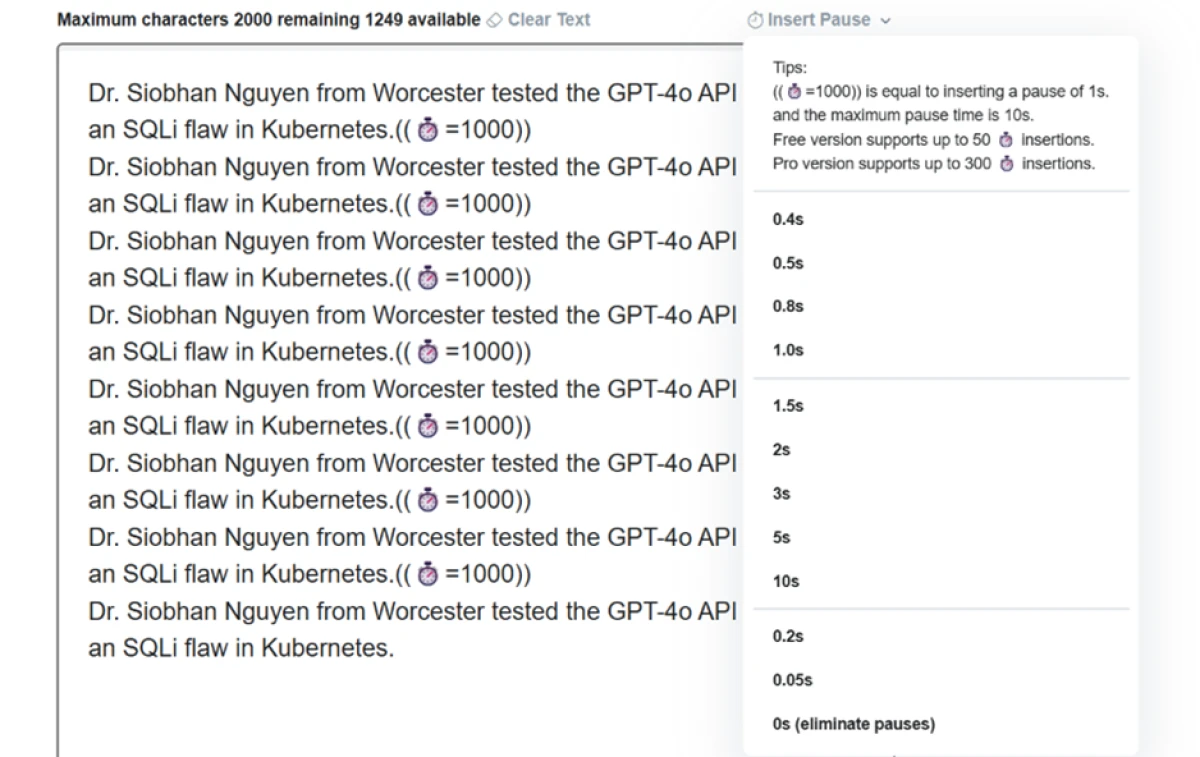
TTSMaker Insert Pause menu dropping a one-second timer tag of ((timer=1000)) between lines of text
The Insert Pause menu dropped a one-second ((timer=1000)) tag between copies of the sentence.
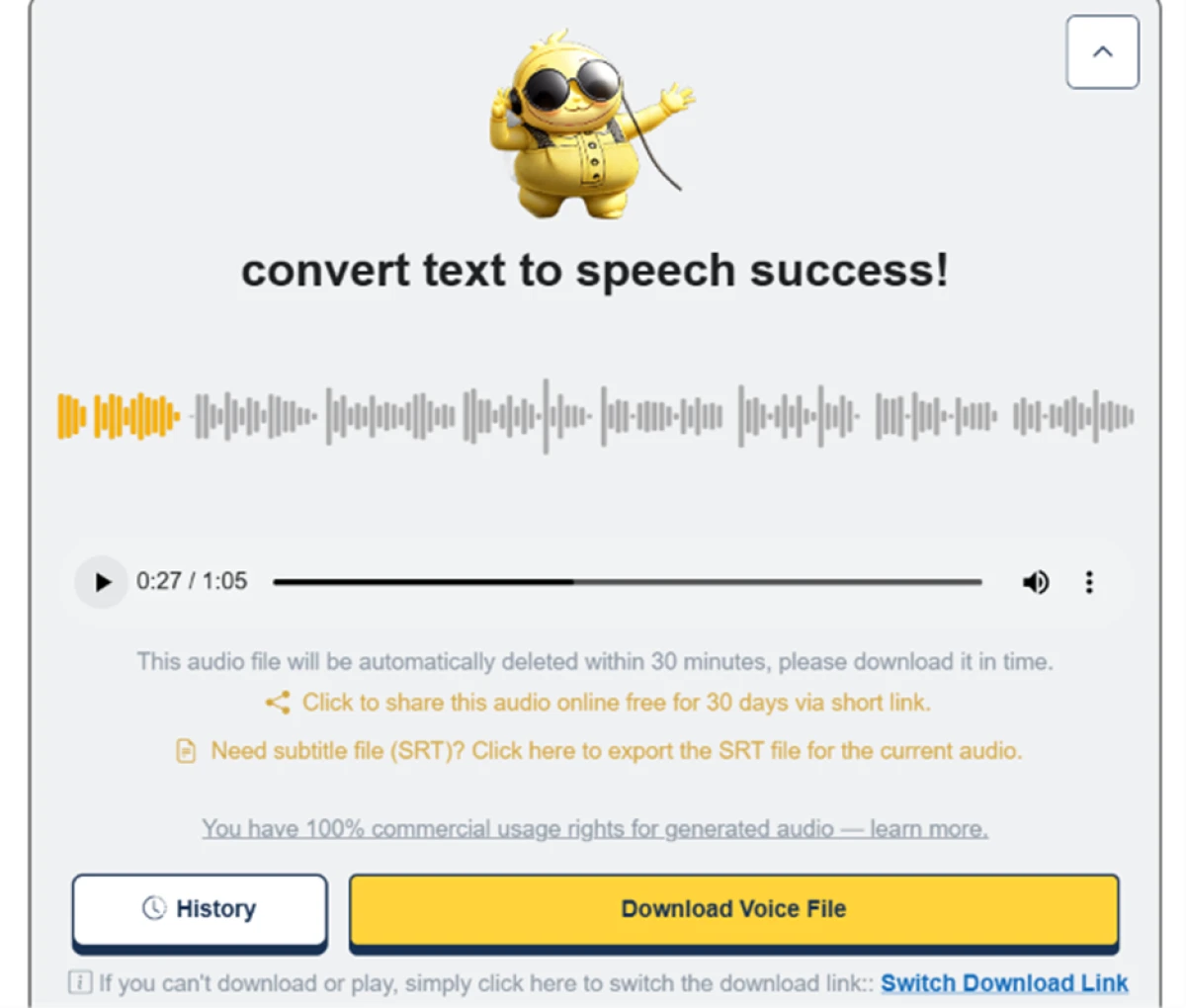
TTSMaker result showing a one minute and five second audio clip generated in a single conversion from the padded input
The padded input produced a 1:05 clip in a single conversion.
How it performed: the Insert Pause feature drops a tag like ((timer=1000)) for a one-second gap, and the tips panel put free users at 50 of these against 300 on Pro. Repeating the sentence with one-second pauses produced a 1 minute 5 second file in one pass, no error. Length scales with input, as long as you stay under the per-voice cap.

Multi-Speaker mode on a tight leash

Test 07 . Dialogue mode
TTSMaker Multi-Speaker mode showing emotion and emotion-intensity controls per dialogue block and a weekly cap of five short dialogues on the free plan
Multi-Speaker mode, with emotion controls and a free cap of five short dialogues a week.
The signal here: the mode builds back-and-forth dialogue between voices, and each block has an Advanced panel with pitch, volume, emotion, and emotion intensity. The free caps are tight, though. You get five dialogue blocks of 200 characters each and no more than five dialogues a week, enough to test the idea rather than ship a full conversation.

Where your audio goes after half an hour

Test 08 . File retention
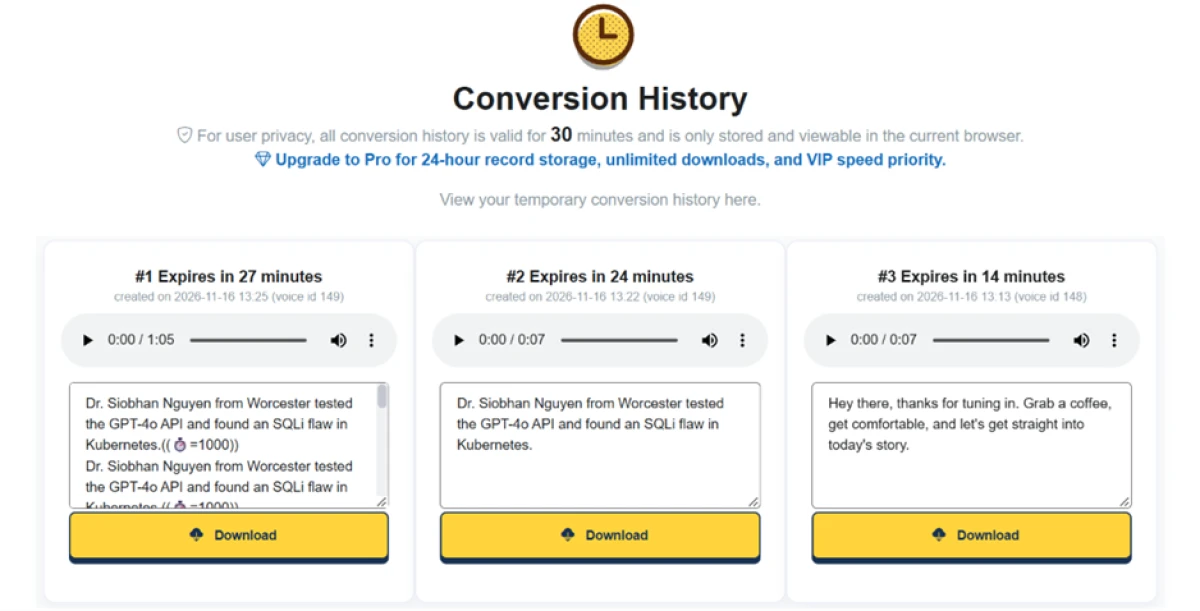
TTSMaker Conversion History page showing three clips each with a live countdown timer, the longest at 27 minutes and the shortest already down to 14 minutes
Conversion History, stored browser-side only, with a live countdown on each clip.
What this confirms: the 30-minute warning is a hard rule. The Conversion History page kept the clips for 30 minutes, inside the current browser, with a running countdown on each, the longest at 27 minutes and the shortest already at 14. Close the tab and the work is gone unless it was downloaded first.
★
No account, natural narration, an SRT export, and a 30-day share link

Testing confirmed the strongest combination on the free plan: instant access with no signup, narration that reads close to a human voiceover, a downloadable SRT subtitle file, a 30-day share link, and full commercial rights on the output.

!
Everything clears in 30 minutes

Generated files auto-delete after 30 minutes and live only in the current browser. Each conversion can also throw a captcha, and fast conversions are capped at 10 a day. Download the moment a clip finishes, or lose it.

How this review was put together. This review is based on hands-on use of the TTSMaker free plan in November 2026, with no account and no payment. Testing ran several inputs across different voices and exercised the output settings alongside the Insert Pause and Multi-Speaker features. Pricing was checked against TTSMaker's own pricing page rather than any third-party listing or roundup.

10-Point Feature Review

03 . Ten scores, weighted toward core narration
Feature Scores at a Glance
No-signup access
9.0
Voice & language library
8.5
Free commercial rights
8.5
Voice naturalness
8.0
Output controls
8.0
Subtitle export
7.0
Verification friction
6.5
Multi-Speaker mode
6.0
Character caps
5.5
File retention
5.0

Pros and Cons

04 . What a real user notices
+What works
  • Commercial rights on free output: the audio is cleared for client and monetized work.
  • Pitch and pace control on free: shape delivery with speed, volume, and pitch sliders.
  • Subtitle export built in: an SRT downloads alongside the audio, handy for video.
−What grates
  • Files vanish fast: a conversion clears from the browser not long after it finishes.
  • Uneven character caps: how much you can convert at once depends on the voice.
  • Captcha on conversions: a repeated check interrupts a quick workflow.
  • Thin dialogue limits: Multi-Speaker mode is too capped to build a full conversation.

Pricing Breakdown

05 . Free tier plus three paid plans
Feature Free$0 Lite$9.99 /mo billed yearly Pro Mini$18.99 /mo billed yearlyPopular Pro Max$24.99 /mo billed yearly
Character limit 20,000 / week 300,000 / month 1,200,000 / month
Approx. audio Weekly cap only ~6.9 hrs / month ~27.6 hrs / month
Voices & languages 600+ / 100+ 600+ / 100+ 600+ / 100+
Best for Trying it out Beginners Professionals

What you're actually paying: the headline numbers above are the annual-billed rate. Paying month to month runs higher across every tier: $13.99 on Lite, $23.99 on Pro Mini, $32.99 on Pro Max. The yearly commitment is doing the discounting. Two details catch people out on the free tier. The 20,000-character pool resets weekly, not monthly, and the plan card advertises a 500-character per-conversion cap that the editor did not hold to, since the real ceiling climbed with the voice.
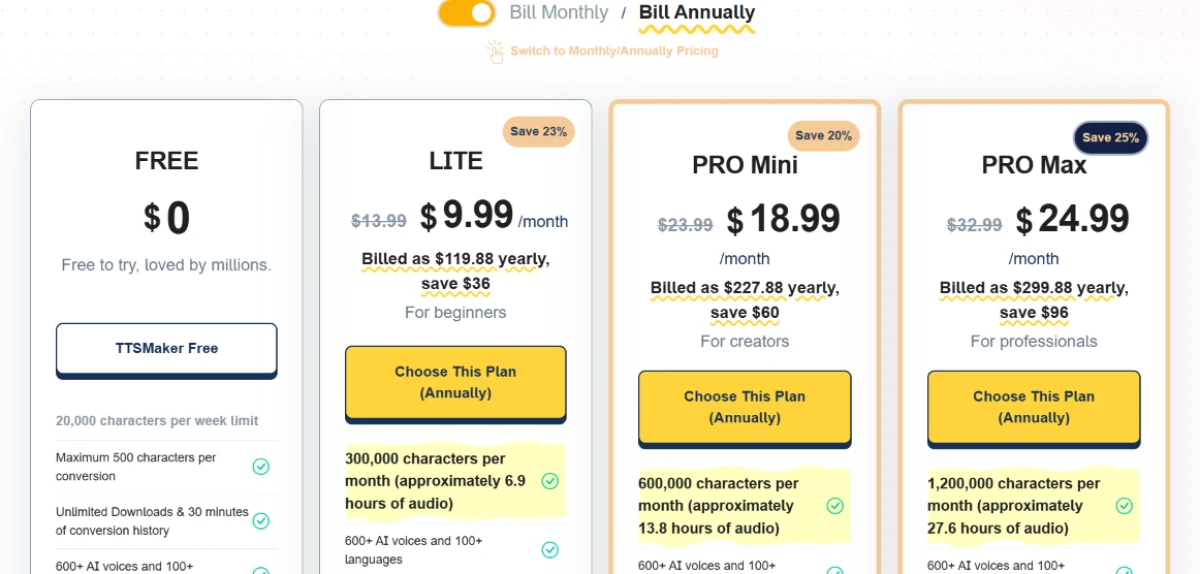
TTSMaker plan grid on annual billing showing Free, Lite, Pro Mini and Pro Max tiers with monthly prices and character allowances
TTSMaker's plan grid on annual billing, from the free tier up to Pro Max.

Pricing verified November 16, 2026 against TTSMaker's own plan grid. Rates and promotions shift often, so confirm on the official pricing page before you subscribe.

TTSMaker vs the Top 4 Alternatives

06 . How it stacks up on free access and price
TTTSMaker NNaturalReader 11ElevenLabs SSpeechify MMurf AI
Use without an account✓✓✗✗✗
Free commercial use✓✗Attribution✗✗
Starting priceFree, Lite $9.99/moFree, Premium $9.99/moFree, Starter $5/moFree, Premium $11.58/moFree, Creator $19/mo
Best ForFree voiceovers you ownReading documents aloudMost lifelike voicesListening on mobileStudio voiceover projects

Where it fits: TTSMaker and NaturalReader are the two you can use without an account, but they point in different directions. TTSMaker is built to generate voiceover audio you then own, while NaturalReader is built to read documents back to you. ElevenLabs is the one to beat on raw voice quality once you accept a login and tighter free limits. Murf suits teams that want a full studio editor, and Speechify is the pick for listening on the go rather than producing.

· The Verdict ·
7.3/10
A capable free pick, as long as you download everything

Use TTSMaker if you want free voiceover audio with commercial rights and no account, you work in short clips, and you are happy to save each file the moment it finishes.

Skip TTSMaker if you need the most lifelike delivery or a library that holds onto your work. ElevenLabs is the stronger choice for voice quality, and NaturalReader is the better home for reading long documents aloud.

Category RankCapable Pick
Compared To4 Alternatives
Entry PriceFree / $9.99 mo
Free TierYes, commercial

Discussion

Join the discussion and share your perspective.