


What Unlucid AI Does
Marketed under the tagline "Uncensored AI tools for dreamers, for free," Unlucid bundles three tools into one browser tab. The image generator turns a text prompt into a set of variant stills, the video AI applies preset motion effects to a still image to make short clips, and the editing tools cover common changes such as swapping backgrounds, removing objects, and altering clothing.
All of it runs on a gem-based credit system. A small daily allowance lets new users test without paying, and one-time bundles cover heavier use, with image generation the cheapest action, editing costing more, and video the most gem-hungry of the three.
What Happened When We Tested It
The test session covered the full Unlucid AI workflow on the free tier on June 1, 2026: load the dashboard, generate an image from a detailed cinematic prompt, edit that generated image using the change-clothing function, then attempt to animate the same image with the video AI. The test deliberately ran on the 10 free gems available at signup to evaluate what a first-time user can realistically accomplish before paying.
The Dashboard
Onboarding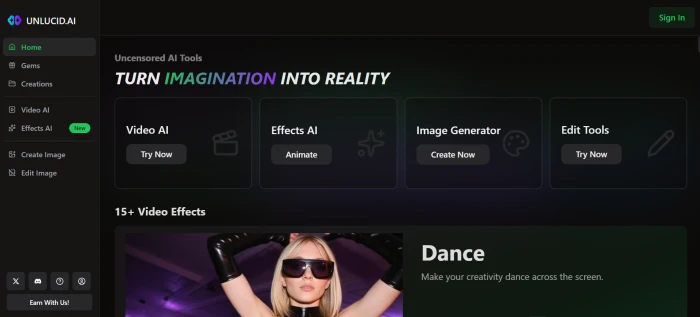
AI Image Generation
Test 01 . Rainy Tokyo cinematic prompt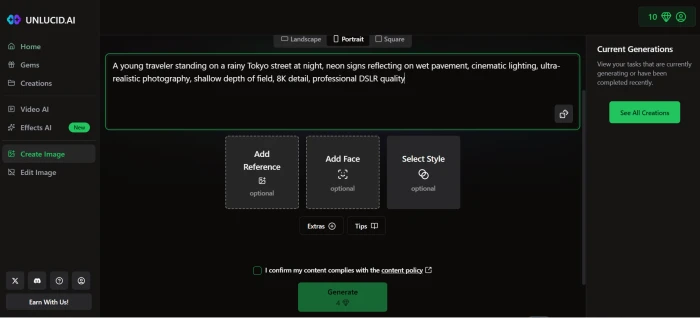
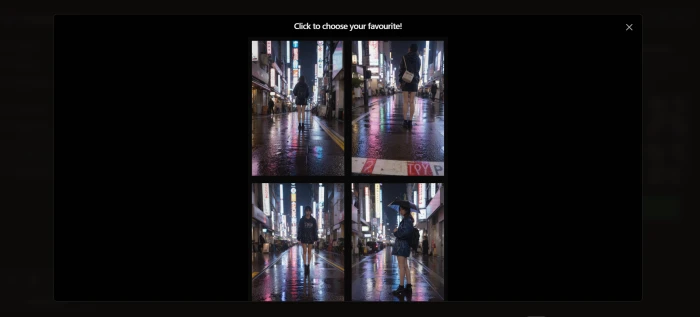
Unlucid generates a four-variant grid from each prompt, which is a stronger default than competitors that return a single image. All four variants captured the core prompt elements (rainy Tokyo street, neon signage, wet pavement reflections, cinematic framing) with meaningfully different compositions, so the user gets a real choice rather than four near-identical outputs.
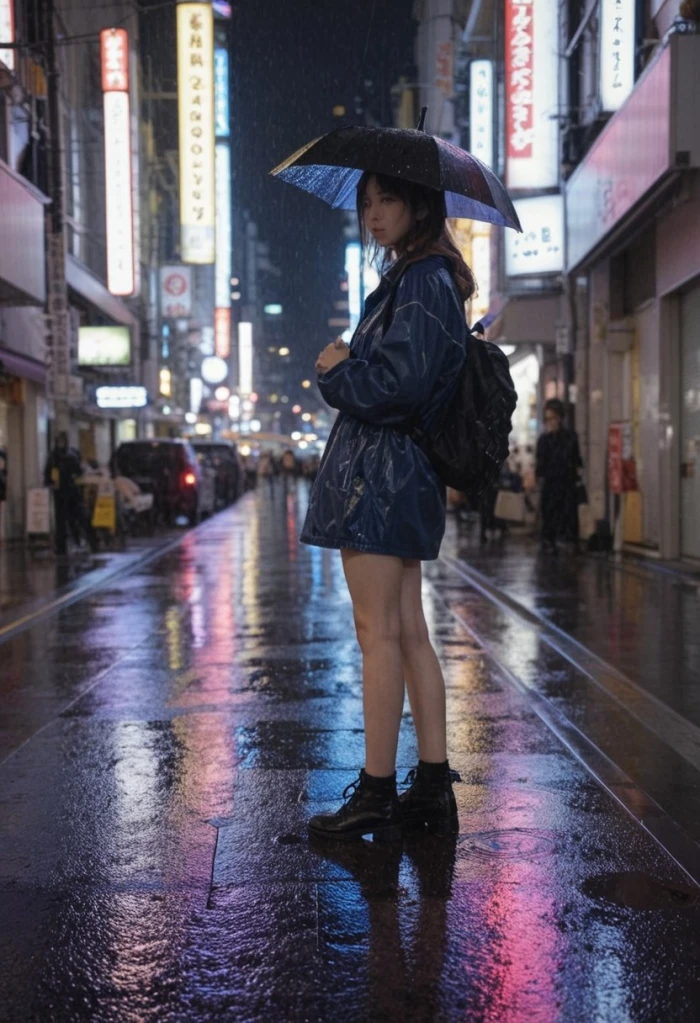
The selected variant landed close to the prompt's specifications: shallow depth of field is visible, the neon reflections on wet pavement read as intended, and the cinematic atmosphere comes through. Hand and finger detail is the weak spot that mainstream reviews consistently flag, and that limitation showed here too on close inspection. As a hero image for a creative post, the output is publishable; as a portrait reference for downstream work, it has the typical AI-image fingerprint issues.
AI Image Editing: Change Clothing
Test 02 . Continuation from the generated image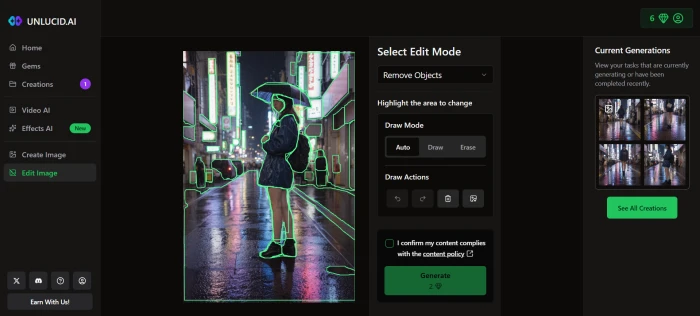
The editing surface presented multiple modification options including object removal, element replacement, background changes, recolouring, and appearance modifications. The change-clothing function was selected for this test to evaluate one of the platform's headline editing capabilities.
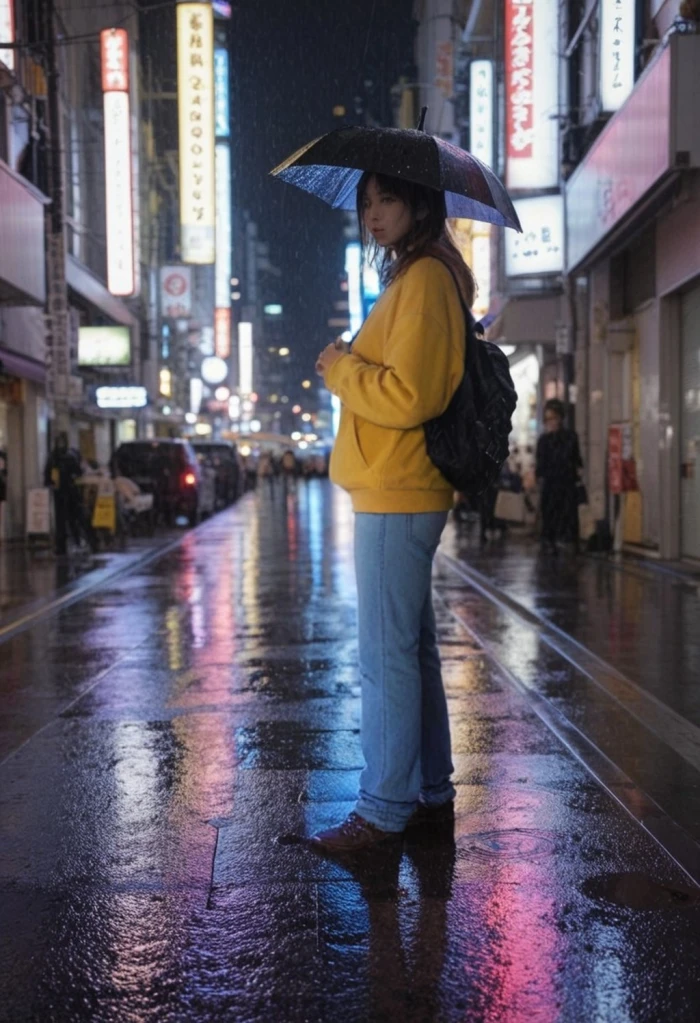
The change-clothing edit preserved the scene context (rainy Tokyo street, neon lighting, pose, framing) while modifying the clothing as requested. The edit boundary was clean enough on the body region; some softening was visible at the edge transitions, which matches the third-party reviewer consensus that Unlucid's editing handles simple tasks but reveals limitations on complex modifications. For social media or experimental use, the result is usable. For commercial retouching where pixel-level precision matters, the rough edges would need a Photoshop pass.
Video AI Attempt
Test 03 . Blocked at gem allocation wall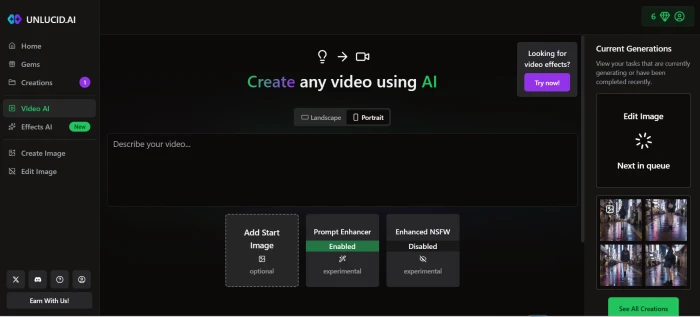
The video AI surface presents the 15+ preset effects in a browsable grid (Dance, Squish, Crush, Fly, Transform, Reveal, Earth Zoom Out, 360 Microwave, Thor's Thunder Eyes, and others). The workflow expects a source image and a motion prompt rather than freeform text-to-video, which is the right framing for a template-driven animation engine.
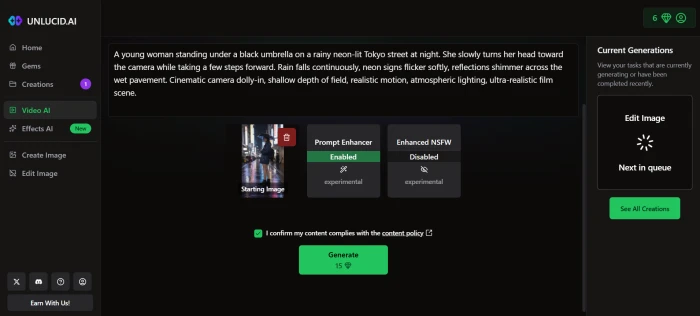
What actually happened at the generate step: The video generation request returned an "insufficient gems" message rather than producing a result. The 10 free gems available at signup had already been consumed by the successful image generation in Test 01 and the change-clothing edit in Test 02. Video generation requires a larger gem allocation per request than images or edits.
What this reveals about the free tier: The free gem allocation is enough to fully experience the image generation and editing capabilities, but it is not enough to complete a single image-to-video workflow that includes upstream image gen and editing steps. A first-time user who wants to test all three of Unlucid's core capabilities (image, edit, video) must purchase a gem bundle before the video step. The cheapest entry point is the 120-gem Starter Pack at $8.99.
10-Point Feature Review
Pros and Cons
- Genuinely uncensored, creates content mainstream platforms refuse
- Zero setup required, browser-based, no download, no powerful hardware
- Gems do not expire, paid credits roll over indefinitely
- Payment via Telegram card processing, unusual and raises PCI questions
- No customer support channel visible anywhere on the platform
- No mobile app, browser-only with no PWA or app store presence
- Unclear data ownership, no confirmation of who owns generated content
Pricing Breakdown
| Bundle | Price | Gems | Images | Edits | Videos | Cost/Gem |
|---|---|---|---|---|---|---|
| Free (signup) | $0 | ~10 observed | ~10 | ~5 | 0 (insufficient) | Free |
| 120 Gems | $8.99 | 120 | Up to 120 | Up to 60 | Up to 12 | $0.075 |
| 450 Gems | $29.99 | 450 | Up to 450 | Up to 225 | Up to 45 | $0.067 |
| 1,250 Gems (Best Deal) | $59.99 | 1,250 | Up to 1,250 | Up to 625 | Up to 125 | $0.048 |
Key details: All paid bundles remove watermarks. Gems do not expire. No subscription, one-time purchase, use at any pace. Payment is processed via card through Telegram or alternative payment options. The free signup allocation observed in testing (approximately 10 gems) is enough to test image generation and editing capabilities but not enough to complete a single video generation, which requires a higher per-request gem allocation than images or edits.
Unlucid AI vs the Top 5 Alternatives
| UUnlucid | RRunway | PPika | VVidu AI | MMidjourney | |
|---|---|---|---|---|---|
| Score | 6.2 | 9.0 | 8.2 | 7.8 | 9.1 |
| Starting Price | Free / $8.99 | $15/mo | Free / $10/mo | Free / $10/mo | $10/mo |
| Uncensored | ✓ | ✗ Filtered | ✗ Filtered | Partial | ✗ Filtered |
| Image Gen | Basic | Not primary | Not primary | ✓ | ✓ Best |
| Video Gen | Effects only | ✓ Gen-3 | ✓ | ✓ | ✗ |
| Output Quality | 60 to 70% | High | High | High | Best-in-class |
| Photo Editing | ✓ Basic | ✓ | ✗ | ✗ | ✗ |
| Mobile App | ✗ | ✓ | ✓ | Web | Web/Discord |
| Company Trust | Low | Funded startup | Funded startup | Newer | Established |
| Best For | NSFW experiments | Pro video | Quick clips | Image-to-video | Best image quality |
The picture: Unlucid's only competitive advantage is uncensored output. On image quality, Midjourney is in a different league. On video, Runway Gen-3 and Pika produce real AI-generated motion, not template animations. Vidu AI offers stronger image-to-video conversion. For creators who need uncensored generation and accept the quality trade-off, Unlucid is one of very few options. For everything else, every alternative listed here delivers better, more consistent results, and most provide a more navigable free tier.
Discussion
Join the discussion and share your perspective.
Madeline Foster
Oct 3, 2026My experience with it has been frustrating. It often ignores important instructions and creates random results instead of what I actually requested. For a tool that promises creative control, the lack of accuracy is a major problem. I would not recommend it in its current state.
Ryan Whitmore
Oct 1, 2026I gave Unlucid AI multiple chances, but it kept missing basic details from my prompts. The final images often looked random and required manual editing. Definitely not worth it for my workflow.
Avery Prescott
Sep 30, 2026The tool looks promising, but I faced issues with getting consistent results. Sometimes it worked well, but other times the generated images were far from what I described.
Samantha Murphy
Sep 25, 2026This tool is great for creators who need new visuals every day. I enjoy testing different concepts with it because the process feels fast and creative.
Austin Bryant
Sep 24, 2026Unlucid AI surprised me with how quickly it turns simple ideas into usable visuals. The quality is impressive, especially when I need quick concepts for social media and creative projects
Christopher Thomas
Jul 3, 2026Been using Unlucid AI for a couple of weeks and it's honestly a lot of fun. I like that it doesn't feel overly restrictive, so I can try random ideas without fighting content filters. The free daily gems are enough for casual use, and the image quality is surprisingly good. The only thing that annoys me is that failed generations still cost gems. The AI also misses the prompt sometimes, but that's part of the fun. Overall, I'd give it 4/5, great for messing around and making cool images, just not the most consistent if you need professional results.