
Unlucid AI vs Midjourney (2026): Which Is Better for Your Use Case?
I did not go into this comparison with a winner already picked. I ran both platforms through image generation and editing on the free tier, then pushed into video animation where the gem budget allowed. The answer to which one is better turned out to be more layered than I expected.
Midjourney and Unlucid AI are both AI image generation tools, but that shared category is about all they have in common. One is built for professional-grade output and creative consistency. The other is built for freedom. Choosing the wrong one does not just mean a worse experience: it means paying for something that does not solve your actual problem.
This article walks through the key differences category by category. By the end, you will know exactly which one fits your situation, and why this is less of a competition than most people assume going in.
What Each Tool Actually Is
Starting with the basics before getting into any comparisons.
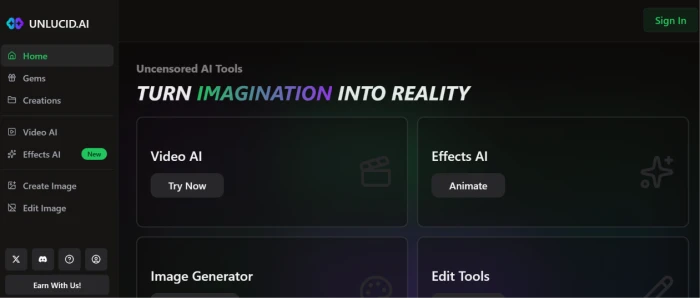
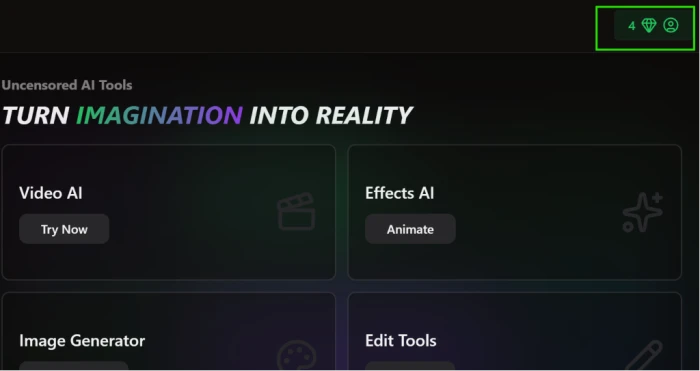
Unlucid AI is a browser-based creative platform offering text-to-image generation, image-to-video animation through 15+ preset effects, and AI-powered photo editing, all accessible without a download or software installation. The platform operates on a gem-based credit system with free gems at signup and no account required to browse. Its core positioning is uncensored output: prompts that get blocked on mainstream platforms go through on Unlucid without challenge. I covered the full onboarding experience, tested a cinematic Tokyo prompt, and ran the clothing edit tool in our full Unlucid AI review, so I will keep this section brief and focus on the comparison.
Midjourney is an AI image generation platform with a different product philosophy entirely. It does one thing, generating images from text prompts, and it pursues that single function at the highest quality tier in the consumer market. It does not offer video animation, photo editing, or background removal. It applies content filters that block NSFW content, fantasy violence, and a broad range of experimental creative categories. It began as a Discord-based tool but now operates from a dedicated web app at midjourney.com.
These foundational differences shape every section that follows.
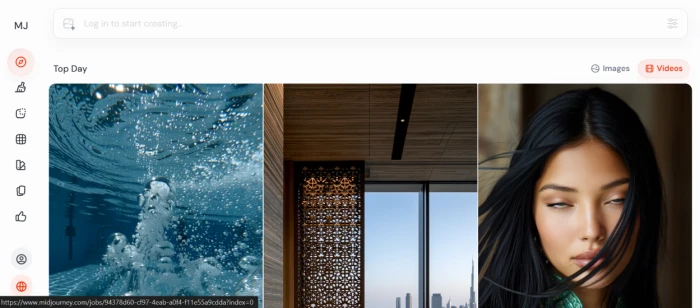
Image Quality: Where the Gap Is Largest
This is the most important section of this comparison, and the most honest.
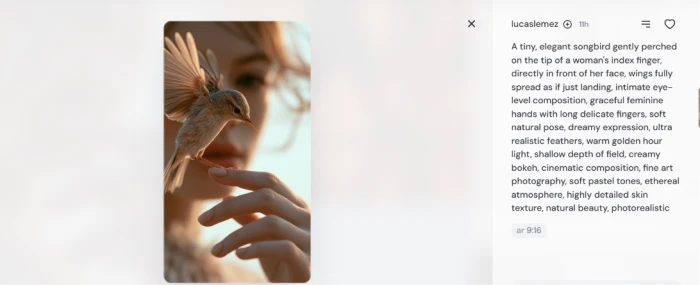
Midjourney produces the best AI-generated images available to consumer users. Consistent lighting, accurate anatomy including hands and fingers, high fidelity to complex prompts, and professional-grade output on the first or second attempt. Independent benchmarks and user testing consistently place Midjourney's success rate at 80-90% for well-crafted prompts.
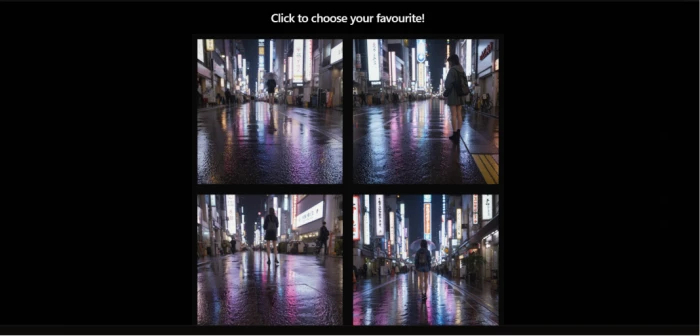
Unlucid sits at 60-70% by every independent measure, a figure that matched my own test session results. The four-variant output format, where Unlucid generates four image options per prompt rather than one, reduces the sting of individual misses. When 30-40% of outputs require a retry, the overall experience is meaningfully different from a tool where most prompts land correctly on the first generation.
My Tokyo cinematic prompt test on Unlucid produced four variants, all capturing the core scene elements: rainy street, neon reflections, a traveler with an umbrella, and cinematic framing. The selected output was publishable for social media or concept work. On close inspection, hands were soft, facial edges had typical AI image artifacts, and the cinematic quality read closer to a stock photo than DSLR output.
Midjourney on an equivalent prompt produces output that passes for professional photography on first inspection.
There is no framing where this becomes a close comparison.
What the 60-70% Hit Rate Actually Costs You
Quality per image is one measure. Reliability across a full session is what determines real usability, and this is where the retry rate starts to bite.
At a 30% failure rate, every ten Unlucid images costs three to four gem-burning retries. Gems are priced at $0.048 each on the best-value bundle, which sounds manageable in isolation. Factor in the retries and the effective cost per usable image rises to $0.07-$0.10. That gap compounds fast on any project that needs 50 or 100 usable images.
Midjourney is not failure-free. Complex multi-subject scenes or unusual spatial arrangements produce inconsistent results. The floor is just higher. The worst Midjourney output on a strong prompt is usually better than the average Unlucid miss, and the ceiling sits in a different category entirely.
For experimental sessions where you are exploring ideas rather than hitting a production target, the 60-70% hit rate is workable. Burn a few gems, adjust the prompt, move forward. For any deadline-driven creative work, it is a real constraint, and one that connects directly to the pricing math covered two sections below.
Output Styles and Variety
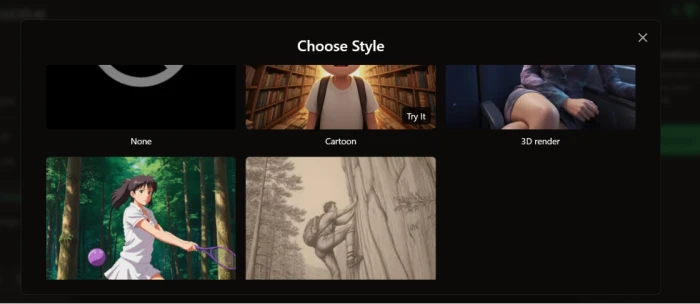
Unlucid gives you five preset style options at the point of generation: Cartoon, 3D, Anime, and Pencil/Sketch. Selecting a style before generating is simple and fast, which matters for creators who work across different content types without wanting to rewrite prompts from scratch. Switch from a realistic portrait to an anime illustration takes one click, not ten minutes of prompt research.
Midjourney handles style entirely through prompting. There are no preset buttons. Achieving an anime look, a 3D render aesthetic, or a pencil sketch requires knowing how to write for those styles, using style parameters, referencing known artists, or including specific style descriptors in the prompt itself. Experienced users appreciate this flexibility since the range is effectively unlimited. Beginners feel the learning curve immediately.
For quick style switching across a session, Unlucid wins on accessibility. For precise, nuanced stylistic control, Midjourney wins on ceiling. Neither approach is objectively better, it depends on whether you value speed or depth.
The Uncensored Advantage: Where Unlucid Actually Wins
Here is where the comparison flips, and it flips completely.
Midjourney applies content filters across a wide range of creative categories. NSFW content, nudity, fantasy violence, and prompts that seem benign but trigger pattern-matching rules all return refusals. Canva AI and Adobe Firefly apply even stricter moderation. The mainstream platforms have converged on restrictive filtering policies with no appeal process available for individual creators.
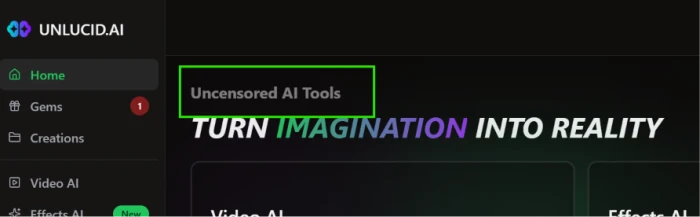
Unlucid does not block these prompts. The uncensored label is genuine: what gets refused on Midjourney goes through on Unlucid without challenge.
For creators in the following situations, this is a structural difference in the product:
- Adult content creators producing material for platforms where such content is explicitly permitted
- Fantasy and horror illustrators whose stylistic prompts keep triggering false-positive refusals on filtered platforms
- Concept artists testing dark or boundary-pushing scenarios for legitimate creative or commercial projects
- Experimental artists exploring themes that mainstream tools flag regardless of intent or framing
If none of those descriptions fit your work, the uncensored angle does not change how this comparison ends. Midjourney wins on every other dimension covered in this article.
Pricing: One-Time Gems vs Monthly Subscription
The pricing structures are different enough that a direct cost comparison depends entirely on how often you generate images. There is also a critical detail about Midjourney's tiers that most comparisons miss.
| Unlucid AI | Midjourney | |
|---|---|---|
| Free Tier | ~10 gems at signup + free daily gems | None (no free trial as of 2026) |
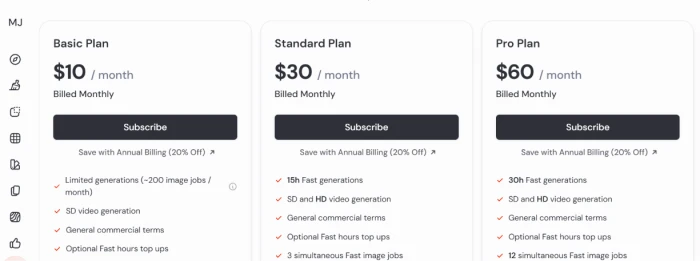
| Entry Paid | $8.99 for 120 gems | Basic: $10/month (~200 Fast images) |
| Mid Tier | $29.99 for 450 gems | Standard: $30/month (unlimited Relax Mode) |
| Best Value | $59.99 for 1,250 gems | Standard annual: ~$24/month (20% off) |
| Annual Discount | None | 20% off all plans, billed upfront |
| Pricing Model | One-time, gems never expire | Monthly subscription |
| Cost/Image (headline) | $0.05-$0.08 | ~$0.05 on Basic; near-zero on Standard Relax |
| Cost/Image (after retries) | ~$0.07-$0.10 effective | Same as headline — no retry cost penalty |
| Watermark | Free tier only | None on all paid plans |
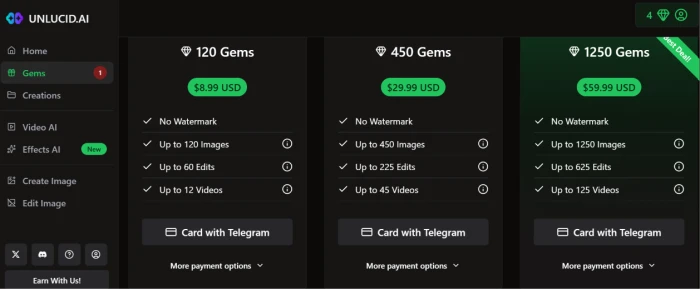
Pricing verified June 27, 2026. For the latest rates visit the official pages: Unlucid AI Gems and Midjourney Plans.
The one-time gem model has a real advantage for occasional users. Buy the 1,250-gem bundle once at $59.99 and those gems last as long as you need. No subscription invoice arrives next month. No decision to cancel before a billing cycle hits.
The detail that changes Midjourney's pricing picture: the $10/month Basic plan gives you approximately 200 Fast-mode images per month with no access to Relax Mode. Unlimited image generation via Relax Mode starts at the Standard plan at $30/month. For most creators who generate regularly, $30 is the realistic entry point, not $10. At 200 or more images a month on Standard, the marginal cost per image approaches zero while Unlucid's retry-adjusted costs stay in the $0.07-$0.10 range regardless of volume.
One practical note that connects to the trust section below: Unlucid's gem payments route through Telegram for card transactions. This is a non-standard payment path that raises a reasonable question before you enter card details.
Ease of Use: Both Are Accessible, One Starts Faster
Neither tool requires a technical setup or a software download.
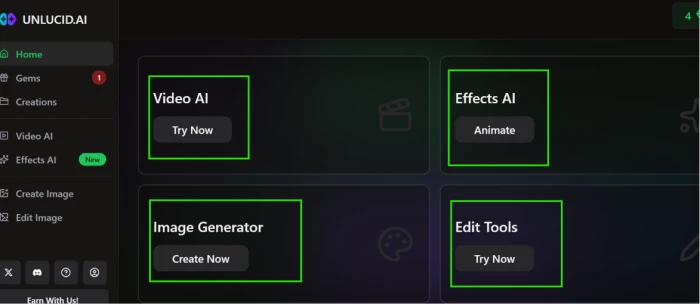
Unlucid opens in a browser tab. No account required to browse, no payment information needed for the free tier. My test session went from landing on the dashboard to a four-variant output in under three minutes. The interface is minimal and built for immediate use.
Midjourney's original Discord-based workflow was a genuine friction point for new users unfamiliar with Discord's interface logic. The dedicated web app at midjourney.com has reduced that barrier, but the UX still carries the architecture of its Discord origins in certain places.
On mobile, Midjourney has the stronger experience. Unlucid has no iOS or Android app. The mobile browser works, but it is not the intended environment. For anyone generating images primarily on a phone, that gap matters.
Trust and Transparency: The Factor Most Comparisons Skip
This section changes the risk profile of using Unlucid, and most comparison articles treat it as a footnote. It deserves more than that.
Midjourney is a named company. The team is public. Support documentation exists and is actively maintained. Terms of service are specific and legally legible. The platform has operated since 2022 with a track record visible across thousands of user reports. You know exactly who you are paying and what you agreed to.
Unlucid discloses no company name, no address, no legal entity, and no support channel anywhere on the website. The domain's WHOIS data is hidden. ScamAdviser has flagged it with a low trust score citing hidden ownership and lack of business transparency. Gem payments route through Telegram for card transactions, an unusual path that raises compliance questions about how card data is handled.

The platform delivers output, as my own test confirmed for image generation and editing. But delivering output and being a trustworthy long-term platform are not the same thing.
If you use Unlucid: generate content, download it, and end the session. Do not upload personal photos or images with identifying information. If something goes wrong with a payment or an account, there is no visible support channel to reach. That is the real risk, and it is not hypothetical given the platform's zero-disclosure posture on every business detail.
Content Ownership and Commercial Rights
Midjourney is explicit on this. Paid subscribers own the images they generate and can use them commercially, in client work, advertising, websites, and products. One restriction applies: companies with more than $1 million USD in annual gross revenue are required to use the Pro or Mega plan to retain full commercial rights. That clause is in Midjourney's published Terms of Service and worth reading if your business is near that revenue threshold.
Unlucid's ownership policy is effectively unstated. The platform does not clearly confirm whether users own generated outputs, how long generated content is stored on their servers, or whether uploaded images are used for model training. Some third-party sources note that outputs are generally usable for personal or commercial projects, but recommend checking Unlucid's licensing terms for specifics. A platform with no visible legal entity behind it that also has unclear output ownership is a meaningful risk for any commercial use.
For any creator planning to use AI-generated images in client work or paid advertising, this distinction matters more than most people check before generating their first image.
Community and Learning Resources
Midjourney has built one of the largest AI art communities online. The r/midjourney subreddit has over 680,000 members. Official documentation covers prompting, parameters, version differences, and billing in detail. Thousands of prompt guides, style references, and video tutorials exist specifically for Midjourney across YouTube and creator platforms. When something breaks or a prompt does not land as expected, finding the answer takes minutes.
Unlucid has almost none of this. No official documentation beyond the basic interface. No large community forum. No library of prompt guides specific to the platform. What exists is scattered across a small number of Reddit posts and a handful of YouTube videos, most of which are surface-level walkthroughs rather than in-depth references.
For beginners especially, this gap matters more than it might seem. When a prompt fails on Unlucid, there is no community to diagnose why. On Midjourney, the answer has almost certainly already been posted, answered, and upvoted.
Side-by-Side Verdict
| Category | Winner | Notes |
|---|---|---|
| Image Quality | Midjourney | No real contest at the professional tier |
| Output Consistency | Midjourney | 80-90% vs 60-70% hit rate |
| Uncensored Output | Unlucid AI | Its only clear competitive advantage |
| Output Style Presets | Unlucid AI | 5 one-click presets vs prompting-only on Midjourney |
| Pricing (Occasional Use) | Unlucid AI | Gems never expire, no monthly commitment |
| Pricing (Regular Use) | Midjourney | Unlimited Relax Mode from $30/month on Standard |
| Ease of Use | Unlucid AI | Fastest path from first visit to first output |
| Mobile Experience | Midjourney | No Unlucid iOS or Android app |
| Company Trust | Midjourney | Named, documented, operating since 2022 |
| Content Ownership | Midjourney | Clear commercial rights; Unlucid policy is unstated |
| Photo Editing Tools | Unlucid AI | Midjourney does not offer image editing |
| Community and Docs | Midjourney | 680K+ subreddit; Unlucid has almost no community |
| Video Generation | Neither | Unlucid has preset effects only; Midjourney has none |
Use Unlucid AI if: you need uncensored output, generate images occasionally rather than daily, and accept the quality ceiling in exchange for creative freedom. The five preset styles are a practical advantage if you switch content types frequently. Treat it as a sandbox for ideas, not a production tool for deliverables.
Use Midjourney if: output quality, consistency, and commercial rights clarity matter for your work, content filters are not blocking your prompts, and you generate images regularly enough for the Standard plan at $30/month to pay for itself. The community alone makes the learning curve shorter than any alternative at this quality level.
Midjourney is a professional image generation tool. Unlucid is an uncensored creative sandbox. If content filters are not your problem, Midjourney wins. If they are, Unlucid is one of the few options that does not say no.
Comments
Join the discussion and share your perspective.