
Two AI image editors keep landing in the same search results: Remaker AI and Cutout.Pro. On the surface they look interchangeable. Both run in the browser, both sell credits, both offer a free tier and a long menu of AI tools.
They are built for opposite jobs.
One is a face-swap and creative-image engine. The other is a background-removal and e-commerce workhorse. Buy the wrong one and you’ll pay for video face-swapping you never touch, or a product-photo pipeline you didn’t need. This comparison tests both against the work people actually do with them, then tells you which one fits yours.
Quick Verdict
Short on time? Here’s who takes each job.
| Use case | Better pick |
|---|---|
| Face swap (photos and video) | Remaker AI |
| Background removal | Cutout.Pro |
| Product and e-commerce photos | Cutout.Pro |
| Batch editing at scale | Cutout.Pro |
| Memes and creative edits | Remaker AI |
| AI headshots and portraits | Remaker AI |
| Passport and ID photos | Cutout.Pro |
| Easiest first session | Tie |
The one-line version: Remaker AI is the creative tool, Cutout.Pro is the production tool. The rest of this page shows the testing and pricing behind that call.
What Are These Tools?
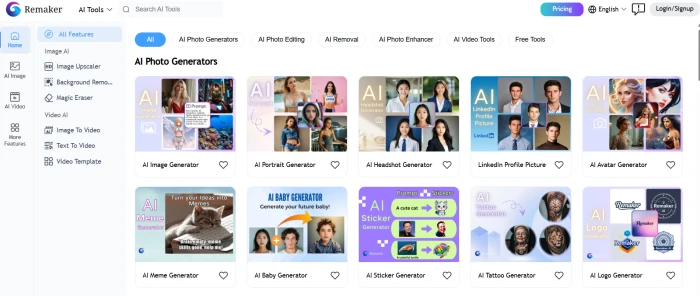
Remaker AI is a browser-based AI editor that made its name on face swapping. A viral reel, or a friend’s head dropped onto a movie poster, is how most people first meet it. Behind that one trick sits a wider product. The platform now bundles image upscaling, background removal, AI portraits, image-to-video animation, and a text-to-image art generator under a single login. It runs on credits rather than a monthly plan. You get 30 free credits at signup plus a small daily top-up, and most edits cost one or two credits each. Purchased credits don’t expire. The target user is the content creator, the meme maker, and the small team that wants fast results without opening Photoshop. Full notes are in the Remaker AI review.
Cutout.Pro is also browser-based, but its center of gravity is background removal. It cuts a subject out cleanly, processes product shots in bulk, strips backgrounds from video up to 4K, and builds compliant passport and ID photos. Around that core sit photo enhancement, portrait generation, and an art generator. It launched in 2018 and has built a following among online sellers and photographers who need reliable cutouts at speed. Pricing mixes monthly subscriptions with credit packs. The Cutout.Pro review covers the finer points.

Feature Comparison
The menus overlap, but the depth behind each feature is where they separate.
| Feature | Remaker AI | Cutout.Pro |
|---|---|---|
| Face swap (single and multi) | Yes, core strength | Limited |
| Video face swap | Yes | Limited |
| Background removal | Yes | Yes, core strength |
| Video background removal | Basic | Yes, up to 4K |
| AI headshots and portraits | Yes | Yes |
| Image upscaling | Yes | Yes |
| Batch processing | Limited | Strong |
| Passport and ID photos | No | Yes |
| AI art generation | Yes | Yes |
| API access | Yes | Yes |
Read the table top to bottom and the pattern is clear. Remaker is organized around faces. Cutout.Pro is organized around isolating a subject and cleaning it up at volume. Keep that split in mind as you read the head-to-head sections, because it explains almost every difference in output quality.
Face Swap Comparison
This is Remaker’s home turf.
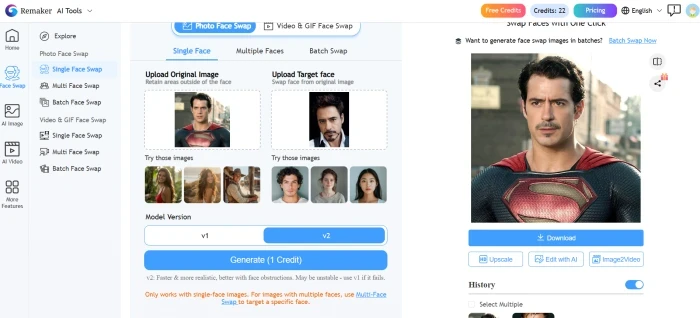
Remaker handles single-face swaps, multi-face swaps in group photos, batch jobs, and short video clips. On everyday portraits the blend is convincing. The engine matches skin tone and lighting reasonably well, keeps expressions intact, and exports without a watermark, which matters if you post the result straight to social media. Quality holds up best on front-facing shots in even light. Extreme head angles and harsh shadows are where seams start to show, the weak spot most face-swap tools share.
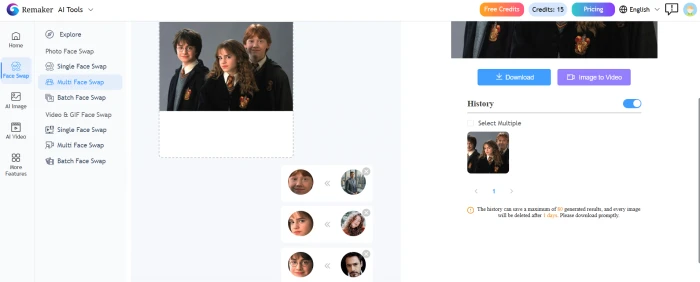
Multi-face swaps are a standout. You can target several faces in one group photo and replace them in a single pass, and the tool marks each detected face so you control which one goes where. Video swapping exists too, with motion tracking that has improved over recent updates. Two caveats apply. Video burns through credits far faster than stills, and the feature advertised as free actually needs paid VIP credits before it unlocks.
Remaker also runs content checks. Its terms ban deepfakes and adult material, and the system screens uploads before and after generation. That keeps the platform on the right side of policy, though it means some edits get blocked.
Cutout.Pro is a different story. It doesn’t ship a true face-swap tool. Its portrait features generate AI headshots and stylized portraits from your own photos, which is a separate task from dropping one person’s face onto another body or image. If face swapping is the reason you’re shopping, this single gap settles the question.
Winner: Remaker AI. It’s the only one of the two actually built for the job.
Background Removal Comparison
Now the tables turn.
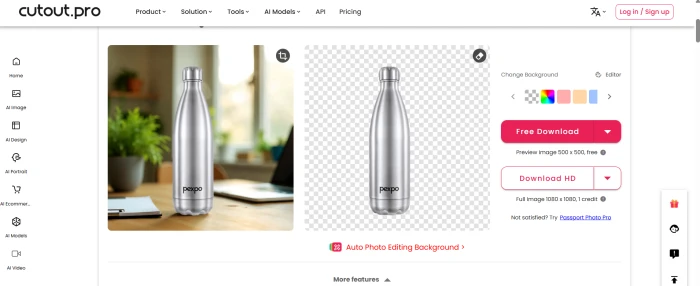
Cutout.Pro’s cutouts stay clean on the parts that usually break automatic tools. Hair strands, fur, and semi-transparent edges hold up well, and the output sits on a true transparent background ready for a new color or scene. The edge detection is the selling point. Where cheaper removers leave a halo or a ragged outline, Cutout.Pro’s result usually needs no touch-up at all.
For product photography it produces the crisp white-background shots that Amazon and Shopify listings demand, and it runs across a whole folder in one batch instead of one file at a time. There’s a Shopify integration for sellers who want removal wired into their store, plus API access for teams automating the job at scale. It also strips backgrounds out of video, which most rivals don’t offer.
Remaker includes a background remover too. It works for simple subjects on plain backgrounds. It sits behind the face-swap tools as a convenience feature rather than a precision instrument, and on hair, fur, or large product sets, Cutout.Pro pulls clearly ahead.
Winner: Cutout.Pro.
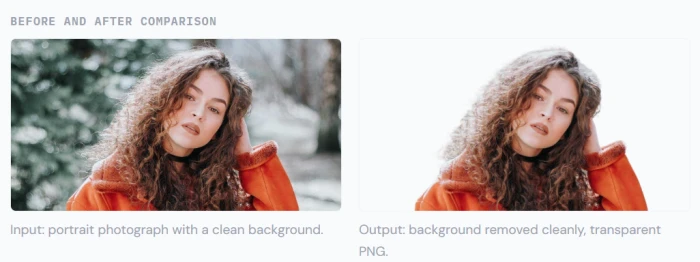
Image Upscaling and Enhancement
Both tools can rescue a low-quality photo, and this contest is closer than the headline features suggest.
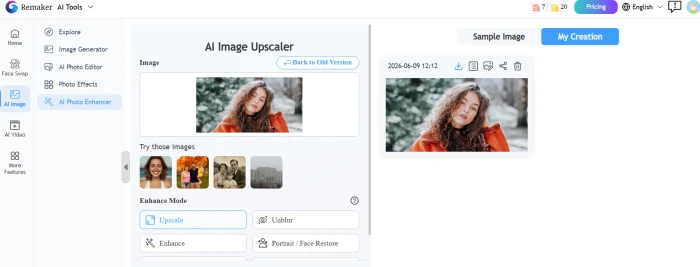
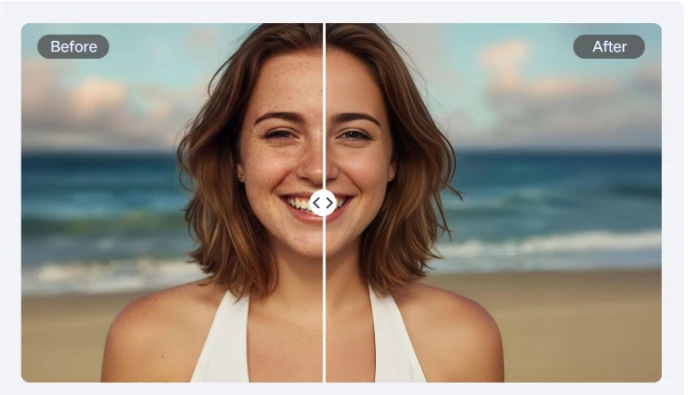
Remaker’s upscaler is one of its strongest tools, and reviewers who put it through real photos often rate it above the face swap. Feed it a small, grainy, or aging picture and it adds resolution and sharpens detail without turning the image to mush. For anyone digitizing old family snapshots, it’s a reason to keep credits on hand.
Cutout.Pro takes a broader approach to image quality. Alongside upscaling it offers denoising, color correction, old-photo colorization, and restoration of damaged scans. The enhancement suite is wider, so it suits someone cleaning up a varied archive rather than just bumping resolution on a single file.
Both upscale well. Remaker is the sharper single-purpose tool, while Cutout.Pro hands you more repair options in one place.
AI Image Generation Comparison
Both tools bolt a text-to-image generator onto the editor. Neither replaces a dedicated art model, so set expectations accordingly.
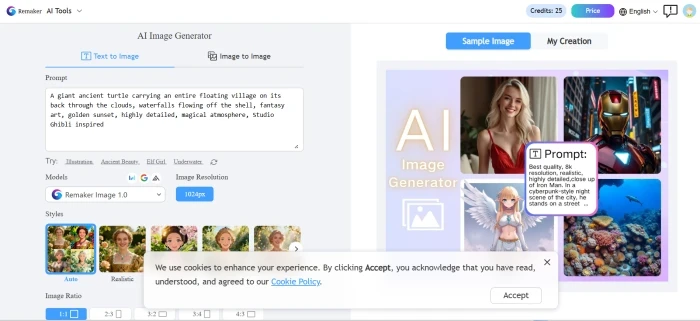
Remaker’s generator leans playful. It turns prompts into shareable images quickly and includes a prompt helper that nudges beginners toward better results, which suits social posts and quick concepts. Cutout.Pro’s generation is wired into its portrait and product workflow, so it fits commercial visuals and headshots better than wild creative experiments. On simple prompts, accuracy and consistency are roughly comparable. Both wobble on busy scenes packed with several subjects.
For creative range, Remaker has a slight edge. For on-brand commercial images, Cutout.Pro’s tie-in to its other tools is the more practical fit.

Video Features Comparison
Video is where the two tools diverge hardest, because each one points its video features at a different goal.
Remaker’s video work centers on faces and motion. It swaps faces in clips, animates a still photo into a short moving shot for Reels or TikTok, and offers a talking-photo effect that brings a portrait to life. These are creator-facing tricks. They look good in short bursts, and they consume credits quickly, so they fit social clips rather than long projects.
Cutout.Pro’s video tools are utilities. Its headline act is video background removal at up to 4K, billed separately at roughly thirty cents a minute, with a short low-resolution trial clip so you can test before paying. It also enhances video quality and generates simple clips. For a creator who films without a green screen, clean background removal on footage is the real differentiator.
Want face-driven video? Remaker. Want a clean background pulled off your footage? Cutout.Pro.
Speed and Processing
Neither tool needs a powerful computer, since all the heavy lifting runs in the cloud. On still images both feel quick, often returning a result in a few seconds. Remaker hits occasional slow spells during peak load, and its preview-before-download step saves you from spending credits on a result you won’t use.
Video is the bottleneck on both. Longer clips and higher resolutions take real time to process, and that’s a function of the task rather than the platform.
Ease of Use
A beginner can get a usable result from either tool in minutes.
Remaker keeps every tool in a left-hand rail. You pick the tool, upload an image, and download the result. There’s almost nothing to learn.
Cutout.Pro’s editor is just as simple to operate. The friction isn’t the interface, it’s the pricing. The mix of subscriptions, pay-as-you-go credits, separate video rates, and roll-over rules takes a minute to understand before you commit money. So the honest answer: both are easy to use, but Cutout.Pro asks you to read the pricing page first.
Pricing Comparison
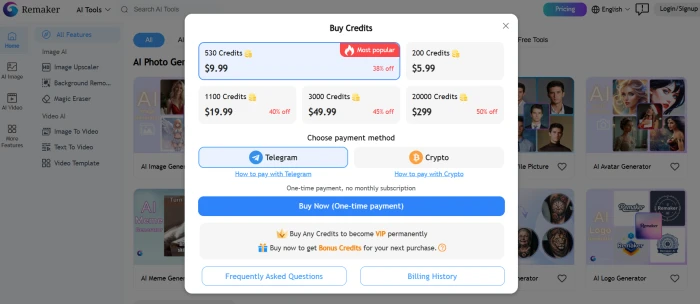
Prices on both tools change often, so confirm the current numbers on each official pricing page before you publish or buy. Here’s the structure as it stands.
| Remaker AI | Cutout.Pro | |
|---|---|---|
| Free plan | 30 credits at signup, plus daily free credits | 5 free credits |
| Billing model | Credit packs only, no subscription required | Subscriptions plus credit packs |
| Entry price | Packs from about $2.99 for 150 credits (one-time) | Subscriptions from about $5/month; packs from about $2.99 |
| Credit expiry | Purchased credits don’t expire | Credits roll over up to 5x your monthly amount |
| Video pricing | Video face swap costs more and needs VIP credits | Video background removal billed separately, around $0.32/min |
| API plans | Yes, via the developer portal | Yes, from about $49.99/month |
The value answer depends on volume. Picture two users. The first does ten edits a month, mostly face swaps and the odd upscale. Remaker suits them better, because the credits don’t expire and there’s no subscription draining money in the quiet weeks. The second processes five hundred product photos a month for a store. Cutout.Pro wins that scenario, since a monthly plan drops the per-image cost well below what pay-as-you-go credits could ever reach.
One shared warning: video is the cost sink on both platforms. Test a short clip before committing to a long render, whichever tool you pick.
Performance Testing
Five head-to-head tests separate marketing claims from real output.
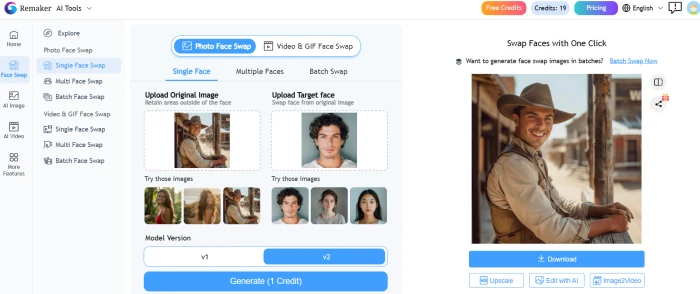
Test 1: Portrait face swap. Swapped one face in a clean, well-lit portrait. Score the blend at the hairline, the skin-tone match, and whether the eyes and expression survive the swap. This is the baseline every face-swap tool should pass.
Test 2: Group face swap. Swapped two or more faces in a single group photo. Watch for the tool mixing up which face goes where, and for quality dropping on the smaller faces toward the back of the frame.

Test 3: Background removal on a tricky subject. Remove the background from a photo with flyaway hair or fur. Inspect the edges at full zoom and check for halos, gaps, or chewed-up strands against a transparent backdrop.
Test 4: Low-resolution photo enhancement. Upscale a small, grainy image and compare recovered detail against added artifacts. An old scanned snapshot makes a good stress test.
Test 5: Batch processing. Run a folder of product images through each tool at once and time. Note how many files each plan lets you queue, and whether quality stays consistent across the batch.
| Test | Expected winner |
|---|---|
| Portrait face swap | Remaker AI |
| Group face swap | Remaker AI |
| Background removal | Cutout.Pro |
| Low-res enhancement | Tie |
| Batch processing | Cutout.Pro |
Who Should Use Remaker AI?
Pick Remaker AI if you are a:
Content creator or social media manager making face-swap reels and memes
Hobbyist who wants quick, fun edits without a subscription
Small business owner doing occasional creative visuals or one-off upscales
Developer who needs a face-swap API for images or video
Who Should Use Cutout.Pro?
Pick Cutout.Pro if you are a:
E-commerce seller cleaning up product photos in bulk
Marketer or designer who needs precise cutouts and transparent backgrounds
Photographer processing large batches of images
Content creator filming without a green screen who needs video backgrounds removed
Agency producing branded visuals at scale, or anyone making passport and ID photos at home
Final Verdict
Choose Remaker AI if face swapping or quick creative images are the point. It’s purpose-built for swaps, it skips the subscription, and its upscaler is a quiet bonus. The free credits make it easy to test before you spend anything. See the Remaker AI review for the full rundown.
Choose Cutout Pro if your work is background removal, product photography, or high-volume editing. Its cutouts hold up on hard edges, and it scales to batch jobs and video that Remaker can’t match. A subscription keeps the per-image cost low once you’re running real volume. The Cutout.Pro review goes deeper.
Comments
Join the discussion and share your perspective.