
Last month I gave myself a challenge: build the same small business website twice, once with Wix AI and once with Framer AI, then publish both and compare the results in public. No shortcuts, no template head start, no design help, no second opinions. Just me, two AI builders, one identical brief, and a stopwatch.
I picked these two because they sit at opposite ends of the AI builder market. Wix promises a complete business in a box, with a store and a booking system generated before you finish your coffee. Framer promises design quality that looks agency-made, produced from a two-sentence prompt. Both claim you can go live in minutes, and I wanted to know what those minutes cost you later, once you have to run a real site on what the AI produced.
This article walks through that experiment round by round, with my personal ratings for each category and a full scorecard near the end. If you only have thirty seconds, the next section gives you the short answer.
The Short Answer
Wix AI wins for anyone selling products or taking bookings, because its store, payments, scheduling, and marketing tools work the moment generation finishes. Framer AI wins for portfolios, landing pages, personal brands, and startup marketing sites, because its output looks hand-built and loads faster. My scorecard separated them by half a point out of forty.
That half point hides a lot of drama.
Wix took four rounds. Framer took four. The interesting part is how differently each platform earned its wins, and that story starts with how I set up the test.
Wix AI vs Framer AI at a Glance
| Category | Wix AI | Framer AI |
| Best for | Stores, bookings, service businesses, beginners | Portfolios, startups, marketing sites, designers |
| Free plan | Full AI builder, Wix branding | One published site, Framer branding |
| Cheapest paid plan | Light at about $17 per month | Mini at about $10 per month |
| Native ecommerce | Yes, from the Core plan | No, integrations only |
| Design freedom | Good, inside structured sections | Excellent, freeform canvas |
| My total score | 32.5 / 40 | 33 / 40 |
Every number in that table gets unpacked in the rounds below, so hold your objections until Round 8.
How I Ran the Test
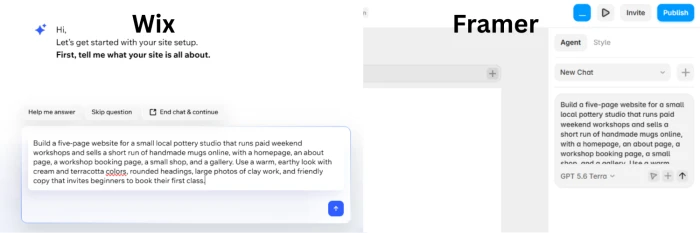
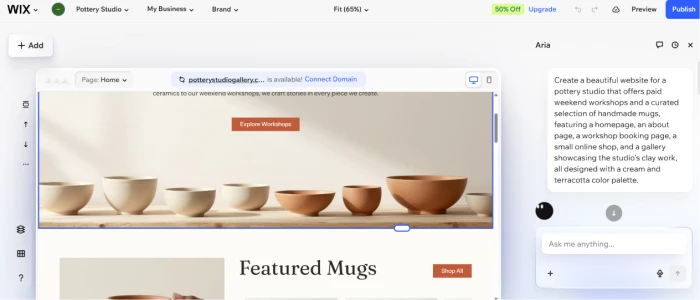
Both platforms received the same brief: a website for a small pottery studio that runs paid weekend workshops and sells a short run of handmade mugs online. The site needed five pages, including a booking page for the workshops and a small shop for the mugs.
I chose this brief on purpose. A pottery studio needs the business machinery where Wix is strong and the visual character where Framer is strong, so neither platform started with a home-field advantage.
My rules were simple:
• Same brief, typed into each platform's AI in the same words, on the same afternoon.
• A stopwatch running from signup to the first generated draft.
• No custom code on either side, because the target reader of this article is not a developer.
• Both sites published live on free plans, so I could run speed tests against real URLs.
The whole experiment ran over eight days in July 2026, on a mid-range laptop in Chrome. Every rating below comes from this one build. Where I quote a number, such as a generation time or a PageSpeed score, it came off my own screen, and each screenshot slot below tells you how to reproduce it.
What Wix AI Actually Is
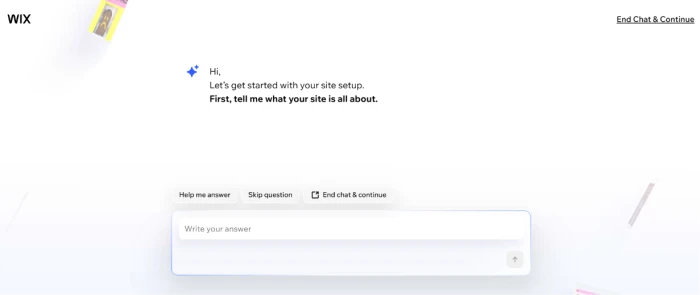
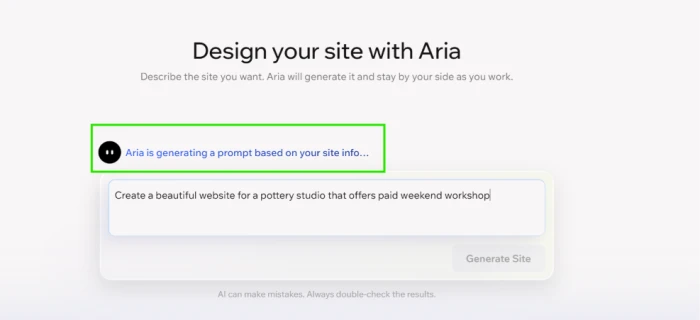
Wix retired its old ADI builder in late 2024 and replaced it with a conversational system. You chat with an assistant about your business type and your style preferences, and it generates a full site: layout, copy, images, and colors, plus any business apps it decides you need. The assistant remembers your corrections during the session, so a font choice you fix early gets respected in sections it generates later.
Generation is only the front door. Wix ships more than 20 AI tools across the platform, and four of them did real work during my test:
• The AI text creator, which rewrites any headline or paragraph and accepts refinement commands like "make it shorter" or "make it warmer."
• The AI section creator, which builds a complete new page section from a one-line description.
• The AI image tools, which generate pictures and handle edits such as background removal.
• The AI product description writer inside the store dashboard, which I cover properly in Round 5.
Everything lands inside the classic Wix drag-and-drop editor. Keep that detail in mind, because the editor is where Wix gives back some of the ground it gains here, and Round 2 is all about it.
What Framer AI Actually Is
Framer started life as a design tool, and its AI features show that heritage. The goal is a polished layout on the canvas as fast as possible, which you then refine the way a designer would.
Four features define the 2026 version of Framer AI:
• Wireframer, which turns a text prompt into a structured, multi-page layout with real sections rather than lorem ipsum boxes.
• Workshop, an AI panel that builds working components, such as a pricing calculator or an interactive schedule, from a plain-English request.
• AI Translate, which localizes an entire site into more than 100 languages.
• AI plugins, which connect outside models for jobs like image generation and automatic alt text.
There is no chat interview here. You type a prompt and Framer processes it for under a minute. A finished-looking site appears on a freeform canvas.
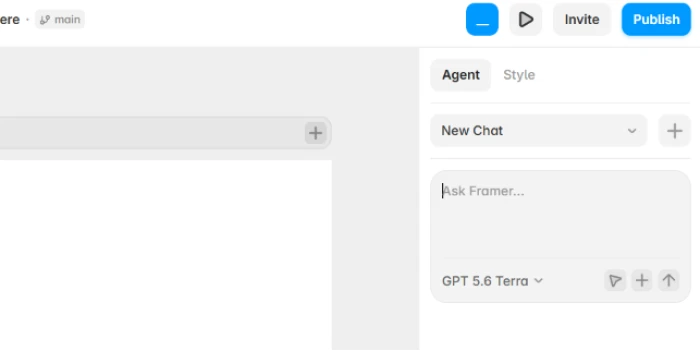
What that canvas feels like to edit turned out to be the biggest single difference between these platforms, and the head-to-head starts there in a moment.
The Head-to-Head: Eight Rounds
Each round ends with a winner and my rating out of five for both platforms. The running totals land in the scorecard after Round 8.
Round 1: AI Site Generation
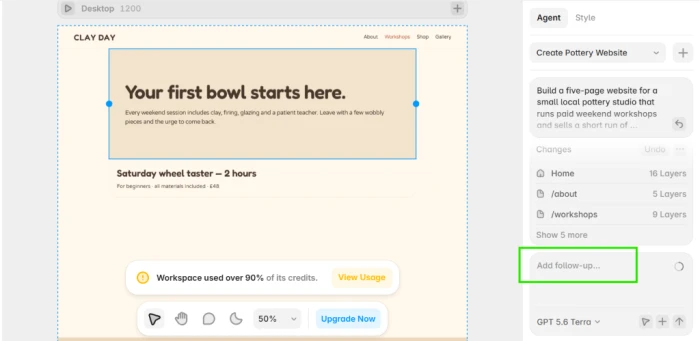
Wix opened with an interview. The assistant asked about my business type, my location, whether I take appointments, and what mood the design should carry. Answering took a little over six minutes, and generation itself took about 40 seconds. The draft included a working booking page and a store with placeholder products already wired to a checkout, which foreshadows Round 5 nicely.
Framer skipped the conversation entirely. I typed two sentences describing the studio, and 50 seconds later I had a five-page site with a hero section, a gallery grid, scroll animations, and a styled contact footer. It looked like work a freelance designer would charge four figures for.
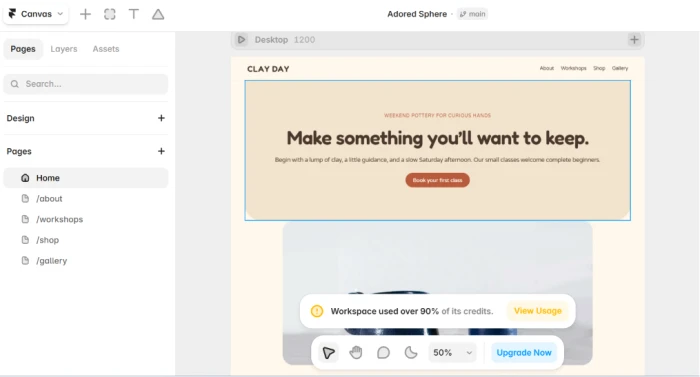
The copy told a different story. Framer's text ran generic in places, with filler lines I ended up rewriting on all five pages. Wix's copy referenced pottery workshops specifically and needed fewer edits, which I credit to those six minutes of interview questions. Slower input, better output.
Winner: Framer, by a nose, on the strength of the first draft's design. Wix AI: 4/5. Framer AI: 4.5/5.
Round 2: Design Flexibility and the Editor
This round was the least close of the eight.
Framer's canvas works like a design tool because it is one. You can place any element anywhere and control every breakpoint by hand. Animations are built in, with no plugins required. When the generated hero felt cramped, I dragged spacing values until it breathed. Workshop, which I introduced in the previous section, built me a custom workshop-schedule component from a single sentence, and it matched my site's styling without being told to.
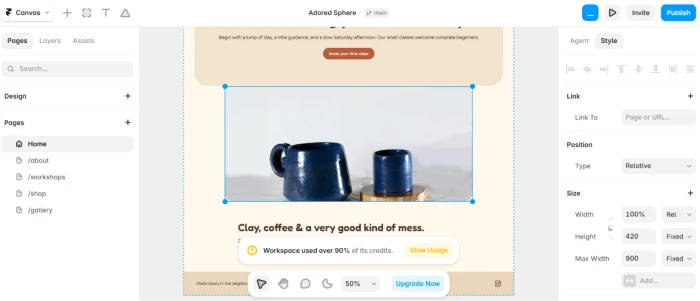
Wix's editor is friendlier but boxier. Elements snap into sections, and while you can move things freely, complex layouts push back. I spent 20 minutes trying to recreate an overlapping image stack that took four drags in Framer, and eventually settled for a simpler arrangement. Wix Studio narrows this gap for professionals, but I tested the standard editor that the AI flow drops every new user into, because that is what most readers of this comparison will actually touch.
If pixel-level control is your priority, this round decides the entire comparison for you.
Winner: Framer. Wix AI: 3.5/5. Framer AI: 5/5.
Round 3: AI Content Tools
Generation gets you a draft. These are the tools you live with afterward, and here the platforms trade places.
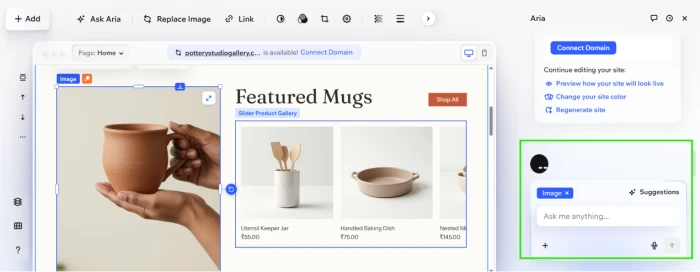
Wix's AI text creator sits one click away from any text box. I asked it for a workshop description, then answered with "warmer" and "shorter" until the tone matched the studio. The section creator was the sleeper hit of my entire test: I typed a request for a two-column section with instructor photos and short bios, and it produced a styled section that matched my fonts and palette on the first try. The store's AI product writer turned a mug's name and two attributes into a description I published after light edits.
Framer's equivalent strengths are structural rather than editorial. Workshop builds components, and AI Translate produced a German version of my entire site in minutes, a job that would take a Wix multilingual setup considerably longer. For everyday copy tweaks, though, Framer handed me fewer tools than Wix did, and I felt the gap on day three when I was polishing page text.
Winner: Wix. Wix AI: 4.5/5. Framer AI: 4/5.
Round 4: Templates
Neither platform forces you to start from AI, so I spent an afternoon in both template libraries as a control group for the generated drafts from Round 1.
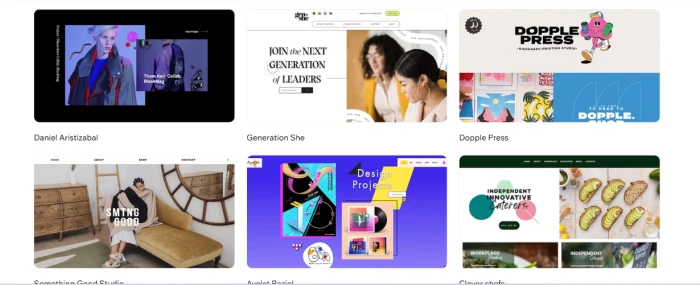
Wix offers more than 800 templates across nearly every business category you can name. The range is the point here: restaurant menus, gym schedules, law firm layouts, wedding registries. Quality varies noticeably, and a portion of the library looks dated next to what the AI now generates, which creates the odd situation where skipping the templates produces a more modern site.
Framer's library is smaller and curated, with much of it built by its designer community. Almost every template I opened looked current, with motion design already wired in, and several were strong enough that I questioned my own generated draft.
Templates matter less on both platforms now that AI generation is the default starting point. Neither onboarding flow even showed me a template gallery first.
Winner: Framer on quality, Wix on range. I weight quality higher, so Framer takes the round. Wix AI: 4/5. Framer AI: 4.5/5.
Round 5: Ecommerce and Business Tools
Here is where the pottery studio brief stopped being hypothetical. The site needed to take workshop payments and sell mugs, and only one platform treated that as a native job.
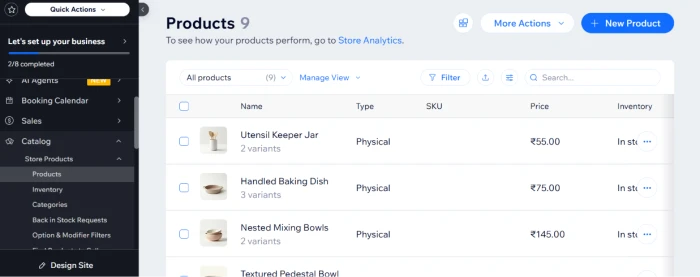
Wix generated a store during the interview, as I mentioned back in Round 1. Adding real products took minutes. Bookings, payments, inventory, and tax settings all live in one dashboard, and the AI product writer from Round 3 fed straight into my listings. Selling requires a paid plan from the Core tier upward, a cost I break down in Round 7.
Framer has no native store. The standard route is embedding an outside checkout or wiring up a commerce integration, which works, but it splits your business across two dashboards and two bills. For my brief, that meant the Framer site could present the mugs beautifully while still needing a separate product to actually sell them.
This was the most lopsided round of the test, in the other direction from Round 2.
Winner: Wix. Wix AI: 5/5. Framer AI: 2.5/5.
Round 6: SEO and Performance
Both platforms cover the technical basics: sitemaps, meta fields, clean URLs, and mobile rendering. The difference appeared once I published both sites, as promised in the testing section, and ran the live URLs through Google's free PageSpeed Insights tool.
My mobile results: Framer scored 94, Wix scored 68. On desktop the gap narrowed to 99 against 85. Framer pre-renders pages as static files and serves them from a CDN, with images compressed into modern formats automatically. You can feel the result; the published site snaps between pages. The Wix site never felt slow in a way a visitor would complain about, but the numbers back Framer's engineering-first reputation.
Wix answers with guidance instead of raw speed. Its SEO setup checklist and Semrush integration are aimed at people who have never opened Search Console, and a beginner will get further, faster, with that hand-holding. A site that lives or dies on Core Web Vitals will rank better on Framer's output.
Winner: Framer. Wix AI: 3.5/5. Framer AI: 4.5/5.
Round 7: Pricing
Prices change often, so treat these as the numbers I saw in July 2026 and check both pricing pages before you decide.
| Plan level | Wix | Framer |
| Free | Full AI builder, Wix branding, no custom domain, 500MB storage | One site on a Framer domain, 500 AI credits to try |
| Cheapest paid | Light at about $17 per month | Mini at about $10 per month with a custom domain |
| To sell products | Core at about $29 per month | No native store at any tier |
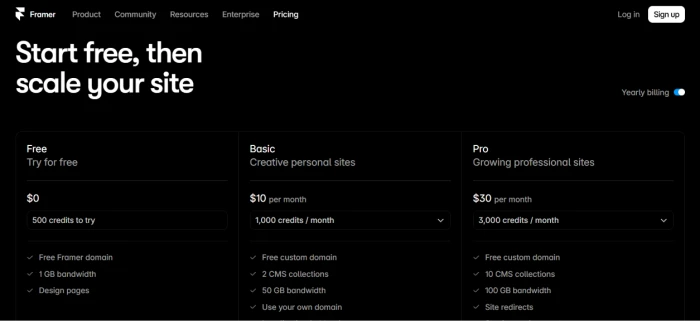
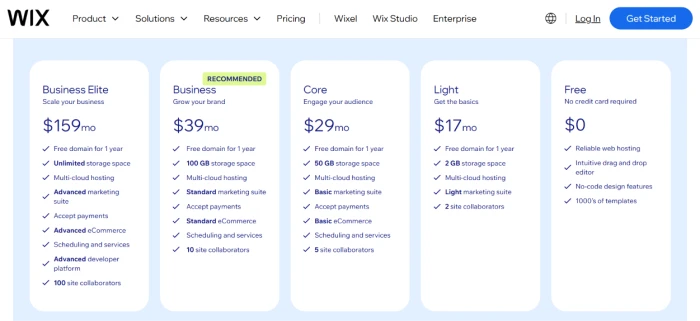
Framer's Basic plan is the value story of this whole comparison. Ten dollars a month, billed yearly, buys a custom domain on a site that outscored my Wix build in Round 6. One caveat the table hides: Framer now meters its AI features in monthly credits, so heavy Workshop use pushes you toward the Pro tier at $30. Wix costs more to get started, and its free plan withholds the custom domain, but its paid tiers bundle the store and booking machinery that Round 5 was about, which you would otherwise assemble from separate subscriptions.
A fair way to frame it: Framer is priced for a site that shows things. Wix is priced for a site that sells things.
Winner: Framer on price, with the honest caveat that the two platforms sell different bundles. Wix AI: 3.5/5. Framer AI: 4.5/5.
Round 8: Ease of Use
My mother could publish a Wix site this afternoon.
That is the clearest way I can put it. The interview asks plain questions and the editor labels everything in ordinary language. Helper prompts appear before you get stuck rather than after. Across eight days of testing I never once opened Wix's documentation, which I cannot say for any other website builder I have reviewed.
Framer asks more of you. The canvas rewards people who have touched a design tool before, and concepts like breakpoints and stacks sit right on the surface from minute one. I enjoy that, and Round 2 shows exactly why the learning curve pays off, but I also watched a friend with no design background stall inside 15 minutes on Framer after finishing a Wix draft the same morning.
Winner: Wix. Wix AI: 4.5/5. Framer AI: 3.5/5.
The Scorecard
| Round | Wix AI | Framer AI |
| 1. AI site generation | 4 | 4.5 |
| 2. Design flexibility | 3.5 | 5 |
| 3. AI content tools | 4.5 | 4 |
| 4. Templates | 4 | 4.5 |
| 5. Ecommerce and business tools | 5 | 2.5 |
| 6. SEO and performance | 3.5 | 4.5 |
| 7. Pricing | 3.5 | 4.5 |
| 8. Ease of use | 4.5 | 3.5 |
| Total | 32.5 | 33 |
Half a point out of forty. I have never had a product comparison land this close, and the margin reflects something real: these tools are excellent at different jobs, and an averaged score hides which job is yours. The next two sections turn the scorecard into an actual recommendation.
Choose Wix AI If
• You sell products or take bookings, and you want checkout, inventory, scheduling, and taxes handled in one dashboard from day one. This was Round 5, and it was a rout.
• You have never built a website before. The interview format means the software asks you questions instead of waiting for you to write a good prompt.
• You will use AI copy tools weekly. The text and section creators from Round 3 are the strongest everyday AI features on either platform.
• Your site needs business extras such as email campaigns or customer accounts without stitching together third-party services.
My pottery studio kept its Wix build for exactly the first reason on that list.
Choose Framer AI If
• Design quality is the thing your visitors judge you on, and the pixel-level control from Round 2 sounds like a feature rather than a chore.
• You want the fastest published site available from an AI builder. My PageSpeed numbers in Round 6 were not close.
• Your budget is tight. Ten dollars a month, billed yearly, gets a custom-domain site that undercuts Wix's $17 entry plan.
• You publish in multiple languages and want AI Translate doing the heavy lifting across 100-plus of them.
Framer also fits anyone who expects to outgrow a builder, since its canvas skills transfer toward professional design tools in a way that Wix's section editor does not.
Two Alternatives I Considered
Webflow sits near Framer in spirit, with deeper CMS power and a steeper learning curve, and I would choose it over Framer only for content-heavy sites with complicated data structures. Its AI features trail both platforms in this article as of my testing.
Hostinger's AI builder generates a usable site for less money than either finalist, and the output looks like it cost less, too. I mention it because budget readers deserve the option, and I left it out of the main test because it competes on price rather than on the AI capability this comparison is about.
My Verdict After Eight Days
I went into this expecting Wix to win comfortably. A business site with payments felt like home turf for it, and Rounds 5 and 8 proved that instinct right. What I did not expect was how often I opened the Framer build just to look at it, the way you check on something you are proud of.
So here is where I landed. The pottery studio runs on Wix today, because a site that cannot take a booking payment is a brochure, no matter how pretty. Framer earned a permanent place in my toolkit anyway, and the next landing page I build will start as a two-sentence prompt on its canvas rather than as a blank page.
Before you spend a dollar on either, run your own brief through both free plans the way I did. The entire test cost me a weekend, and both free tiers covered in Round 7 are generous enough to settle the question. Your specific site will break the tie that my scorecard could not.
Comments
Join the discussion and share your perspective.